
- Network
- A
15 online services every sysadmin should know
Continuing the series of articles on useful tools for sysadmins. Today I will talk about foreign websites that should definitely be on your shortlist. Read below and share your online services for monitoring, testing, and optimization.
Continuing the series of articles about useful tools for system administrators. Today, I'll talk about foreign websites that definitely should be on your shortlist. Read below and share your online services for monitoring, testing, and optimization.
1. Pingdom
For what: monitoring HTTP/HTTPS, emulating user scenarios, notifications, detailed analytics of page load speeds and transactions.
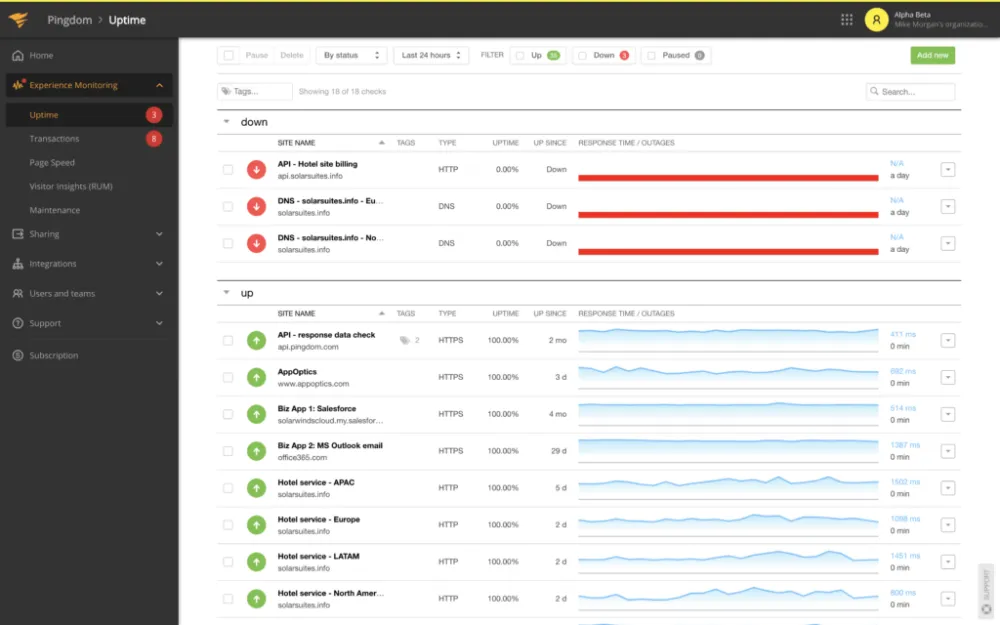
One of the most well-known website and portal monitoring services. Pingdom tracks the availability and performance of a resource in real time. The site itself continuously emulates user actions and checks how quickly the page loads.
In addition, the service can simulate "sessions" (such as adding a product to the cart or making a purchase). If the service fails, Pingdom will immediately send a notification (via email, SMS, or the now-departed Slack in Russia) and show a report of the last test.
The check intervals are flexible (starting from a minute), and the results are saved in the form of graphs and reports. I like the clear dashboard, beautiful response time visualization, and the ability to check target transactions (for example, the checkout process).
Downside — it's all paid, with only a 14-day trial period. This should be enough to dig around.
2. UptimeRobot
For what: notifications about outages and expiring certificates, public status page.
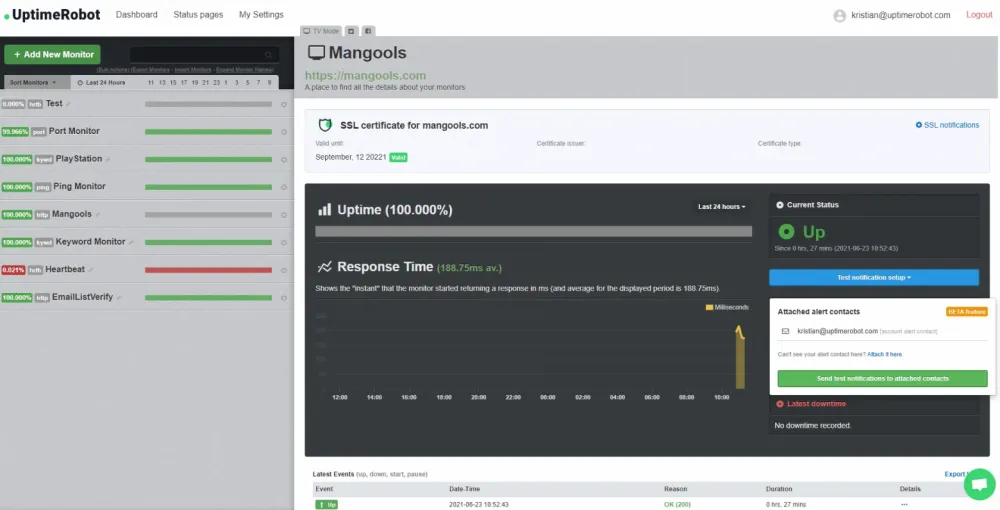
UptimeRobot is a simple availability monitor that polls your websites every few minutes and checks if they are "up". Monitors can be configured for HTTP(S) requests, ping, SMTP, POP3, TCP port, etc. Notifications come via Telegram, Teams, email, SMS/calls, or a public service page for clients that you can create yourself.
In addition to regular website pings, UptimeRobot checks ports and will not miss an SSL certificate expiration (it will remind you 30/14/7 days in advance). You can also set up alerts for the appearance of any required or unwanted content on a page. There is a free plan for 50 websites (checks every 5-10 minutes) and paid plans with shorter intervals.
The downsides — the visualization is not the most advanced, and devices behind NAT cannot be monitored on the free plan.
3. SSL Labs
Purpose: checking the quality of SSL/TLS configuration for any domain (no need to install anything — just enter the website address).
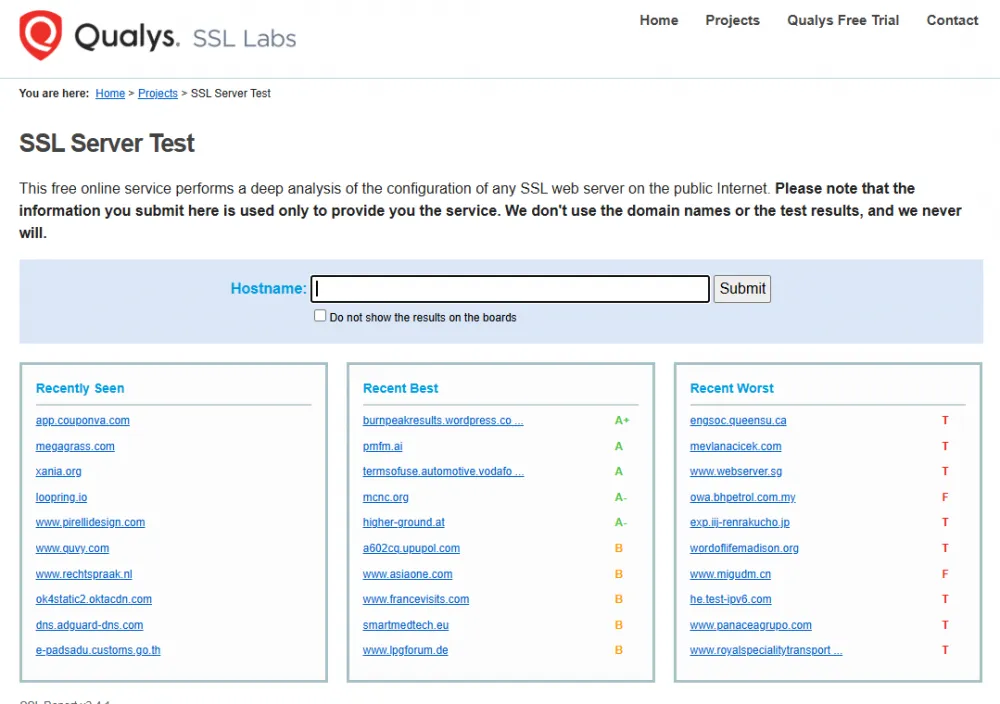
SSL Labs (Qualys SSL Test) — the gold standard for certificate checks. By the service URL, it evaluates your HTTPS and checks the certificate chain, supported protocols, ciphers, and vulnerabilities like POODLE or Heartbleed. By the way, the test itself takes 1–2 minutes.
As a result, you can see a clear security grade (A, B, etc.) and a list of issues, if any. In simple terms, the service analyzes how well SSL is configured on the server. With SSL Labs, you'll quickly notice if, for example, outdated TLSv1.0 is supported or if HSTS is not explicitly enabled.
Downside — it's currently not available as an automated API (only for the paid version of Qualys).
4. DNS Checker
Purpose: global DNS record check.
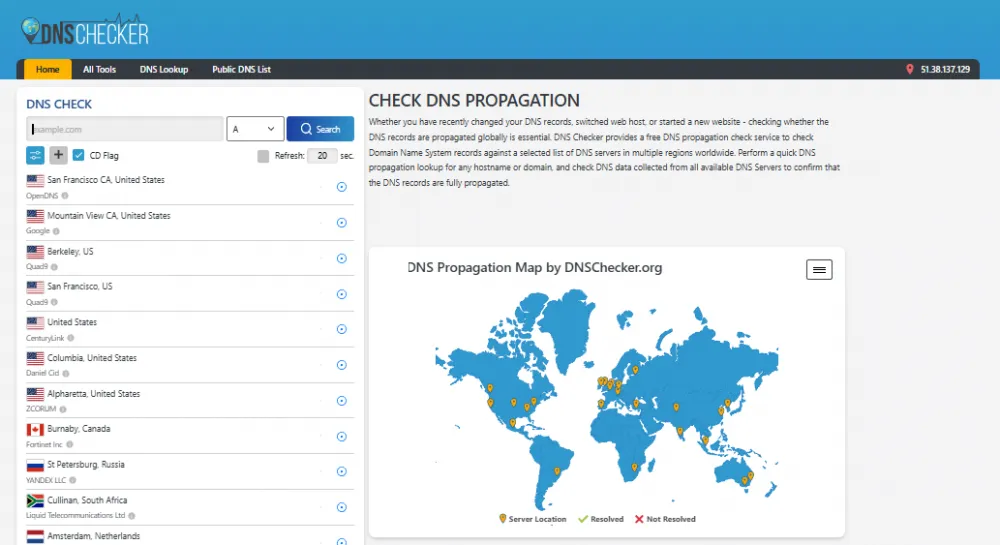
DNS Checker checks DNS from more than 100 locations around the world. You enter the domain and record type (A, MX, NS, etc.), and the service shows the current responses from different DNS servers. This way, you can see where the IP or MX record has already been updated and where it hasn't — useful after changing hosting or adding new mailboxes.
Additionally, DNS Checker is free and doesn’t require registration, and no significant downsides have been found.
5. MXToolbox
Purpose: comprehensive domain/mail diagnostics — DNS lookup, blacklist checks, MX server analysis, even IP blacklist checks.
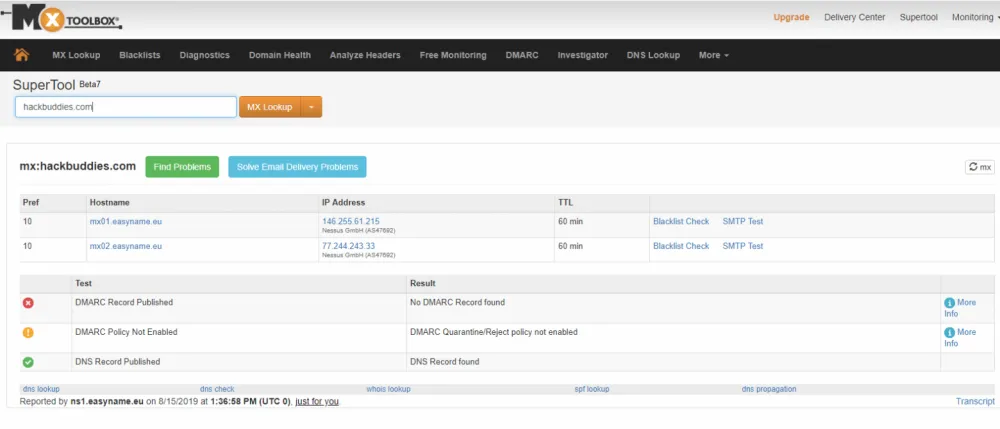
MXToolbox combines several checks: DNS, MX/SMTP, blocklists (RBL), and more. For example, you can enter a domain or IP, and the service will provide a detailed report on who hosts the site, which MX record points to which mail servers, and check them for open relays or blacklisting in spam lists.
Additionally, there are separate online utilities: traceroute, whois, SPF/DKIM/DMARC test, etc. Notably, you can check not only your own email service but also any other one.
The tool is available for free, and the paid version is only needed if you want continuous monitoring or bulk processing.
6. DownForEveryoneOrJustMe
Purpose: quick website availability check.
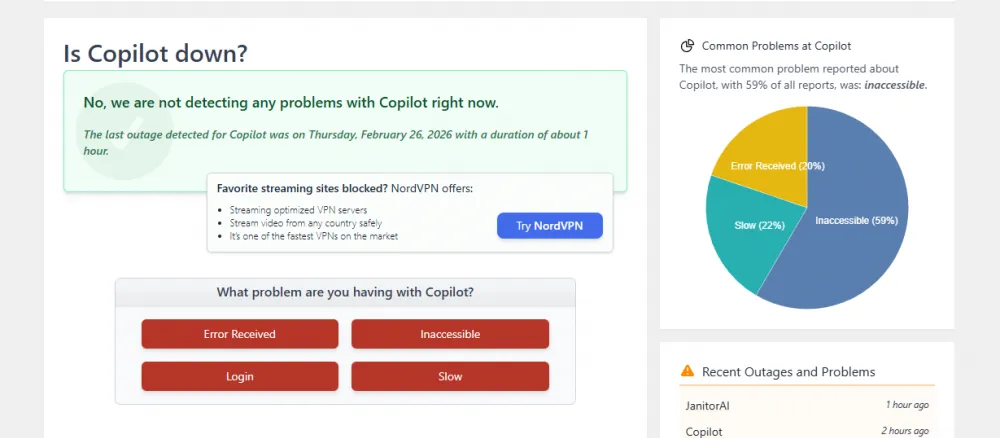
The service with the telling name Down for Everyone Or Just Me is used to determine if the website is down only for you or for everyone. In general, no login is required, it doesn't store history, and it's always available (just the address is enough), saving you from wasting nerves.
7. IPinfo
Purpose: quick IP lookup — determining location, provider, and ASN.
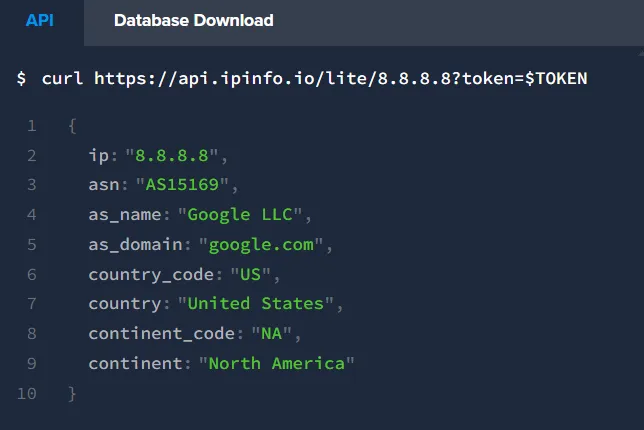
If you need to find out where a specific IP is located and who it belongs to, you'll definitely need IPinfo. It shows the city and country of the IP, the provider, and even the registered autonomous system (ASN).
The free version provides about a hundred requests per day and shows the country, region, city, coordinates, ASN, and provider name. Useful features also include a CLI client (you can type ipinfo 8.8.8.8 in the terminal), a browser extension, and an API with a free key for limited access.
The downside is that deep queries (like IP lists) are available only with a paid subscription.
8. WebPageTest
Purpose: detailed page load testing from selected points around the world, with different browsers, including a performance report (timing and speed assessment).
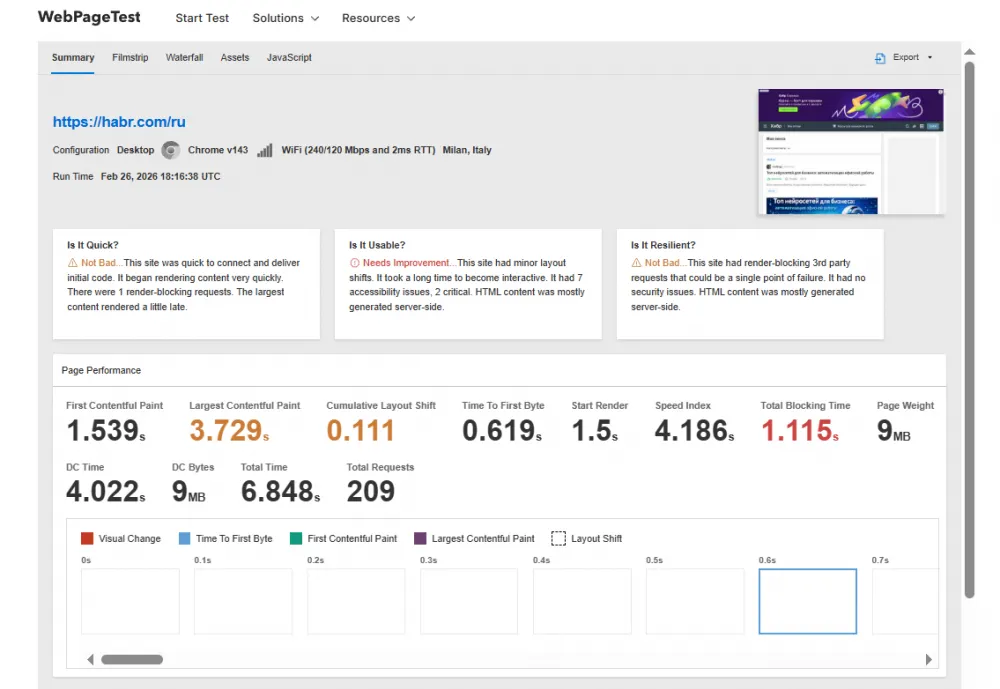
An ideal free service for detailed website speed testing. For example, you can run a test from different locations and browsers (Chrome, Firefox, IE, etc.) and receive a detailed "waterfall" of page loading (each file and its load time).
WebPageTest gives scores based on Core Web Vitals, analyzes the first rendering, page interactivity, and suggests which resources are slowing down the loading. By the way, it can even be installed on an internal network.
9. Cloudflare Radar
Purpose: Global analytics of internet traffic and attacks based on Cloudflare data.
Cloudflare Radar visualizes global internet trends. The service collects anonymous data from its network (and the 1.1.1.1 resolver) and shows what browsers/OS are used by people, how much IPv6 traffic there is, which SSL certificates are most common, etc.
It also includes sections on security (where DDoS attacks can be seen), bot traffic, and even an outage center (events like “provider X in Iran cut off the internet”). If not for work, it's just fun to freely view the global scale of the internet.
10. Shodan
Purpose: Search for internet-connected devices and servers by service information (HTTP banners, port numbers).
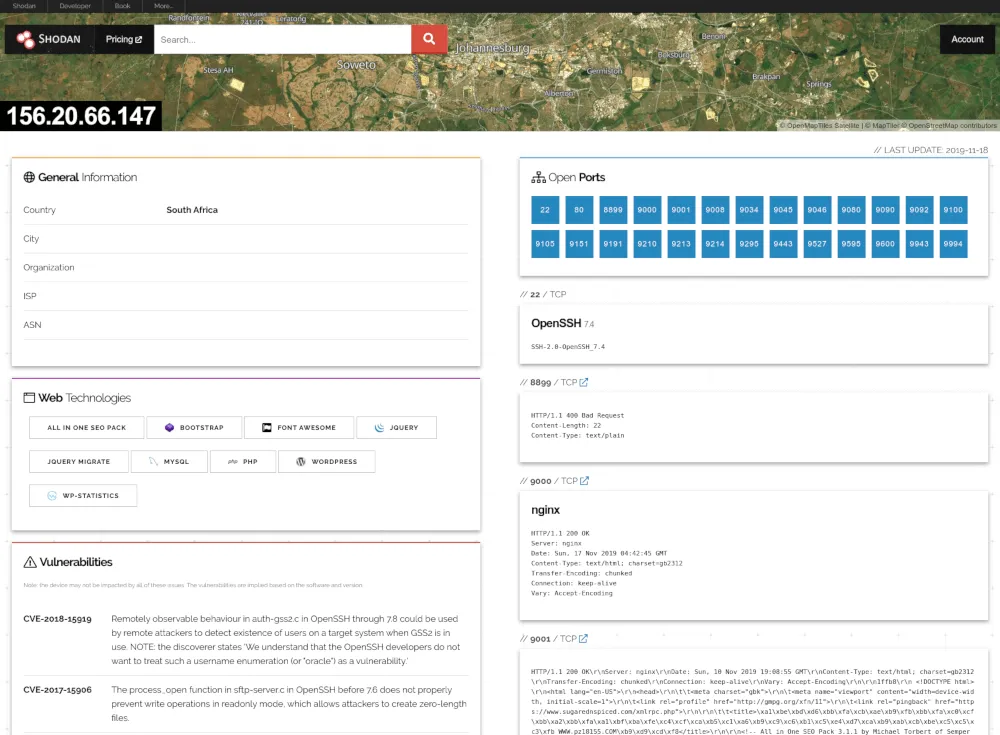
Shodan is a system that scans the internet and indexes devices and servers (cameras, routers, industrial controllers, etc.) by their banners and open ports. It is useful because it allows you to find all devices on a certain IP or subnet, check what services are running there, and see if there are any vulnerable configurations. For example, you can quickly check if your public SSH server is responding correctly or find out which cameras are broadcasting their signals to the network.
There is a free version, but the paid one offers more features (history, API queries, etc.).
11. PageSpeed Insights
Purpose: Page load analytics with recommendations for speeding up (Google Lighthouse assessment).
This Google service is useful for optimizing web portals. PageSpeed Insights checks how fast a page loads for visitors (especially on mobile devices) and provides recommendations for speeding it up (minimize CSS/JS, images, etc.).
The analysis is done from both the client side and in lab conditions. Overall, it helps you see where a page is “lagging”.
12. Check-Host
Purpose: Check the availability of services from different countries, network and DNS diagnostics.
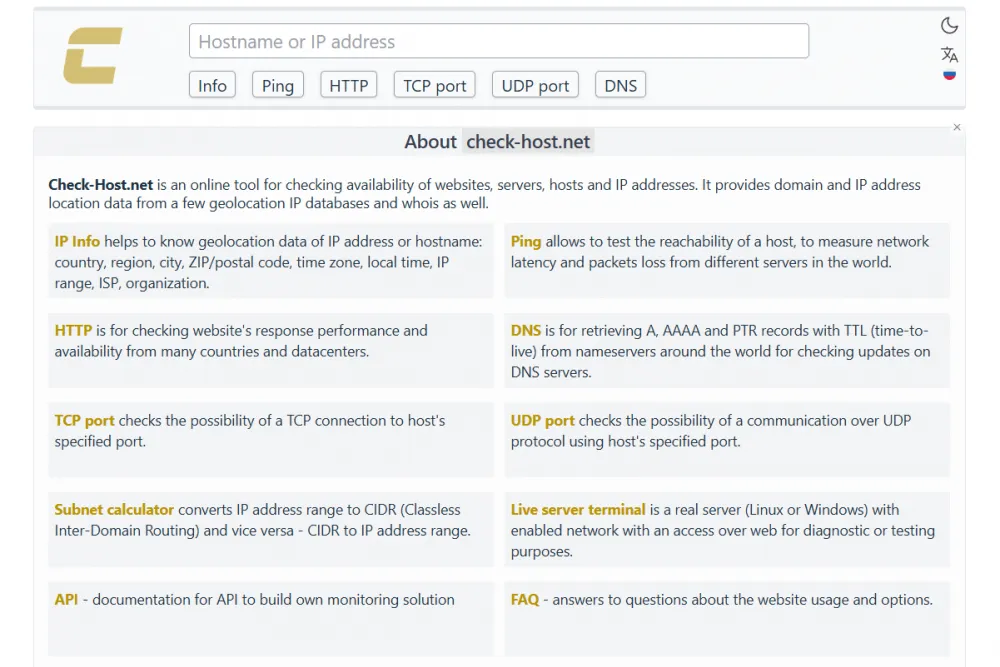
Check-Host helps to detect where the problem is — with the server or a specific region. The service simultaneously checks the ping, HTTP/HTTPS, TCP port, DNS, and data transmission route from multiple points around the world. It is especially useful for user complaints like “we can't open it.”
13. SecurityTrails
Purpose: DNS history, passive domain analysis, and asset discovery.
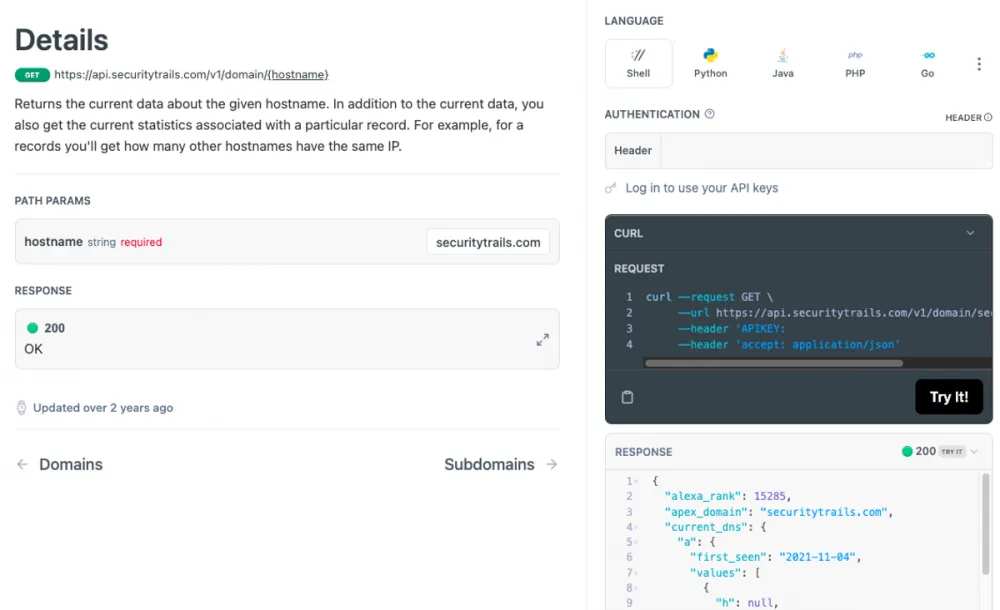
SecurityTrails stores the history of DNS records: old A, MX, NS, IP changes, and previous hosting providers. It is very useful for incident investigation, finding old servers that may still be accessible, auditing infrastructure after migrations, and checking contractors. For example, on the site, you can see which IPs the domain was hosted on, which NS were used, and which subnets were linked.
The free version provides a limited number of queries per day — usually enough for specific tasks.
14. GTmetrix
Purpose: Detailed website performance analysis with a technical breakdown of bottlenecks.
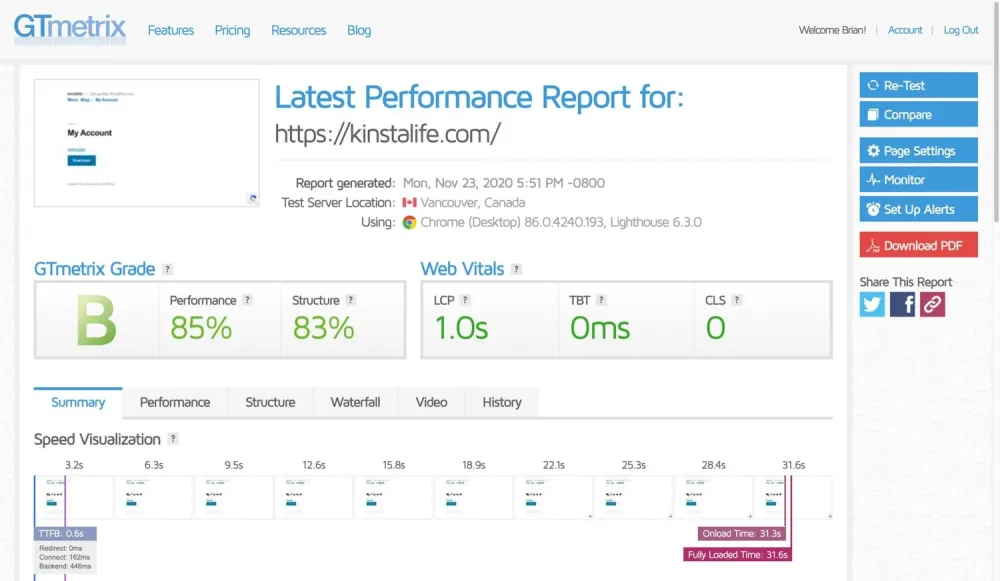
GTmetrix is often compared with PageSpeed, but in fact, it is a more engineering-focused tool, where you can select the testing location and browser. It shows not only a score but also specific timings, a waterfall diagram, and resource load dependencies. It is convenient when you need to figure out exactly what is slowing things down, compare two versions of a page, and check caching, compression, or CDN. There is a free version, but with limitations on the frequency of use.
15. Redirect Checker
Purpose: Analyzing redirect chains and diagnosing HTTP redirections.
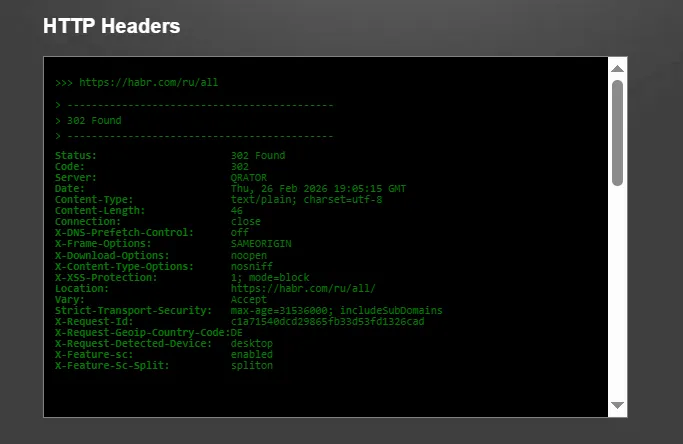
Redirect Checker is an old, widely known tool that shows the full chain of 301/302 redirects, HTTP response codes, response time of each step, and the final URL. It is useful after migrations, HTTPS setup, CDN, or load balancers.
That's where we can stop. Share your favorite services and utilities in the comments.



Write comment