- Network
- A
Let's break down these walls, they shouldn't be here...
Three years ago I wrote an article "Internet censorship and bypassing blocks: it's not time to relax." Reading it now, after three years, I can't shake the mixed feeling: on one hand, I was right about almost everything regarding how events would unfold, blocks would intensify, and legislation would be regulated. On the other hand, I was seriously wrong in some areas.
Specifically: I was too hopeful that the brave internet filters would care about reducing side effects and so-called collateral damage, and therefore would be forced to invent more complex detection technologies, continuing the exciting game of cat and mouse. But reality turned out to be much more prosaic: why think when you have a sledgehammer in hand? As a result, we have the following: some detection methods are blatantly stupid (for example, blocking several parallel connections to one IP, which can be solved by using gRPC transport for VLESS or XHTTP transport with proper multiplexing settings), and some are even dumber, namely, no detection at all, just a simple ban on popular hosts and cloud providers in whole subnets /16 and even /8 — as a result, either you can’t connect via TLS at all, or you can, but the connection freezes after transmitting about 16 kilobytes of data, or the block is triggered for a whole subnet after a random access to some “bad” IP address. Huge thanks for the analysis to my friend
Since this is essentially nothing but whitelists (not the ones that are enabled in some regions during air raids, but whitelists of SNI (domains) within blocked subnets), it’s reasonable to bypass such restrictions using the same old methods: either use the old good Reality with domain replacement, or… or settle in a subnet that is unlikely to get fully banned.
About Reality
Actually, the funniest thing is that XTLS-Reality is still redundant in Russian realities. The RKN still doesn’t conduct active probing, so the same effect can be achieved by setting up a regular VLESS with a simple self-signed certificate with the required domain – no one will even notice. By the way, this works even with some CDNs that allow you to upload your certificates. Think about it.
Let’s go down the second path.
I’ll say right away: for everything described further, you will need a foreign bank card and the ability to confirm residency in some other country. Therefore, the first step is to find a friend or relative somewhere outside of Russia who will register everything and pay for you.
Small and medium-sized hosting providers are blocked, large CDNs are blocked, and who isn’t blocked, or at least who gets blocked last? A colleague whispered in my ear: Azure, whose addresses are located in the same AS as almost all the regular Microsoft resources, including those used for Office 365 and those from which Windows gets metadata for security updates. In principle, this option is not the worst, since their low-end virtual machines are quite cheap. For some reason, I couldn’t connect to such a virtual machine via TLS with SNI using domains like *.microsoft.com and similar (although google.com worked fine), either they have a filter on their firewall for such tricky setups, or I’m just bad at it – but plain HTTP with such domains works perfectly, which allows using it with VLESS Enc (yes, VLESS now has encryption – and moreover, it includes Reality Seed, which is intended to protect against detection based on packet sizes – check out the documentation on the XRay GitHub, there’s a lot of new and interesting stuff).
But Azure is boring. What about Google? Let’s take Google Cloud, create a virtual machine in Compute Engine. You can play around with the settings to make it as cheap as possible – take an instance type e2-micro (the lowest-end, 0.25 vCPU, 1GB RAM), change the storage to standard disk, no backups, click through the locations to find where it’s cheaper (the difference can be a few dollars per month), don’t forget to check Allow HTTP and Allow HTTPS traffic, and select an Ephemeral IPv4 address. By default, it’s created as IPv4-only, and to have IPv6, you’ll need to do some extra configuration with the network settings before creating the virtual machine, but we won’t waste time on that.
A virtual machine is created, we install XRay on it, and… everything works. We are accessing the domain google.com which is located in the real AS GOOGLE.
On the other hand, if we only need it as a backup for a rainy day - when everything else fails, so that we can still access the free internet and fix everything properly - there’s no point in keeping the virtual machine running constantly and burning money. Maybe we should just spin up a container?
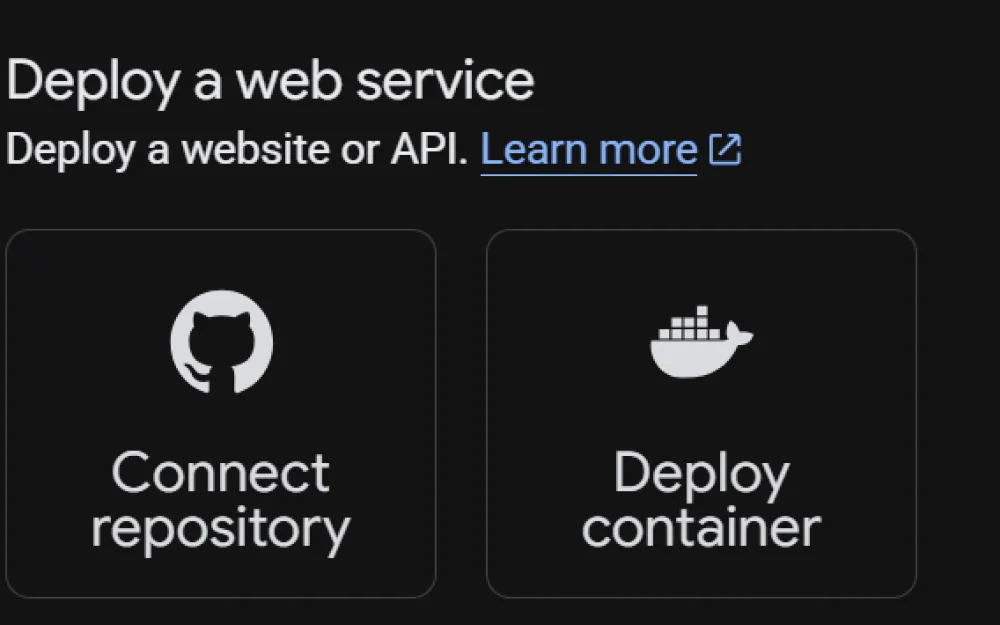
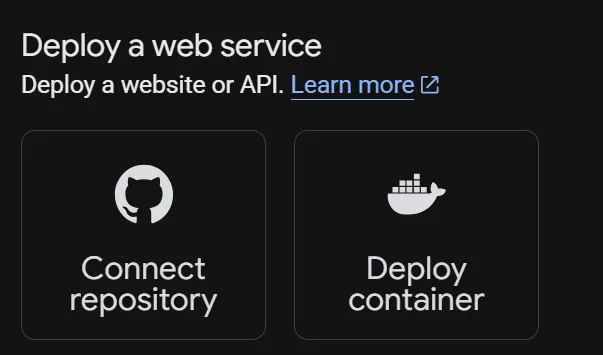
We go to Google Cloud Run -> Services, and select Deploy web service:
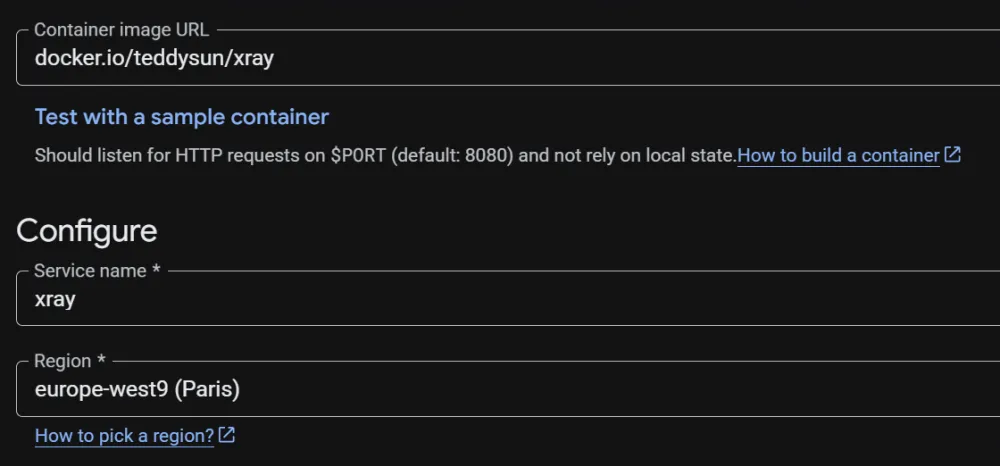
As the container image path, we specify the official XRay docker image:
Choose a cheaper region (Tier 1) and closer to us.
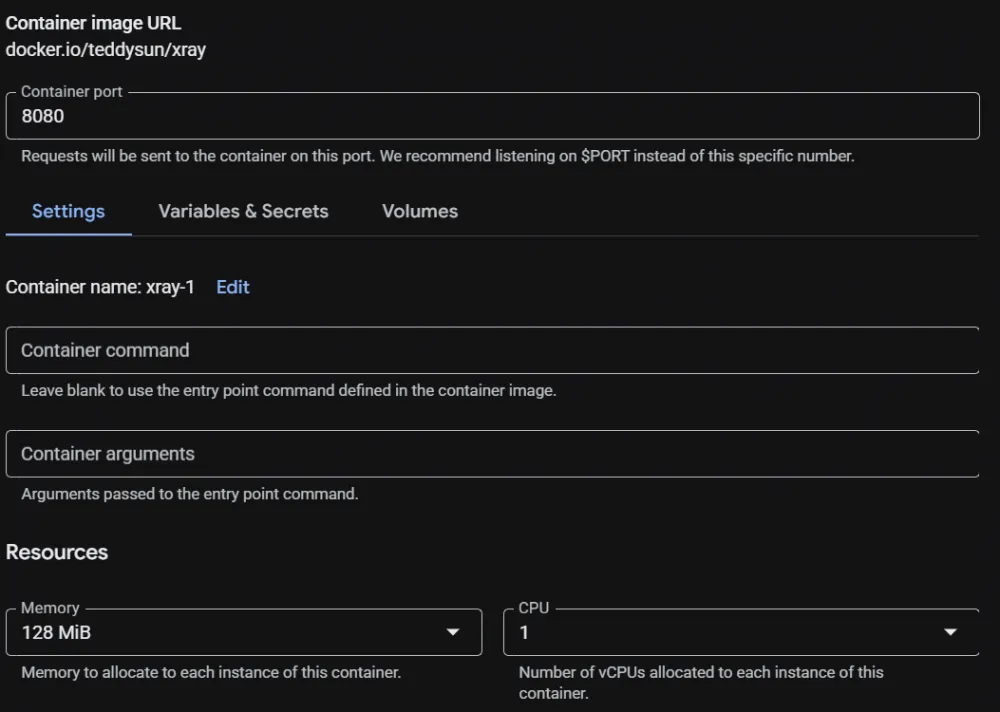
Next, we’ll walk through the additional options. Container port - 8080 (it should match what we specify in the XRay config), memory 128 MB, 1 CPU.
Don’t be tempted to set <1 CPU - (you can specify as low as 0.08 and 0.25 CPU) - Google Cloud will block your container from processing more than one parallel connection in that case. I don’t know the reason for this requirement, so we set 1 CPU.
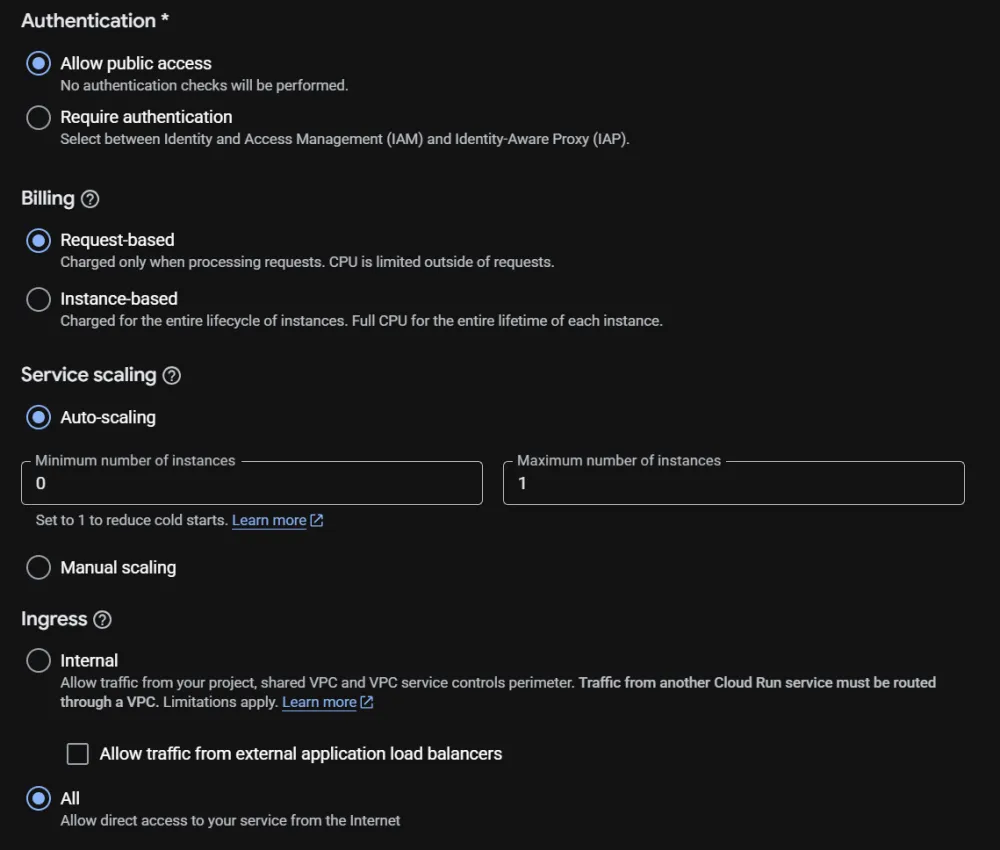
Moving on. Allow public access, billing - request-based, Auto Scaling from 0 instances (nothing running when there are no connections) to 1 instance (and that’s all we need). Ingress - all.
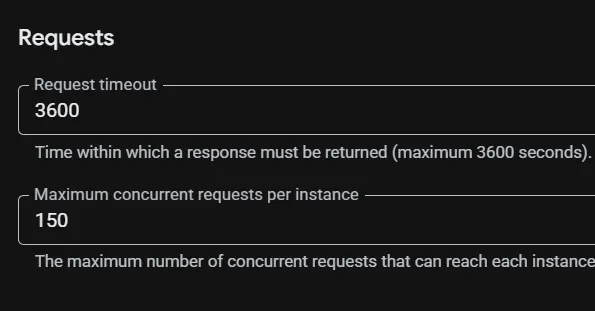
Finally, set the timeout to 3600 seconds, and allow a hundred or more parallel requests.
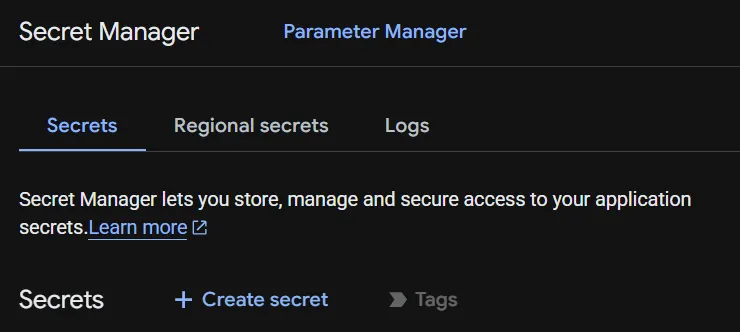
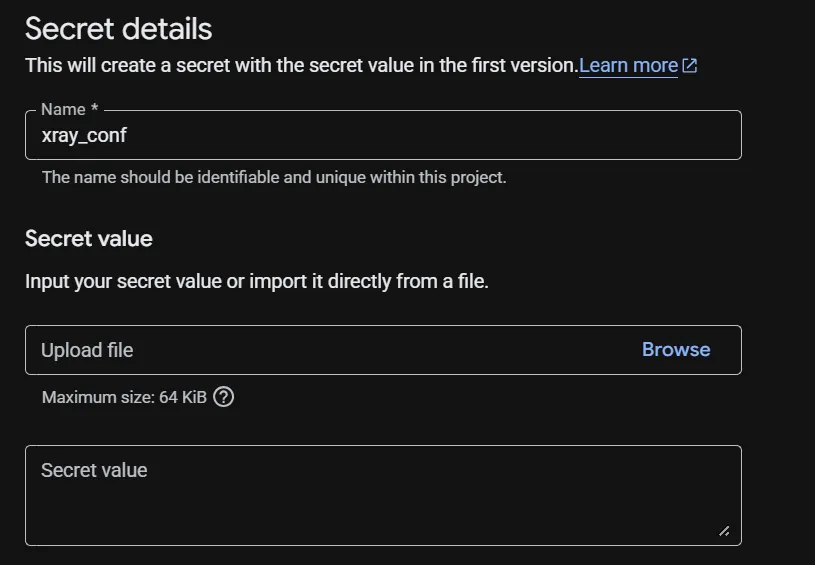
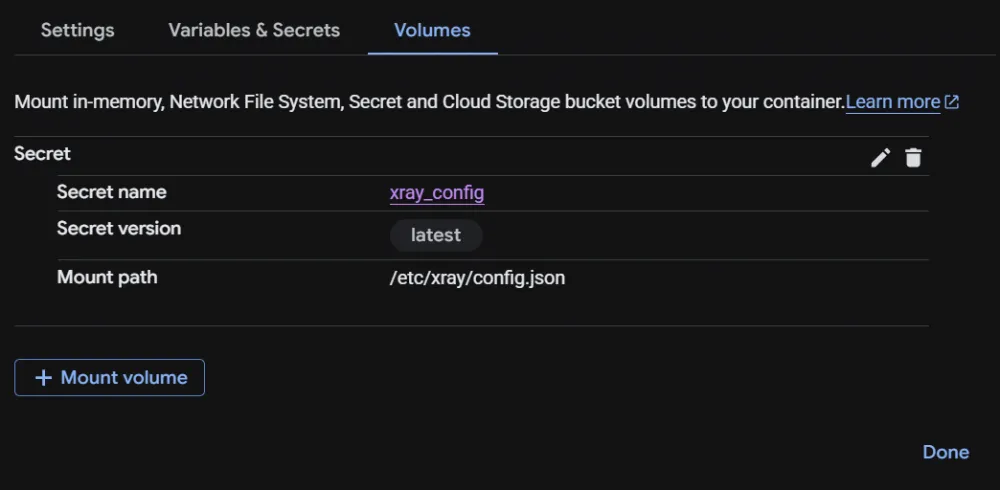
Now the question: how do we feed the XRay config to the container? Before creating the container, go to Secret Manager -> Create secret, give it any name, and upload our config.json there or paste its content into it.
After that, in the container settings under the Volumes tab, we can mount this secret as the config.json file in the file system:
Let’s make the XRay config as simple as possible, something like this:
No. In this case, you resolve google.com, connecting to the IP address of the real google.com, but the request magically ends up in your container. If this is not a perfect disguise for Google, then I don't know what to call a perfect disguise. It works both over HTTPS and through QUIC - whichever you prefer. And to block such a thing, you would need to completely ban Google.
The client config looks something like this:
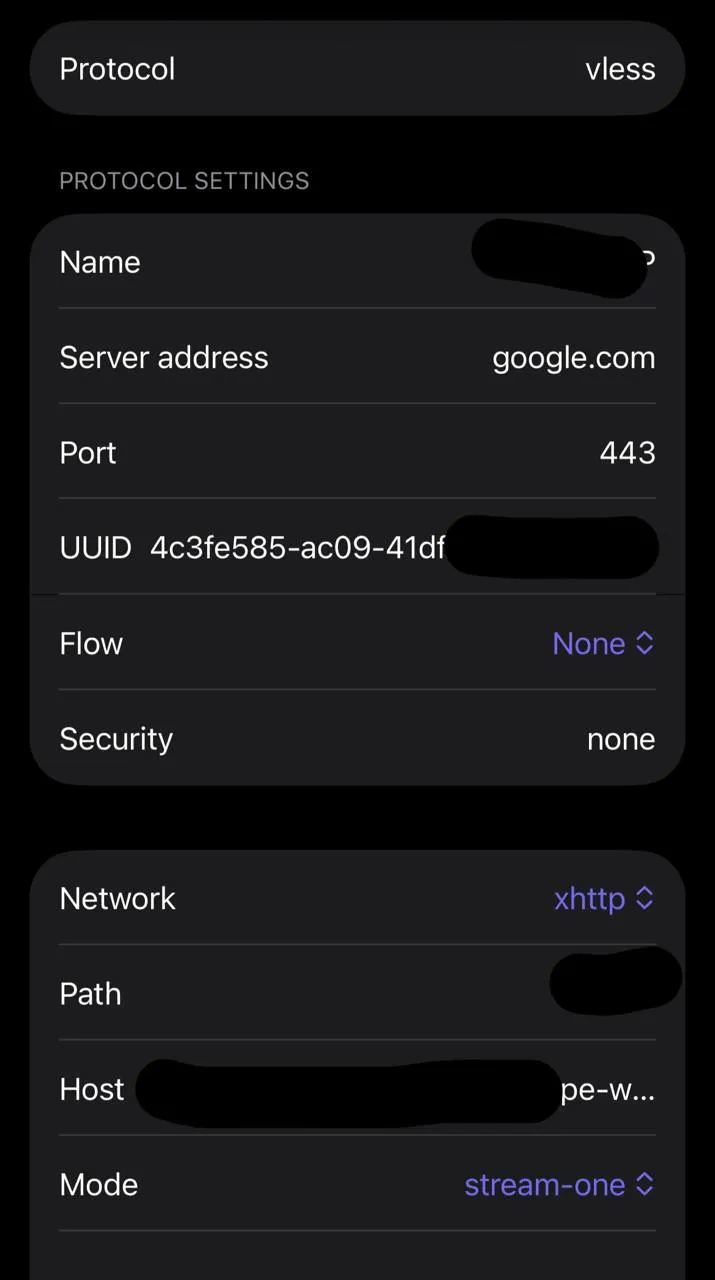
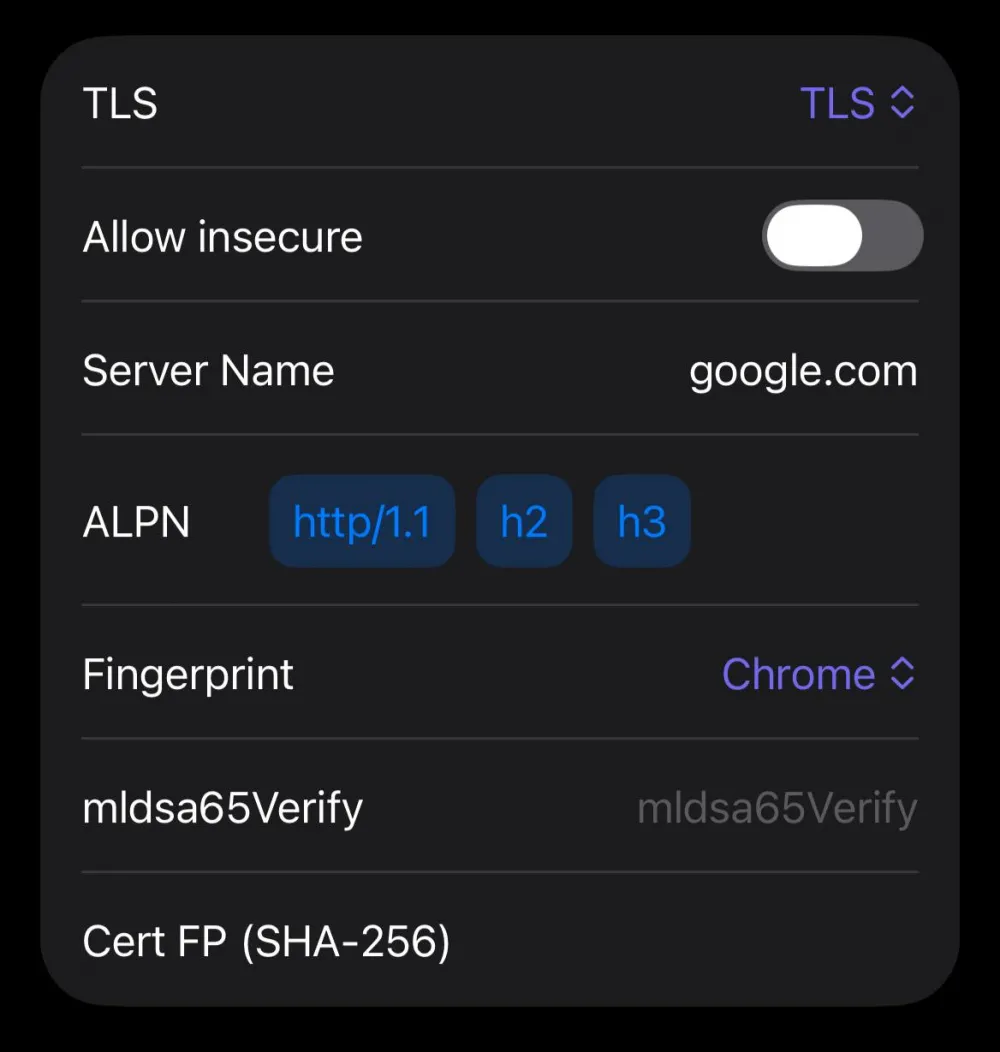
What are the pitfalls? Besides the need for a foreign card and address verification outside of Russia, there is another significant drawback: it is very expensive. Therefore, it will only work as an on-demand solution for emergencies, or conversely - you need to share the container with as many other people as possible to make it cheaper per person. Yes, it will still be expensive, but there is nothing to be done about it - the price for “living as if nothing happened” rises stronger and stronger every day.
And if you hit the limits of the container's computing power, and you have some other VPS abroad, instead of the XRay container, you can deploy praveenkarunarathne/Google-Cloud-Run-Proxy. You pass the environment variable V2RAY_SERVER_IP=1.2.3.4 to the container, and it will simply forward all TCP connections from the container's entrance to the specified IP address (there should be a regular HTTP inbound on the other end, since TLS is already terminated on Google's infrastructure). It is written in Go and is very efficient in performance. Don't forget to give it a star on GitHub - the author will appreciate it.
That's the way it is.



Write comment