- Network
- A
Browser Anonymity and Fingerprinting Risks
Many have long thought that browser privacy means incognito mode, a couple of ad blockers, and clearing cookies. While writing material about browser fingerprinting, I realized the scale of the problem: even without cookies, you have a unique set of technical characteristics—window size, font list, language, canvas, and audio drivers—that allows ad networks to link your sessions.
I've already written in detail about fingerprinting, so here I'll just recall the main point: the browser itself is a stable identifier, and even incognito mode won't save you [LINK TO MY ARTICLE ON FINGERPRINTING].
After that, it became interesting to compare the "most popular" browsers that claim (and not very convincingly) to offer privacy and anonymity. It turned out that absolute anonymity is almost nowhere to be found, and each platform requires an understanding of the threat model. Below is the result of a technical analysis. I tried to be objective and look at the browsers from a technical standpoint.
What I mean by browser anonymity
Before comparing, it's important to distinguish three concepts that are often confused.
Security is protection against exploits, malicious sites, XSS/UXSS, and content interception. Chrome, Firefox, and Brave pay a lot of attention to security: Chrome has a powerful sandbox and Site Isolation, fast patches, and Safe Browsing. These technologies make the browser a good shield against attacks, but they don't hide you from trackers.
Privacy is about limiting data collectors. A browser can block third-party cookies, restrict storage, clean tracking parameters from URLs, cut off fingerprinting channels, and limit telemetry. For example, Firefox implements Total Cookie Protection, isolating each site's cookies in a separate "jar," which prevents trackers from reusing cookies. Brave by default removes popular tracking parameters like fbclid, gclid, and msclkid from URLs to hide the referral chain. DuckDuckGo blocks tracker loading before they can even see your IP.
Anonymity - is when a website, provider, or advertising network cannot link your behavior to a specific person or stable identity. Anonymity requires hiding your IP address, protecting against DNS leaks, minimizing fingerprint surface, and user discipline. Tor Browser is practically the only popular browser designed specifically for anonymity. But even Tor doesn't make you invisible if you log in to social networks or download documents and open them outside the sandbox.
It's essential to understand that a browser by itself does not hide your IP: your address is visible to the website and your ISP; DNS requests go to your provider if you haven't enabled DNS over HTTPS; TLS SNI and metadata reveal which domain you're connecting to; your behavioral pattern (session timing, typing speed) is also unique. Even Incognito mode in Chrome doesn't hide your IP, doesn't cancel fingerprinting, and mainly clears local traces after closing the window. Safe Browsing in Chrome may send partial URL hashes to Google's servers, and with "Enhanced Protection" enabled, it may even send full addresses of suspicious pages, which compromises privacy.
1. Amigo: when a browser becomes part of a distribution scheme
Amigo is an old browser based on Chromium, which was distributed through partner installers from Mail.ru. The main thing to understand is that users often didn't even know they were installing Amigo. The amigo.exe file is described as a non-system process that runs without a visible window and can "manipulate other programs and record input." Experts considered it potentially hazardous and noted that Amigo most often ended up on machines as a result of bundled installations with other software.
At the engine level, Amigo uses Chromium, so basic sandboxing and security mechanisms are present. However, this is irrelevant for anonymity: if a browser is installed without consent and integrates with third-party services, discussing it as a privacy tool is pointless. You can't trust a product that appears on your computer as a side effect of an installer and contains third-party update mechanisms. Therefore, Amigo should be considered only as a historical example of how a browser can become an entry point into an ecosystem of telemetry and monetization, along with viruses.

2. Yandex Browser: Privacy Within the Ecosystem Is Always a Compromise
Yandex created its own browser based on Chromium, retaining all the core security mechanisms of the engine. It includes built-in Protect (blocking fraudulent sites, virus protection), an integrated translator, Alice, synchronization, suggestions, and a dashboard. All this is convenient, but convenience comes at the cost of data. And of course, we must remember that it is Amigo's twin brother in terms of distribution. We won't discuss the promotional links at the top of search results, the absence of a huge number of websites, and a bunch of other drawbacks of this browser.
What Yandex Browser Collects
The official help documentation acknowledges that the browser sends data to the server "for technical tasks, usage statistics collection, and resolving user issues." The list includes IP address, location, computer technical specifications, OS version, and a unique identifier for search bar suggestions. When sending crash reports and statistics, it collects the address of the visited page, list of installed plugins, cookies, and navigation statistics. Yandex calls this data anonymized, but the very fact of transmitting such detailed information is a serious blow to privacy.
Yandex ranks among the least private browsers. The reason is the transmission of a hash of the hardware serial number and MAC address, which allows linking different browser installations on the same device and even different software. Other sources confirm similar behavior: Yandex sends a hardware identifier hash to the backend and transmits information about visited pages beyond what is needed for autocomplete, and this cannot be disabled.
Protection and Threat Model
Protect indeed blocks phishing sites: Yandex stores a database of fraudulent addresses and issues a warning upon visit. But this feature does not make you anonymous. First, Protect itself contacts servers for URL checking. Second, the entire browser is tightly integrated with the Yandex account, search bar, smart suggestions, and geoservices. If your threat model includes advertising profiling or linking activity to a specific account, an ecosystem browser is a very poor choice. Conclusion: Yandex Browser is convenient and sufficiently secure as a Chromium-based browser, but weak as an anonymity tool. Therefore, it goes to the trash along with its little brother Amigo.
3. Google Chrome: strong sandbox, weak anonymity
Chrome is the market leader, and in terms of security, it has almost no equals. Sandbox, multi-process architecture, Site Isolation, fast updates, and Safe Browsing protect against exploits. But anonymity has been lacking here for a long time.
Telemetry and Safe Browsing
By default, Chrome regularly contacts Google servers for updates and counting active users. The Safe Browsing system downloads lists of malicious sites and, upon suspicion, sends Google a partial hash of the URL; with enhanced protection enabled, Chrome sends full page addresses to check for phishing. When checking for password leaks, Chrome sends hashes of the username and password to Google's server. In incognito mode, Chrome does not store local history and cookies, but these network requests continue to occur.
Chrome is integrated with Google Account: syncing bookmarks, passwords, history, and tabs is convenient, but turns the browser into an extension of your account. Search suggestions send the full text you type in the address bar to Google servers. Because of this, researchers place Chrome in the middle group for privacy: it sends unique identifiers in telemetry and transmits entered addresses for autocomplete. And personally, it seems to me that this is the same Yandex, only better and American.
Privacy Sandbox and advertising model
In recent years, Google has attempted to replace third-party cookies with a set of APIs under the Privacy Sandbox brand (FLoC/Topics), promising that user interests would be computed on the device. However, at the end of 2025, the company announced that most of these APIs are being shut down and the Privacy Sandbox brand is being discontinued. For example, the Topics API was supposed to show advertisers only generalized interest topics without revealing specific visited sites, but its adoption turned out to be low. Instead, Google will develop other tools (CHIPS, FedCM), but the essence remains: the company's business model is advertising. You cannot expect a browser from an advertising giant to be a perfect tool for anonymity.
Conclusion: Chrome does an excellent job protecting against vulnerabilities and malicious websites, but it is not designed to hide your activity from Google, ad networks, or the FBI. Incognito mode is merely a way to avoid leaving local traces.

4. Firefox: Privacy is present, but anonymity depends on settings
Firefox remains the only major browser with its own engine (Gecko). Mozilla positions it as private by default: Enhanced Tracking Protection (ETP) blocks known trackers, and Total Cookie Protection isolates cookies for each site, preventing cross-site tracking. Additionally, Firefox removes cookies and sites cannot read each other's data—this reduces targeted advertising.
For extra protection, there is the privacy.resistFingerprinting setting, which alters browser behavior (User-Agent, timezone, canvas) and makes fingerprinting more difficult. However, Mozilla honestly warns that this feature may break websites and is recommended only for advanced users.
Firefox collects telemetry, but according to developers, it is limited to technical and interaction metrics: page load times, feature usage, and general device information. Telemetry does not include browsing history, search queries, or saved passwords, and it can be disabled in settings, after which data is deleted within 30 days. Recently, Mozilla implemented local AI features (automatic alternative text generation, translation) that run entirely on the device and do not send page content to the cloud.
I personally use Firefox and will talk about its strengths, first and foremost - flexibility: many extensions (uBlock Origin, Multi-Account Containers), Strict ETP mode, its own implementation of DNS over HTTPS, the ability to disable telemetry. But with flexibility comes risk: customization changes the fingerprint. The more settings and extensions, the more unique your browser becomes. Researchers warn that a too 'tweaked' Firefox can become more unique than a standard profile. Therefore, for anonymity, it's better not to create your own build, but to use proven configurations or Tor Browser.
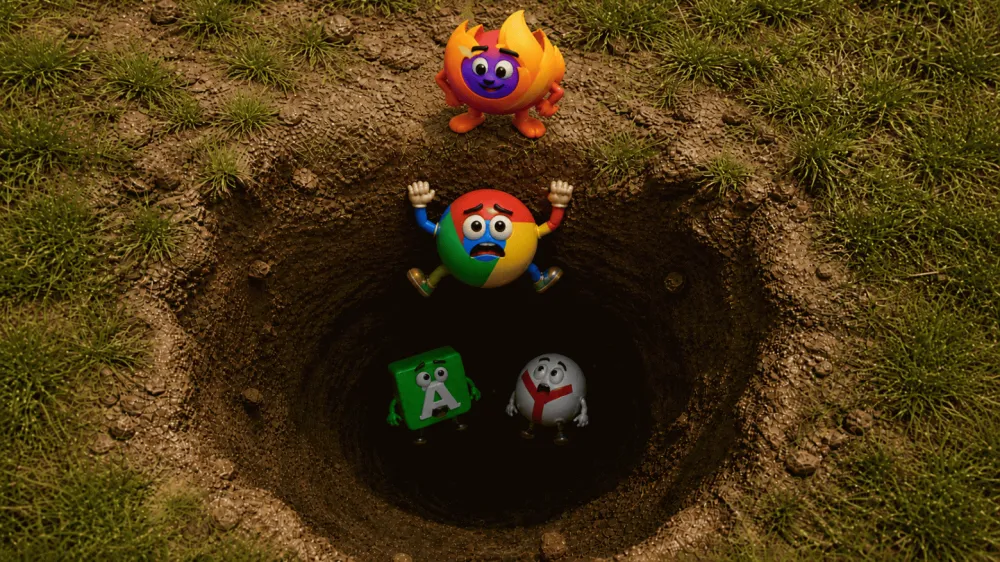
5. Brave: privacy by default, but not magic
Brave is built on Chromium but has heavily reworked it towards privacy. The main weapon is Shields. By default, the browser blocks third-party ads, cookies, and tracking scripts, removes known tracking parameters (fbclid, gclid, msclkid) from URLs, and protects against bounce-tracking with 'Unlinkable Bouncing'. This protection creates a temporary storage area for suspicious sites, so that on each visit you appear as a new user.
Brave also uses query parameter stripping: known tracking parameters are removed before sending the request. Combined with blocking third-party cookies and partitioning, this provides strong protection against cross-site tracking. Brave in its default configuration does not send identifiers that allow linking an IP address to pages, and therefore I consider it the most private among the browsers tested.
P3A and Brave Ads
Brave has its own advertising platform. Brave Ads work on an opt-in model: the user consciously enables ads and receives 70% of the revenue (mere pennies), and ad selection is done on the device without sending history to servers. To collect minimal statistics, Brave uses the P3A system, which sends aggregated data about features and does not collect browsing history or search queries. The P3A code is open, and telemetry can be turned off in settings.
Controversial points
Brave has had its share of scandals too. In 2020, the company automatically added affiliate codes to the address bar for cryptocurrency exchange websites; the CEO apologized, admitted the mistake, and promised to change the behavior. Moreover, Brave earns from the cryptocurrency ecosystem (BAT) and its own advertising, which raises questions about its motivations. The Tor mode (Private Window with Tor) uses the Tor network for IP anonymity, but it is not equal to the Tor Browser: Brave's fingerprint is different, the number of circuits is limited, and third-party extensions can de-anonymize you. Therefore, Tor mode in Brave is a convenient feature for bypassing blocks, but not full anonymity.

6. DuckDuckGo Browser: Privacy as a Product, but Not Anonymity
DuckDuckGo positions itself as a "browser against trackers." The documentation states that the service does not store or transmit your search queries; when visiting a site, your device sends the IP address and browser type, but this is temporarily used to deliver content and protect against abuse. IP addresses are not logged, and anonymized search queries are used only to improve indexing. It's important to remember that your ISP and the website's hosting still see your IP, and encryption only protects against passive interception.
The main feature of DuckDuckGo Browser is blocking the loading of third-party trackers before they can reach their server. Unlike most browsers, which block cookies and fingerprinting after scripts have loaded, DuckDuckGo stops tracker loading requests, protecting your IP and identifiers. This mechanism is implemented via Tracker Radar—an open list of domains. Additionally, the browser supports Global Privacy Control and Link Tracking Protection features.
Controversy with Microsoft
In 2022, it was revealed that DuckDuckGo allows Microsoft ad trackers to load on third-party sites due to the terms of a partnership agreement with Bing. The company faced a wave of criticism and soon revised the contract. In an official statement, DuckDuckGo's CEO wrote that Microsoft trackers are now also blocked, and users will get more transparent settings. This episode is important: even companies building a business on privacy are forced to find compromises with partners to earn some cash.
Limitations
DuckDuckGo does not hide your IP or anonymize traffic. It does not provide means to obfuscate DNS queries or multi-hop proxy chains. The browser is useful as an "anti-tracker" for the average person, but if the threat model involves a state or corporate observer, DuckDuckGo is insufficient.

7. Perplexity and AI Browsers: A New Surface for Data Leaks
In 2025–2026, "agentic" browsers like Perplexity Comet emerged, promising not just to display pages but to read them, write emails for you, book tickets, and perform tasks on websites. This is convenient but creates a new dimension of risk.
How AI Browsers Work
The AI agent inside the browser sees not only the URL but also the page content, the context of your tabs, selected text, chat history, and can even manage accounts. According to Perplexity's documentation, the service collects personal data "to operate the service, ensure security, improve the product, and (unless you opt-out) train models". This includes your email, payment details, every search query, files, device technical parameters, and IP address. By default, all search queries are used for AI training, and the option to opt-out of data use for training (AI Data Retention) is enabled only for enterprise clients; users on free and Pro plans must manually disable this setting. Even after deleting history, data remains on servers for up to 30 days.
Perplexity proxies requests through OpenAI and Anthropic models, so your data goes not only to Perplexity but also to its providers. For Enterprise plans, zero-data-retention agreements and training bans are in place, but this is a paid segment.
Vulnerabilities and Data Collection
AI browsers can become a channel for prompt-injection attacks. Clicking a specially crafted link can cause the AI agent to execute a hidden command, collect data from memory (e.g., an email draft or calendar), and send it to an attacker's server. Perplexity classified the vulnerability as "safe," but researchers warn this is a new class of risk for enterprises.
Besides vulnerabilities, there are also honest statements. The CEO of Perplexity admitted in an interview that one of the reasons for creating their own browser is the desire to "get data even beyond the application, understand the user better, and possibly show ads in the feed." This is a blatant admission that context collection will be monetized. The updated privacy policy (February 2026) also allows the use of Google Analytics and third-party pixels, confirming the allegations in lawsuits: search queries may be sent to Meta and Google companies even in incognito mode.
Conclusion: AI browsers are convenient, but they transform the browser from a passive renderer into an active intermediary between you and the internet. This is a new level of trust that is difficult to reconcile with anonymity. For research requiring privacy, it's better to avoid such tools.
Send it to the incinerator with Yandex and Amigo.
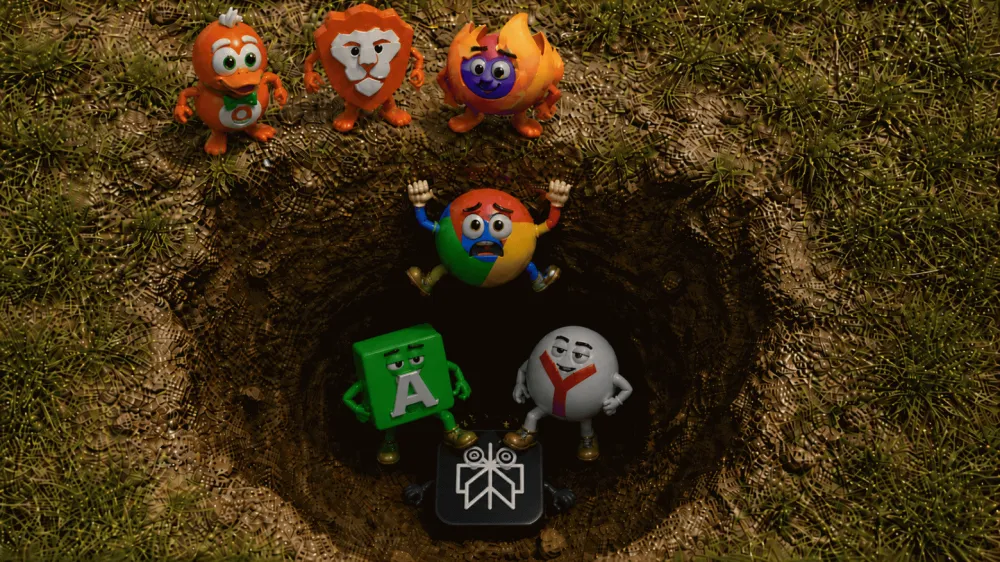
8. Tor Browser: the only one on the list designed for anonymity
Tor Browser is a set of components: Firefox ESR, modified to combat fingerprinting, and the Tor network. Traffic passes through three nodes: guard (entry), middle, and exit. The website sees the exit node's IP, the provider only sees the connection to the Tor network.
Anti-fingerprinting and uniformity
Tor Browser tries to make all users look alike. It uses letterboxing: window size is rounded to multiples of 200×100 px so that the same screen isn't unique. The browser spoofs the User-Agent: all Windows are presented as Windows 10, macOS as OS X 10.15, Linux as "Linux running X11". Canvas, WebGL, and AudioContext are limited, NoScript blocks many scripts. All these measures reduce the number of "fingerprint baskets" and make identification harder.
Session isolation and identity management
Tor Browser isolates each domain into a separate Tor circuit. Even if two sites use the same third party, they are served by different circuits, and the tracker won't know the requests come from the same user. The menu has a "New Identity" option, which closes all tabs, clears cookies, and creates new circuits to break the link between sessions. You can also restart the circuit for a specific site without losing open tabs.
Tor limitations
Standard Security. Chrome, Firefox, and Brave are suitable for protection against exploits and phishing. They update regularly and use sandboxes.
Privacy without hassle. Brave or DuckDuckGo Browser are suitable for blocking ads and trackers without deep settings. Brave does this better out of the box, but you'll have to tolerate its cryptocurrency model.
Flexible technical settings. Firefox allows you to fine-tune ETP, disable telemetry, enable DNS over HTTPS, but requires care.
Real anonymity. Only Tor Browser, and that too provided you follow the rules of use.
AI-browser. Use Perplexity Comet or similar solutions only for non-secret tasks. They are convenient, but their data model and vulnerabilities make them dangerous for privacy.
Ecosystem browsers. Chrome, Yandex, and Amigo are tied to services and advertising. They should be evaluated through the prism of trust in the vendor and willingness to share data.
UPD: Safari is similar to Firefox, essentially having the same features, just optimized for Apple devices.
Thank you very much for reading the article to the end.
I'll be glad to see everyone in my Telegram channel.
Your best support will be liking the article, thanks again to everyone!


Write comment