- AI
- A
Prompts for Image Generation: How to Properly Formulate Instructions for AI
Have you ever received an image from a neural network that you immediately wanted to delete and pretend it never existed? Suppose you opened Midjourney, DALL-E, or Kandinsky. You type: draw a beautiful cat. The AI outputs something with three tails, six eyes, and a wet cloth texture. Familiar?
Image-generation neural networks are excellent performers, but terrible mind readers. They don’t know what “beautiful,” “atmospheric,” or “a little sad” means. They need specific words: type of lighting, camera angle, materials, artist style. And even the order of these words matters. Yes, they are as fussy as a client who doesn’t know what they want but insists, "this is definitely not it."
In this article, we will create a clear guide on how to speak to AI in its own language, based solely on concrete techniques: prompt structure, word weight, negative instructions, and settings.
By the end, you will be able to turn an ugly cat into a photorealistic Maine Coon in golden light, 85 mm, f/1.4. Or into a watercolor cat in the style of 19th-century engravings. The AI will stop frustrating you. Well, at least a little.
Ready? Then let’s go, enjoy the read!
Anatomy of a Prompt
Imagine that the neural network is a very diligent but absolutely literal intern. You ask it to bring tools, and it brings everything, including a broken stapler.
To prevent the intern from messing up, the instruction must be written according to a formula. It works for most modern neural networks: Midjourney, DALL-E 3, Kandinsky, Flux, Stable Diffusion.
Main subject + details and features + environment + style + lighting + angle + quality parameters
Start with what is in the center of the frame.
Poor: "A beautiful sunset in the mountains with a lone wolf and the moon." The AI will start guessing what the main focus is.
Good: "Wolf." Clear, simple.
Next, add specific features: age, color, material, texture, emotion, condition.
Instead of "old wolf" -
Wolf, elderly, gray matted fur, scar above left eyeInstead of "sad robot" -
Robot, rusty, one blinking eye, sad posture, sitting alone
General adjectives (beautiful, interesting, stylish) work poorly. Specific descriptions (rusty, with cracked paint, with slumped shoulders) work excellently.
Where is this happening? The neural network won’t understand until you say. And if you don’t say, it will come up with something on its own. And that could be a white void or chaotic noise.
Wolf, elderly, gray matted fur, standing on a snowy cliff at nightRobot, rusty, one blinking eye, sitting in an abandoned factory, broken windows, moonlight
Style is also a very important detail of any image prompt. It’s what turns just a wolf into an anime-style wolf, photorealism, or a charcoal drawing.
Examples of styles (insert directly into the prompt):
What you want | What to write |
|---|---|
Photography |
|
Watercolor |
|
Cyberpunk |
|
Old photograph |
|
Artist style |
|
This works in Midjourney and Stable Diffusion. But some neural networks (like the latest versions of DALL-E) limit imitation of living artists. If it doesn't work – use a description of the style in words (anime with soft pastel tones, detailed background), not the name.
Example:
Wolf, elderly, gray matted fur, standing on a snowy cliff at night, photorealism, shot on Sony A7III, 50mm
Lighting is half of the mood. Without it, the picture is flat.
Effect | Words in the prompt |
|---|---|
Soft diffuse light |
|
Dramatic |
|
Sunset or sunrise |
|
Night neon |
|
Studio portrait |
|
Example:
Wolf, elderly, gray matted fur, standing on a snow-covered cliff at night, photorealism, shot on Sony A7III, 50mm, cinematic lighting, blue moonlight, long shadows
If no angle is specified, the neural network will choose the most boring one - head-on, centered, at eye level.
Angle | When to use |
|---|---|
| to make the object majestic or threatening |
| to show scale, pattern, scene from above |
| emotions, facial details, texture |
| environment is more important than the object |
| mystery, character's gaze |
Final example:
Wolf, elderly, gray matted fur, standing on a snow-covered cliff at night, photorealism, shot on Sony A7III, 50mm, cinematic lighting, blue moonlight, low angle, wide shot, fog rising from below
Technical Parameters (Quality Settings)
Most neural networks have special parameters that are not written in words in the prompt itself but are added through a slash or separate fields.
For Midjourney:
--ar 16:9- aspect ratio--style raw- disables Midjourney's built-in artistic aesthetics, forcing the model to follow the prompt more strictly--stylize 250(or--s 250) - level of artistic freedom. The higher the value (up to 1000), the more beautiful, but farther from the task. Default value is 100--no watermark text- what should NOT be included (commas are not needed)
For DALL-E 3:
No separate parameters, everything is through natural language
You can ask for: no text, no captions, no visible watermarks
Important: OpenAI adds invisible metadata (C2PA) and a small CR icon in the top left corner of the image. This is a technical measure for tracking content origin
For Kandinsky and Shadewroom:
The aspect ratio is selected in the interface
Negative prompt - a separate field, fill it in obligatorily. Do not use negation words like "without", "except", "not" in the negative prompt - the neural network does not understand them. Write only specific objects that need to be excluded (people, cars, captions)
For Stable Diffusion:
CFG Scale 5–9- the higher, the more precise the prompt, but it can be too harsh. The standard value is 7Steps 20–30- more steps = more detail, but longer. 20 steps is usually enough, 50 is excessive for most tasksNegative prompt - a separate field, always use it
You noticed that all the examples above are written in Russian. In reality, modern neural networks (Midjourney, DALL-E 3, Flux) understand Russian very well. You can write prompts in Russian, and they will work.
But there’s a nuance. Most training materials, checklists, and magic words (like cinematic lighting, octane render, intricate details) are written in English. Moreover, some models (especially Flux) in unofficial services show more stable results in English due to the specifics of the training dataset. Therefore, many professionals still use English prompts simply because there are more ready-made solutions and higher predictability.
Write in the language that is most convenient for you. The neural network will understand both ways. The key is the structure and specificity, not the language.
Negative Prompts. How to tell the neural network what you DON’T want
The most common mistake of beginners is trying to forbid things through the main prompt.
They write: “wolf, but without extra paws, not a mutant, not scary, without a third eye”
The neural network hears: “wolf... extra paws... mutant... scary... third eye”
Yes, it processes the word “not” poorly. For it, "not red" and "red" are almost the same. It simply takes all the words you wrote and tries to account for them. Therefore, the more you list what you don’t want, the higher the chance that it will appear.
The solution is a negative prompt. This is a separate field or special command where you write what needs to be excluded.
Not all neural networks provide direct access to it.
Neural Network | Is there a negative prompt | How to use |
|---|---|---|
Midjourney | yes | via the |
Stable Diffusion | yes | in Automatic1111, ComfyUI, Kandinsky 3.0 interfaces |
DALL-E 3 | no | no direct field. Workaround: write in the main prompt |
Kandinsky 3.0+ | yes | separate field in the interface |
Shedverum | no | no, only the main prompt |
Flux | yes | officially supported. |
If there is no direct field, simply don’t write what you don’t want. It’s better to mention nothing at all than to write "not scary".
Here is a typical set that works in 80% of cases:
For any images:
uglydeformedblurrypoor qualitywatermarksignaturetextframe
For portraits and people:
extra fingerssix fingersdistorted facestrange eyesunnatural posebad anatomy
For photorealism:
drawingcartoonish3D renderplasticfilter
For specific situations:
if you don’t want overexposure:
overexposed, too brightif you don’t want darkness:
too dark, unlitif you don’t want specific objects:
people, cars, houses(replace with your own)
However, a negative prompt is not a magic wand. If you write too many restrictions, the neural network may produce an empty or blurry result, ignore your main prompt, or slow down generation (in some engines).
Golden rule: no more than 10-15 words in the negative prompt.
Midjourney understands --no quite well, but if you prohibit something that almost never appears in the image (for example, --no helicopter in a prompt about a wolf in a forest), there will be no effect. The thing is, --no works by lowering the weight of the specified elements to -0.5. If the element is already highly unlikely in this context, prohibiting it is pointless.
Only prohibit what can actually appear by itself: --no extra paws, mutant, watermark, distorted face.
Practical Examples. How the Prompt Evolves
Theory is one thing, but without live examples, it’s useless. Let's look at three situations: portrait, still life, and a fantasy plot. In each, I'll show how the specifics grew and the results changed. I'll be using the service BotHub, where you can work without a VPN, pay with Russian bank cards, and choose any popular model for your specific task. BotHub offers a free trial of popular models, and this link gives 300,000 tokens to all new users.
Example 1. Portrait
Bad Prompt (AI is guessing):
Girl, beautiful
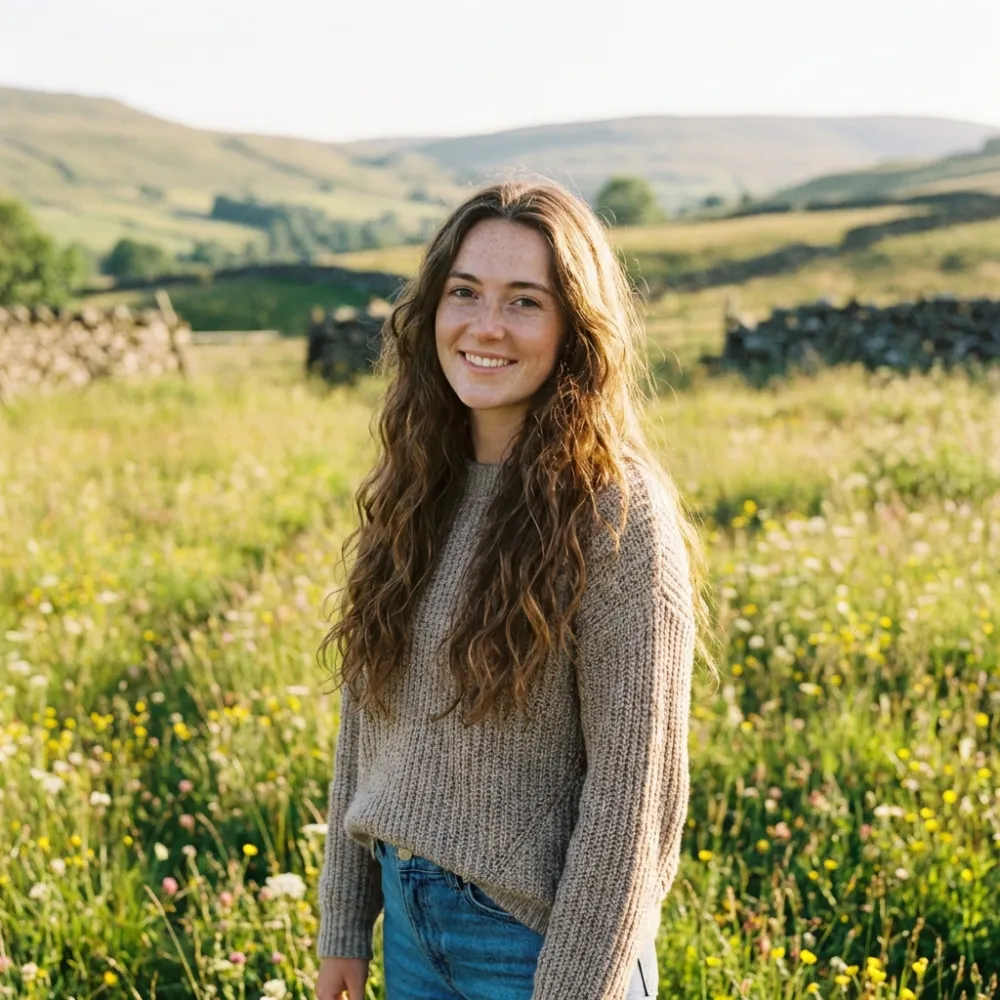
Random girl, random background, random angle, daylight, non-cartoonish style, thanks for that, but it's considered lucky.
Better, but still bad:
Portrait of a girl, photorealism, good lighting
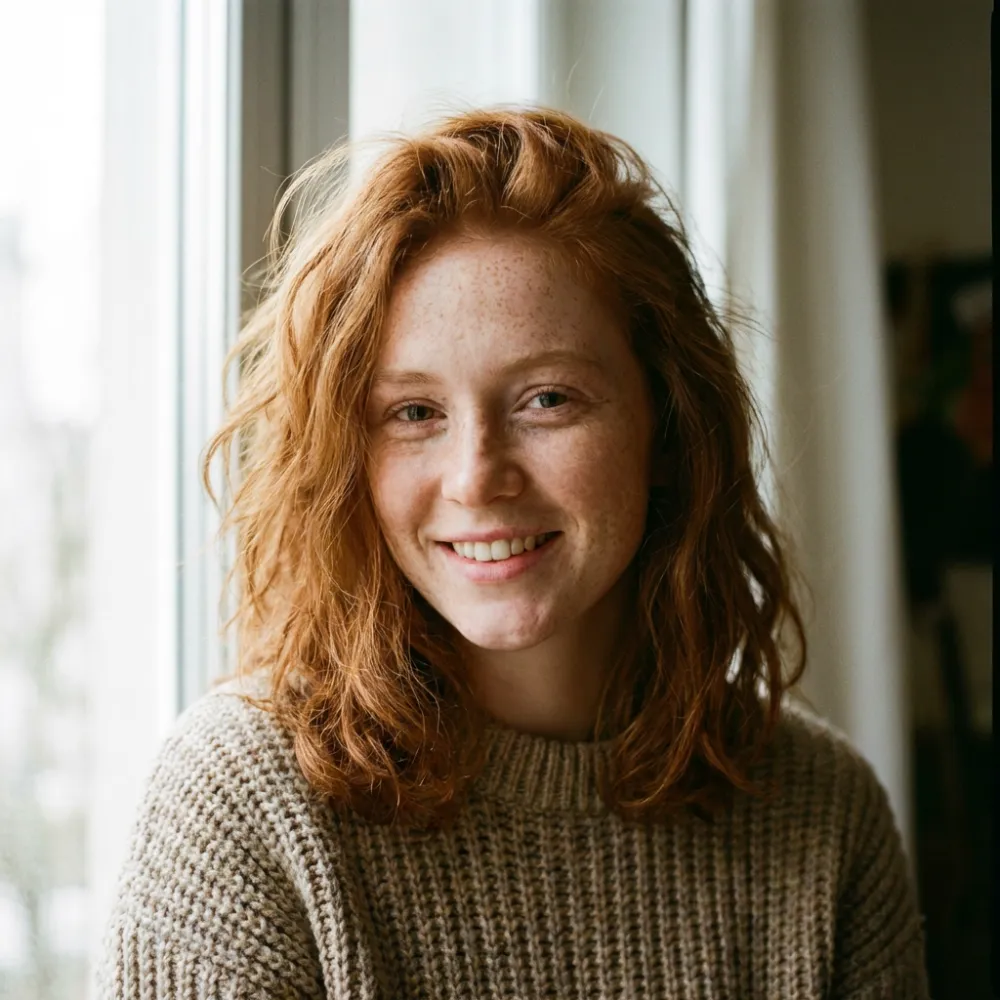
Added the genre (portrait) and style (photorealism). It's better, but the AI interprets good lighting as average lighting, like everyone else's.
Good Prompt:
Portrait of a girl, brown eyes, freckles on the nose, slight smile, long brown hair loose, photorealism, shot on Sony A7III, 85mm, studio light, softbox on the left, reflector on the right, highlights in the eyes, neutral gray background, close-up
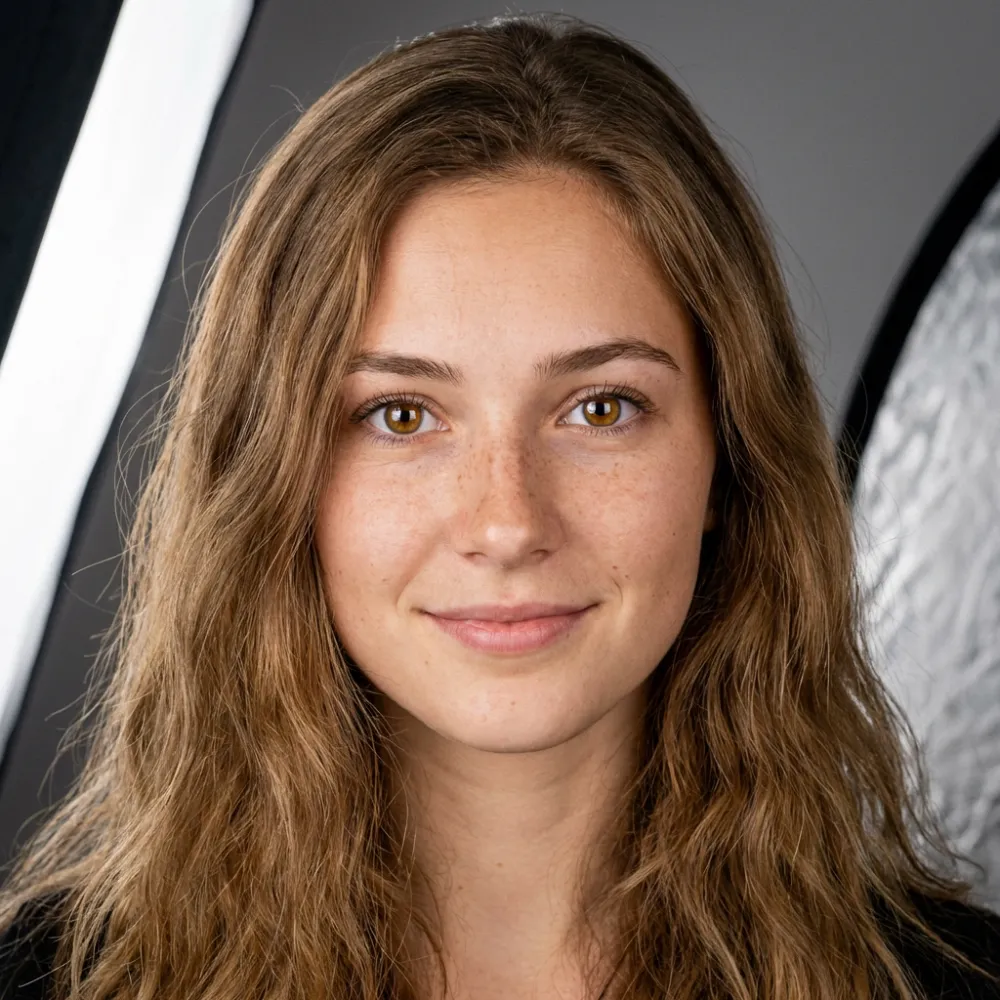
Specific facial features have appeared (brown eyes, freckles), emotions (slight smile), shooting technique (85mm, softbox, reflector), the background no longer distracts, but there are still a couple of questions about it. In fact, if you don’t look at the text, it’s hard to determine what’s in the background.
Additional in the negative prompt (if there's a field):
distorted face, strange eyes, extra fingers, unnatural pose, watermark, cartoonish, drawing
Example 2. Still life
Poor prompt:
Chair
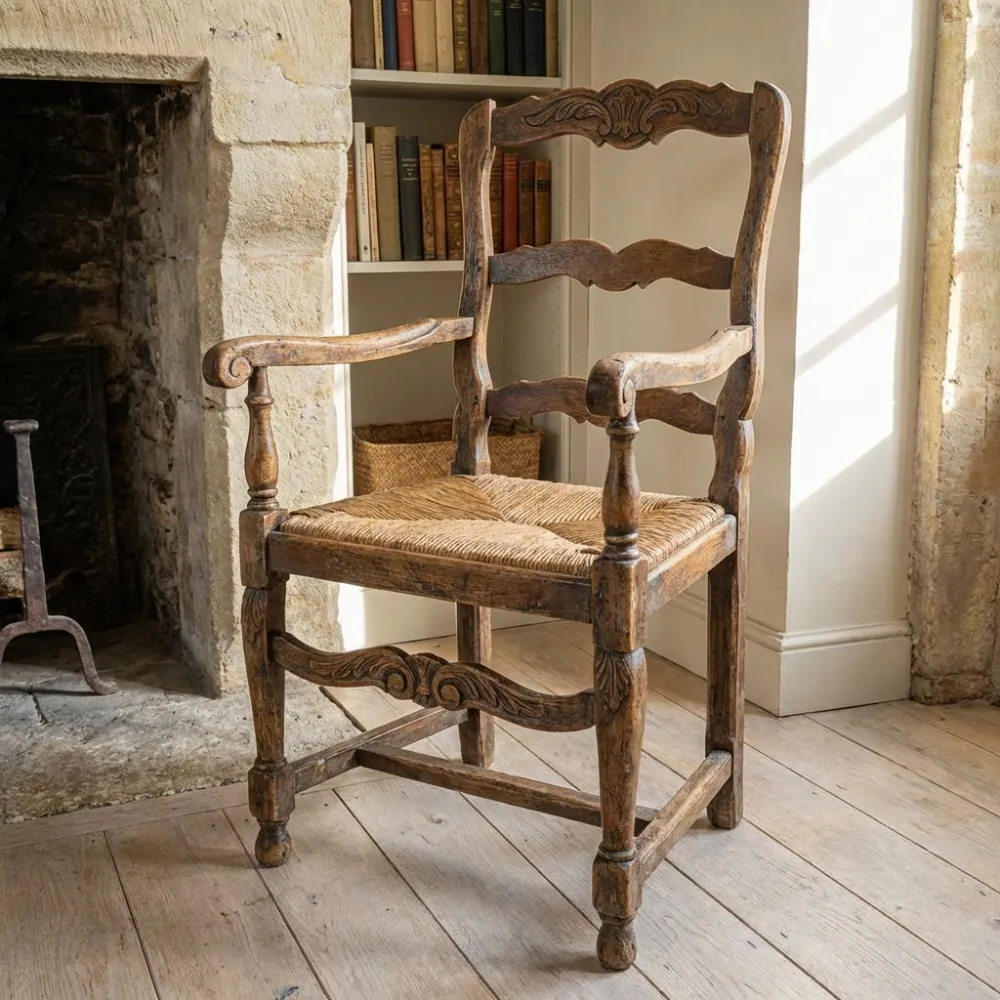
A regular wooden chair, as if from the mid-20th century, again there is a background, but invented by the neural network, thank you for not just making it white.
Better, but still not right:
Beautiful wooden chair, soft lighting
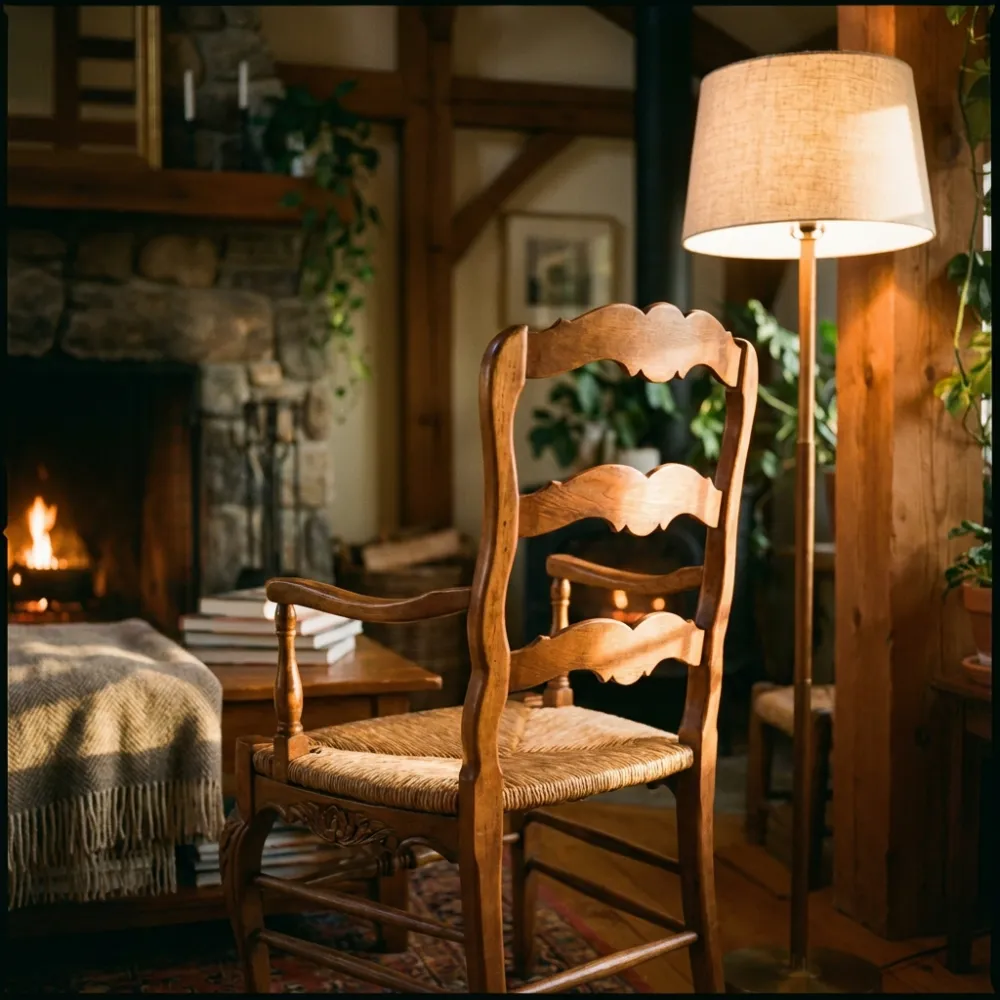
Material (wood) and lighting were added. But “beautiful” is still useless, the soft lighting is too blurred. The chair is cropped, the legs are not visible. It’s also facing away from us.
Good prompt:
Mid-century vintage chair, walnut wood frame, dark green velvet seat, soft rounded forms, standing on a parquet floor by the window, morning natural light, warm beige tones, photorealism, shot with a Hasselblad camera, 50mm
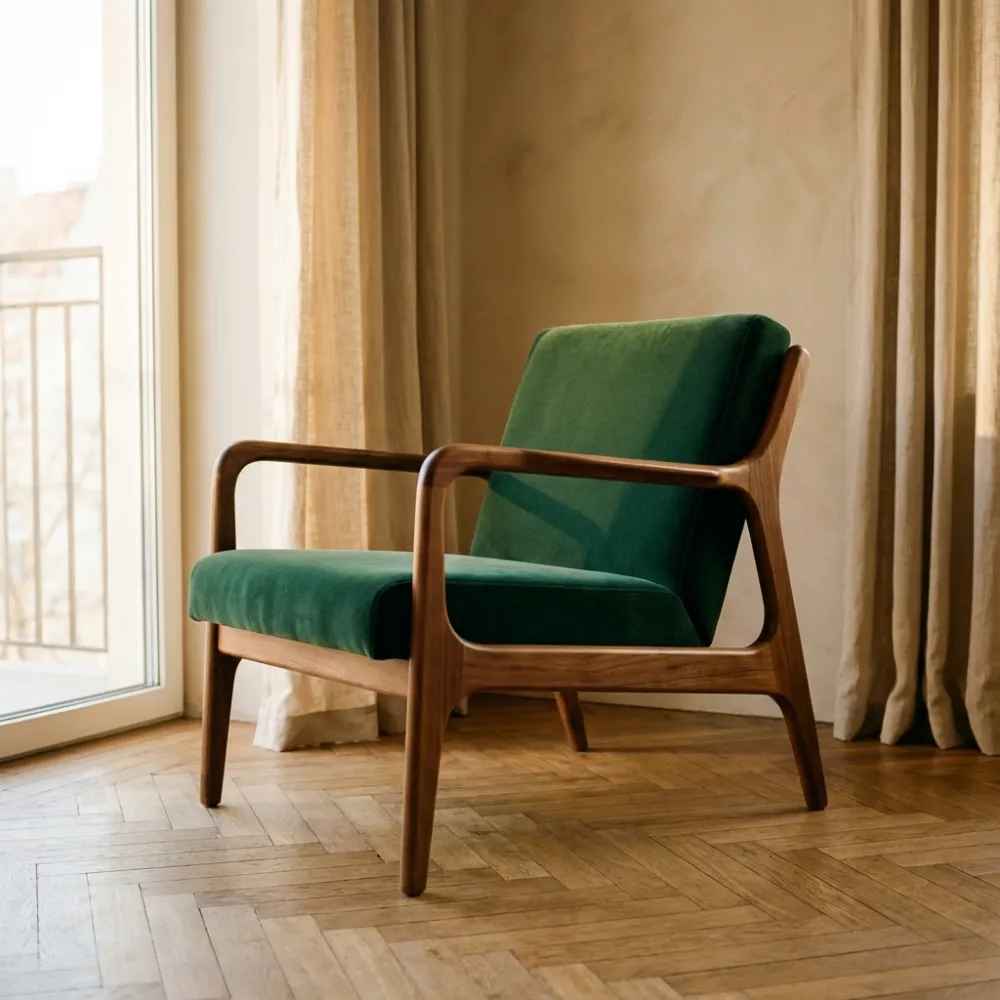
The era (mid-century) was changed, specific materials (walnut, velvet) were added, the location (by the window, on parquet) was specified. The time of day and color palette (morning, beige tones) were included.
Negative prompt:
scratches, wear and tear, modern style, plastic, metal, white background, shadow on the wall
Example 3. Fantasy
Poor prompt:
Dragon in the mountains
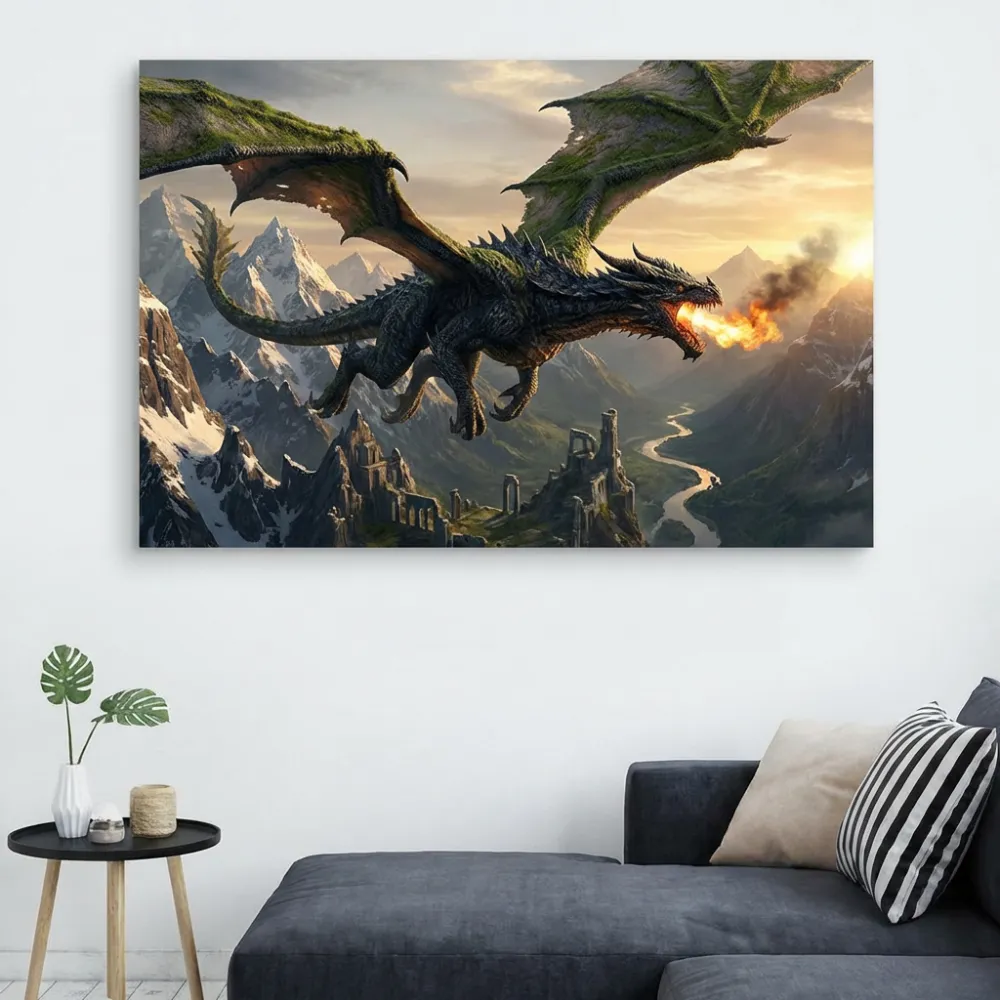
Random dragon, random mountains, no atmosphere, unnatural colors. It’s even in the form of a painting on the wall. Complete failure.
Better, but not enough:
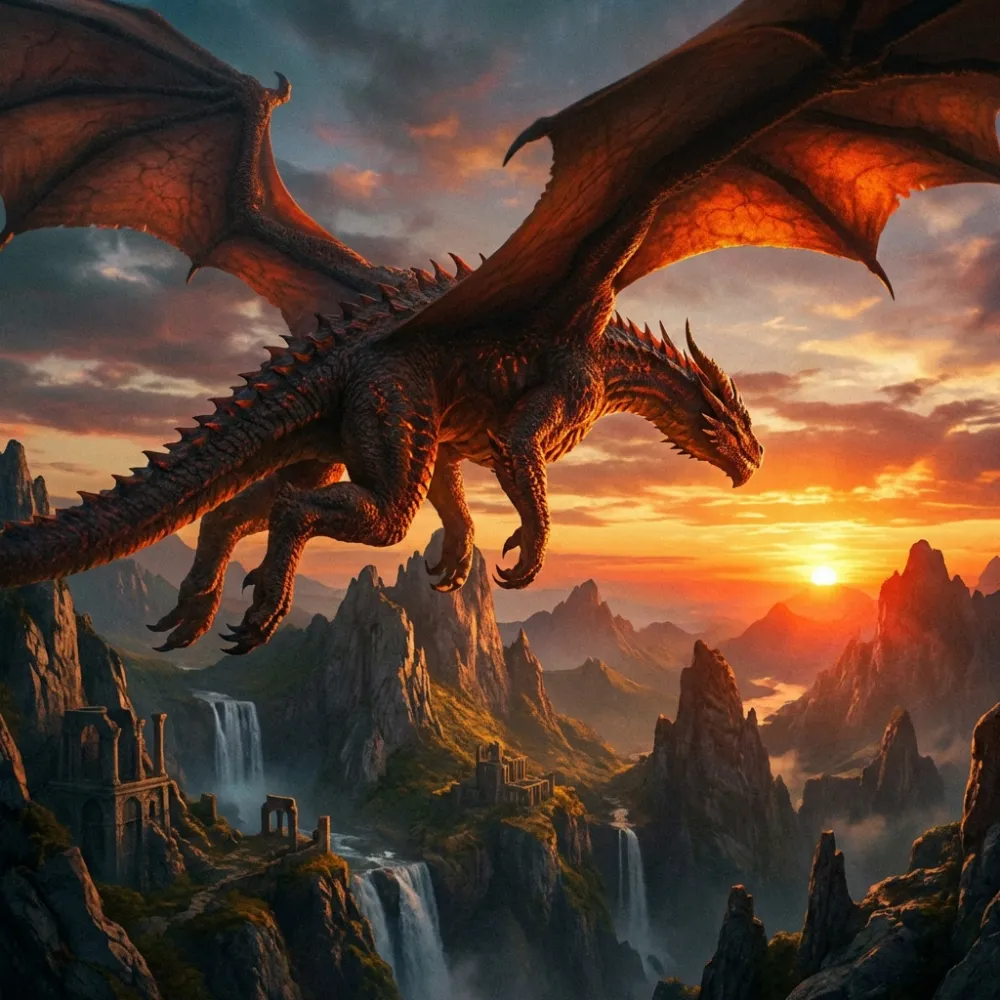
Huge dragon flying over cliffs, sunset, epic
Instead of beautiful | Write |
|---|---|
beautiful light |
|
beautiful colors |
|
beautiful girl |
|
Error 3. Style conflict within a single prompt
How it looks:
Photorealism, watercolor, cyberpunk, old engraving, Disney cartoon
The AI will try to mix everything at once. The result will be a mess.
How to fix:
Choose one main style. If you need a mix, do it carefully (photorealism with a slight watercolor texture). Or use the --style raw parameter in Midjourney to reduce AI interpretation.
Error 4. Forgot the negative prompt
How it looks:
The prompt is perfect, but the image still has a watermark, frame, photographer's signature, and the person has six fingers.
How to fix:
Always include a basic negative prompt if the AI supports it.
watermark, frame, signature, text, extra fingers, distorted face, unnatural pose
Error 5. Too generic angle
How it looks:
House by the lake
What happens: the house is in the middle, front view, eye level, like an amateur photo.
How to fix:
Always specify the angle if it’s important. Even if it seems obvious.
House by the lake, top view, bird's-eye vieworlow angle, water level

Write comment