
- Security
- A
Art of InfoSec, Part 1: Introduction
Information security is a vast stack of interconnected methodologies, techniques, technologies, software, and hardware, sprinkled with half a ton of regulations and decrees from regulatory bodies, which, to put it mildly, is quite difficult to understand from scratch.
We are the Infosec team at Inline Telecom Solutions, and we know exactly how difficult it is, because we figured it out ourselves. Now we’ll help you, let’s go.
As they say, it’s best to start at the beginning, preferably with something interesting. But where is that “interesting beginning” in the tangled web of Infosec? Where the magic is born, where captivating progressive technological solutions take the shape of real products capable of astonishing people who have never encountered them before with their functionality.
Welcome to a series of cozy articles on the fundamentals of Information Security. Make yourself comfortable, grab some tea, we’re starting.
There are countless classes of solutions in Infosec, and even more products. But some are needed by literally everyone – from the bakery around the corner to an oil giant. Essentially, if you have information assets, there will be attackers for whom they are valuable. This value can vary greatly, even if you believe your assets have none. For example, your infrastructure could be used to reach a major telecom operator from whom you rent an internet channel, or your equipment could be compromised to support a distributed attack.
Let’s define the classes of such solutions and take a closer look at their protection concepts.
Step 1. Basic Level.
-
Next Generation Firewall (NGFW) - Next-generation firewall. Capable of protecting network infrastructure at L3-L4 and L7 levels;
-
Endpoint Protection Platform (EPP) - Antivirus on steroids. More complex, better, and more versatile;
-
Web Application Firewall (WAF) - Application-level firewall. Protects web applications from unwanted impacts;
-
Data Leakage Prevention (DLP) - Data leak protection. Prevents compromise and publication of sensitive data;
-
Vulnerability Management (VM) - Vulnerability management. Finds vulnerable hosts and provides recommendations for remediation;
-
Endpoint Mobility Management (EMM) - Mobile device protection. Full lifecycle control of portable devices;
-
Zero-Trust Network Access (ZTNA) - Zero-trust network access. A system that ensures the security of devices connecting to your network.
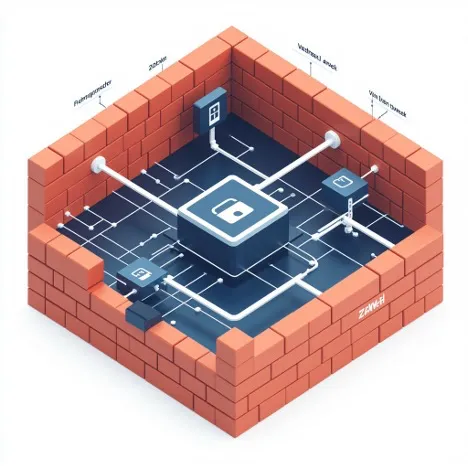
NGFW. Next Generation Firewall. Next-generation firewall.
Affectionately called “Nextgen” by the public, the Next Generation Firewall nowadays forms the foundation for securing information assets. The network device is placed inline at the boundary of your network and begins to work real magic:
Even the cheapest NGFW can handle hundreds of megabits of traffic with stateful inspection rules (L4 firewall, classic firewall rules allowing or blocking connections by source and destination IP addresses and ports);
Provides network functions of a perimeter device (static and dynamic routing, LAG, NTP, DHCP, all types of NAT, Port Forwarding, LACP, and more);
Performs deep packet inspection (determines and allows controlling the use of various protocols, applications);
Analyzes and inspects HTTP headers, and advanced solutions come with basic WAF and email protection;
Detects and prevents network intrusions (continuously forms a standard profile of your network and its clients, identifies deviations – deviations from the norm, blocks suspicious and atypical traffic);
Has User proxy functionality (controls your employees' access to the Internet) and Reverseproxy (responsible for publishing your resources and load balancing).
EPP. Endpoint Protection Platform.
Those who are familiar with InfoSec know that antivirus software is no longer sold. In no way, nowhere, and no one. Even if absolutely necessary. Antivirus software has long evolved and created a new class of solutions – Endpoint Protection or EPP. Functionally, they can impress you with the following impressive set of technologies:
Classic signature-based antivirus (the stone age of defense against attackers, but still, it's needed);
Local firewall (limits outgoing network connections on a workstation or server. Extremely useful if using the correct approach to information protection, and the basis of the Hardening spell);
Data encryption (creating secure storage for sensitive data);
Application control (blacklists for applications);
Device control (allows blocking the connection of removable media);
Behavioral analysis (based on deviations, blocking potentially malicious actions).
Admit it, this is a bit more interesting than just "Virus detected" in the corner of the screen, but there's also that here.
WAF. Web Application Firewall.
Application-level firewall. An absolute must-have for those whose information assets include live web services that are critical for business. If a company's operations depend on the reliable functioning of a web resource, then without protection, sooner or later there will be at least a script-kiddie who will make management nervous, at best only taking down, for example, an online store for a couple of hours.
You might ask us, "But you wrote above that NGFW handles L7, so why would I need another application-level firewall in addition to the application-level firewall?" And we would answer you: "WAF is a much more specialized product, focused on protecting web applications (thanks, Captain), while providing deeper protection, tailored to business logic, and doing this strictly at L7 and only with HTTP/HTTPS traffic." It often happens that WAF detects more complex manipulations by attackers with HTTP requests, which Nextgen considers legitimate from the perspective of border device logic.
DPI policies in Nextgen are designed for any traffic at the network boundary, they determine the client application based on characteristic features and use this information to filter connections.
WAF policies, in turn, are designed to be applied directly in front of the web resource (often acting as a reverse proxy or being a module of it) and protect servers of specific web applications from web attacks. Friend, we consciously use "web-" so many times so that you understand correctly.
You might ask: "But Nextgen also has a reverse proxy!?" We would answer: "Yes, it does, but it’s far from the same thing." Why? Because WAF "understands" the structure of the web resource and, as a result, addresses risks, attacks, and vulnerabilities that are completely different from NGFW.
A bit deeper. WAF analyzes incoming requests for legitimacy, allows what cannot cause harm, blocks what, according to the security administrator and common sense (based on OWASP Top-10—the annually updated list of the 10 most common types of attacks on web resources—used as a foundation by any vendor), poses a threat, and also performs virtual patching (blocking until errors are fixed).
In addition, modern WAF systems typically contain a vulnerability search engine, but one specifically focused on web resources and web services. Keep in mind that WAFs are not designed for full API protection in your work.
According to various statistics, the exploitation of vulnerabilities in web resources has long been the most frequent initial attack vector.
DLP. Data Leakage Prevention. Preventing Data Leaks.
The nightmare of any employee, a well-known story in the realm of "PoIB" and the main reason why ordinary people dislike information security specialists. The system tags sensitive documents and monitors all user actions:
File movements to external and peripheral devices;
Instant messaging correspondence;
Email (including personal email on web resources, though this is generally forbidden in serious companies);
Activity on file-sharing platforms;
Keylogging;
Screen captures and work time tracking;
Machine learning for gathering accurate statistics and artificial intelligence for analyzing the collected data.
Security officers and management love the functionality of DLP, others hate it. But conceptually, it’s simple – if you have sensitive documents, you definitely cannot do without such a system.
Naturally, the results obtained by such a system are used to prevent incidents related to information confidentiality, for internal investigations, and as evidence in court, not where ordinary employees think.
VM. Vulnerability Management.
They are also called "vulnerability scanners," but the functionality here is broader and different from WAF. This system is intended for examining your internal infrastructure and information assets for the presence of current vulnerabilities. Modern systems can provide reports on compliance with international protection standards, can perform safe scanning based on indirect signs (for example, by banners in the console or characteristic open ports), and can even conduct a full penetration test with an attempt to exploit discovered vulnerabilities.
For each detected vulnerability, detailed information is provided, ranging from its criticality to recommendations (sometimes very, very good ones) for remediation. Modern solutions also always include a vulnerability lifecycle management subsystem, which significantly simplifies the routine work of cybersecurity specialists and makes interaction with the scanner extremely productive and intuitive.
In unskilled hands, VM can turn from a useful tool for daily work into a nuclear bomb.
Alongside NGFW, such systems form the foundation of building a quality information security system, because only by thoroughly knowing your assets and their weaknesses can you properly and effectively protect them from malicious actors.
ZTNA. Zero-Trust Network Access.
The very concept of Zero-Trust means that we work with an endpoint about which we know nothing, do not control in any way, and will never control. And, most importantly, we trust no one, neither outside nor inside. For example, a remote administrator connects to your infrastructure via a personal VPN from their personal laptop. What do you know about them? Nothing. Can you guarantee the security of such a connection? It turns out you can!
The idea of a ZTNA system is simple – before connecting to your infrastructure, the endpoint must confirm that it complies with your security policies. This is where HIP – host information profiles – comes into play. These profiles allow the ZTNA agent to gather information about the host's state and verify whether it meets the requirements you consider acceptable. For example, whether an antivirus is installed on the host, and if installed, whether it is running, whether its databases are up-to-date, whether critical security updates are installed, and so on.
Only after confirmation from the agent is the host allowed to establish a connection. This check does not take much time, and the agent is usually integrated into the VPN client, which makes the process unchanged from the user's perspective. At the same time, the host gets access only to what the ZTNA administrator allows. And only with micro-segmentation. Remember? We trust no one, so the more granular the access, the better. In practice, micro-segmentation is indeed one of the fundamental foundations of ZTNA, and access is not provided via P2S, as in classic remote access solutions based on personal VPNs, but literally P2P.
Step 1 Summary
This is a clear and fairly transparent set of protective measures that suits most SMEs. Of course, there are exceptions and business specifics, but the set of protective tools will hardly change.
Step 2. Mature Level
Anti-DDoS - DDoS attack countermeasures;
Network Traffic Analyzer (NTA) - Network traffic analysis. Provides network visibility and enriches other protective tools with information;
Identity and Access Management (IAM) - User identity and access management. Unification and control of user access to infrastructure;
Endpoint Detection and Response (EDR) - Endpoint detection and response. Progressive active protection tool for workstations;
Security Information and Event Management (SIEM) - Security event management system. Aggregates logs from network nodes and protective tools, helps detect complex and non-obvious incidents;
Privileged Access Management (PAM) - Privileged access management. Control of internal and external administrators;
Network Access Control (NAC) - Network access control. Compliance check with the security policy before accessing the network.

Anti-DDoS. Counteraction to DDoS attacks.
From a technical standpoint, Anti-DDoS is one of the most fascinating hardware and software complexes. Such a solution is capable of monitoring, detecting anomalies, and blocking attacks within truly massive traffic flows. The system identifies attacks within the traffic stream and, if necessary, redirects the flow to a filtering node or cluster, which carefully removes malicious traffic and passes the already cleaned traffic to the protected resource.
It must be admitted that mitigating attacks with a capacity of 30 Tbps and 10 Bpps is very impressive, especially if you have even a slight understanding of how much data that actually represents.
Protection in such systems is provided not only, and not so much, against these “tank-like” attacks, but also against sophisticated and highly intelligent DDoS attacks, where the failure of the target resource is caused by a small stream of specially crafted “unique” requests.
Every year, attacks become more automated and “smarter,” so an extremely fast response, highly refined and effective preventive measures (Zero-second mitigation), and application-level filtering (L7 filtering) are critically important. These techniques bring protection systems to a new level of efficiency, especially in combating bots.
DDoS protection can also be easily obtained as a service, and depending on how critical the constant external availability of the protected resource is, DDoS protection can вполне be considered the first step.
NTA. Network Traffic Analyzer. Network traffic analyzer.
Let’s immediately clarify that this is an IDS on steroids, and you only need this tool if you have a sufficiently large IT and network infrastructure where every little detail needs to be monitored.
It helps to understand the state of your network by analyzing raw traffic and flows in real time, searching for anomalies and deviations from the norm (the so-called baseline), which allows early detection of malicious activity and unknown threats (0-day, Zero-day, or zero-day threats in the sense that nothing is yet known about them, or in other words, “known for zero days”).
Unlike the vast majority of protection tools, NTA is a passive system that cannot block anything. It is designed for analysis and alerting, but not for response.
You might say: "Sounds like everyone needs this," and we will answer: "Yes, my friend, but it costs so much that you probably won’t want to buy such a thing for a lash-maker salon."
Therefore, the best use case for implementing such systems is expanding network visibility for a well-deployed SIEM.
We’ll let you in on a secret: technology doesn’t stand still, and if you think that monitoring using an NTA geo-distributed network with 15k users is boring, there is NDR (Network Detection and Response) – the same thing, but with artificial intelligence and an active response module for detected threats. They say NDR was created by real cybersecurity experts for real cybersecurity experts.
IAM. Identity and Access Management. User identification and access.
If you want a miracle, if you want to impress everyone from shareholders to accounting, if you want to rub it in the cursed DevOps’ face, then IAM is your choice. Without unnecessary words, we declare – this system has the greatest impact on a company’s cybersecurity image, it is always welcomed enthusiastically (though after extremely complex implementation and an even more complicated transition period). But the result… The game is worth the candle.
In the end, my friend, you get TrueSSO. No. Not like that. You get TRUE SSO! Let’s figure out what it is and why you even need it.
IAM proxies all (that you configure) user authentication sessions, attaches multi-factor authentication, manages authorization in target systems, password rotation (which the user never even sees), automates the creation of user accounts and delegation of access to target information systems, and instead of logging into each system separately, provides a portal from which you can access all required IS with the necessary level of access.
Just think, admins don’t need to manage accounts, not even create them – IAM will do it all by itself. No need to place shortcuts on everyone’s desktop, so no one will get confused. No need to force users to remember many different and complex passwords. No need to constantly unlock eternally locking accounts.
IAM is a high-quality tool, carrying the banner of IT and cybersecurity synergy. It makes everything more convenient for everyone.
EDR. Endpoint Detection and Response. Detection and response on endpoints.
If the EPP we talked about earlier came as a replacement for a traditional antivirus, then EDR is the next step. But what if we not only detect suspicious activity, but also create certain response scenarios according to which the agent on the endpoint will block this suspicious activity or, at least, severely limit it? Theoretically (in most cases and practically too) EDR is capable of countering zero-day attacks and blocking malicious activity.
Of course, this is not a panacea—attack mechanisms are constantly evolving, and local monitoring cannot detect all types of harmful impact—but EDR is definitely the best tool currently for endpoint response. Especially when integrated with a SIEM system and NTA.
SIEM. Security Information and Event Management. Security Event Management System.
It can be said without exaggeration that SIEM is the heart of cybersecurity in medium and large companies. This system collects logs with security events from all devices in your network, from network equipment to endpoint workstations. And naturally from all other security tools as well.
SIEM itself does not block anything; its usefulness lies in acting like a kind of machine vision, scanning billions of log lines and detecting connections between security events from different devices based on pre-defined rules called correlation rules. If you, my friend, had probability theory in college, this word will be familiar to you and you might start recalling what it means. It’s simple—it’s the relationship between two random variables, where a change in the first always affects the second. In a specific SIEM implementation, a correlation rule means that when predefined events occur in your infrastructure, you classify this chain as a security incident. For example, if you observe a connection to a host from a list containing the internal server subnet and then 10 failed password attempts on that same host within a minute, this is a password guessing attempt.
The power of SIEM lies precisely in these rules, along with the great complexity of managing it. There are best practices, but even with them, controlling such a system is a task for highly experienced specialists. Keep in mind that the algorithms and technical implementations of correlation rule-writing tools vary greatly from solution to solution—some offer a fully graphical no-code tool with drag & drop, others use an SQL-like language, and some have a console. At the same time, the logic of the rules themselves is knowledge-intensive and requires a clear understanding of what exactly you are doing and what you want to achieve.
Based on this data, any system of this class can build beautiful graphical analysis tools: dashboards, diagrams, and other useful features.
PAM. Privileged Access Management.
External specialists are an indispensable tool in the life of any company. But can we trust them? And how do we control them? It’s manageable if there are only a few such specialists, but what if there are dozens, all working in different IT systems? Hiring outsourcing and bringing in at least as many internal specialists for support and monitoring seems like a strange idea. And, in case you forgot, my friend, we cannot fully trust internal administrators either. We can trust no one. Yet the threat from a specialist is definitely proportional to the level of their privileges. PAM systems are specifically designed for such cases, and their impressive functionality includes the following:
Proxying administrative sessions;
Administrator authentication;
Automatic authorization in managed systems;
Password rotation (the admin does not receive the account and password of the target system);
Session recording and command logging;
Machine analysis and automatic session blocking if suspicious actions are detected.
In advanced systems, the Just-In-Time concept is gaining popularity, according to which an account in the managed system is created at the moment of connection and deleted upon the administrator’s disconnection.
A highly useful class of systems that allows protection against malicious actions by poorly controlled people who sometimes have virtually unlimited access to your infrastructure.
NAC. Network Access Control.
Network access management.
This is like Port Security on steroids. As any self-respecting IT security specialist, you should already know that spoofing a MAC address on a device is not a difficult task, so restrictions based on it are not considered secure. And this is not paranoia, this is something that a 7th grader can do in today's reality.
A NAC-class system is a tool that allows security policies to be applied to target devices at the moment they connect to your network infrastructure. The logic here is as follows – when attempting to access the network, the user is redirected to a captive portal, downloads (once) a script to perform an automatic check, or already has an agent if they are an internal user. The agent collects information about the endpoint device in one way or another, without requiring administrative access: the operating system, installed updates, antivirus status, its presence, and other related data. The implementation differs across systems, but the logic remains the same – first, the compliance check with your security policy, then access to the network. Verification and monitoring of changes occur with every connection.
In case of non-compliance, the user can be automatically redirected to a so-called quarantine VLAN, which has access to a limited number of resources (for example, a local update server, domain controller, and EPP management server). The user receives important security and client software updates, and only after that is granted access to the network.
It is worth noting that some solutions have a nearly fully autonomous operation mode, in which it is enough to deploy a server in your network, conduct an automatic search for active network equipment, provide admin credentials, and select a pre-configured security profile. Absolute magic.
Step 3. Maximum level.
Incident Response Platform (IRP) - An information security incident response platform. Implements the lifecycle scenarios of the incident itself to reduce MTTR (mean time to resolution);
Security Orchestration, Automation, and Response (SOAR) - A system for orchestration, automation, and response. Automates routine protection actions when responding to an incident;
Threat Intelligence (TI) - Delivery of threat information.
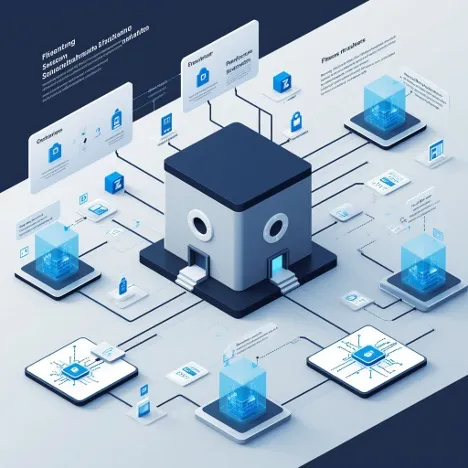
Step 3 is typical for large companies or SOCs. We will discuss them separately after we fully understand Step 1, Step 2, and the regulatory framework.
There is also secure development, but its concepts and solutions are easier and more productive to delve into later and separately.
Summary.
Undoubtedly, some will say that everything is individual, and we need to look at the specifics of the business, build a threat model, and a perpetrator model, and only then choose solutions, and they would be absolutely right. However, it is important to initially understand which step we are at and what potential solutions we can consider. After all, it makes no sense to implement SIEM if the only protection you have is antivirus software on the CEO's machine.
In the following articles, we will take a closer look at these three steps and focus on each protective tool. Thank you for your attention, and remember: the best incident is the one that never happened.





Write comment