- Software
- A
Vivaldi 7.8 — Place and Pin
A long time ago, the tab placement feature became one of the hits of the Vivaldi browser. A lot of time has passed, everyone got used to it, and it seemed that we could relax. But no, we decided to raise the bar even higher, and in the new version Vivaldi 7.8, we added some great options to this feature, making it a little masterpiece. Now you can easily change the layout of pinned tabs and use new ways to work with them without disrupting the entire process.
A good start to the new year, let’s get into the details.
Tab Stacking, Designed for Real Work
Tab stacking is one of those features that radically change how you work in the browser as soon as you start using it.
Instead of constantly switching between tabs, you work with them together. Like black wood and ivory, they are in perfect harmony. Tab stacking allows you to compare, reference, track, and think in parallel.
In Vivaldi 7.8, we tried to make stacking not just a feature, but a natural way of working with web pages.
Drag and Drop
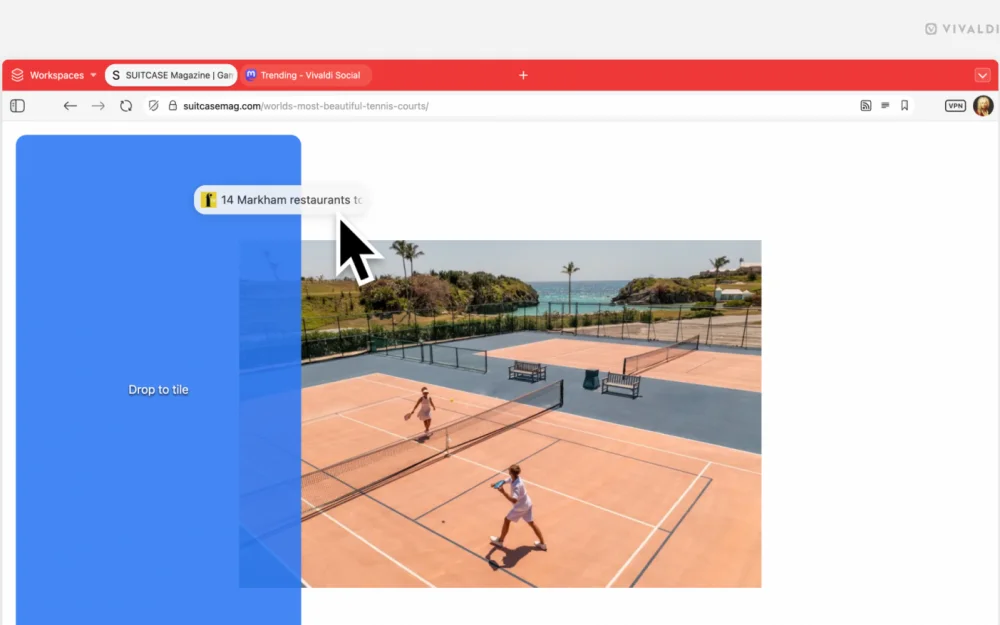
Now stacking tabs is as easy as dragging a tab (or several) from the tab bar into the main window of the current active tab. By hovering over the draggable tabs in different areas, you can choose how to stack them.
Just drop the tab in the desired spot, and Vivaldi will take care of the rest.
After stacking your tabs, you are not limited to that. You can rearrange them on the fly, resize them, or drag additional tabs at any time. Your workspace remains flexible, instantly adapting as your tasks evolve.
And since stacked tabs behave like regular tabs, you can combine stacking with other Vivaldi features. For example, set up periodic reloading of selected tabs to keep the content fresh while the others remain unchanged. This is perfect for tracking changing information without constant manual refreshing.
Placement allows you to use it exactly when you need it. You can start with one page and then quickly open a second tab to compare prices, view documentation, or keep reference information in view while working. The placement adapts instantly without interrupting your workflow.
Especially useful when you:
Are writing or researching something while keeping sources in sight next to the main document.
Are comparing offers, designs, specifications, and other data across multiple sites.
Are tracking updates without breaking away from work.
Speed is important here. Just thinking "I want to see these pages side by side" already yields results.
Place by Opening
Once you start using placement, you empower your browser and want a quick way to place tabs.
This is where the option to open a link in a placed tab comes in handy.
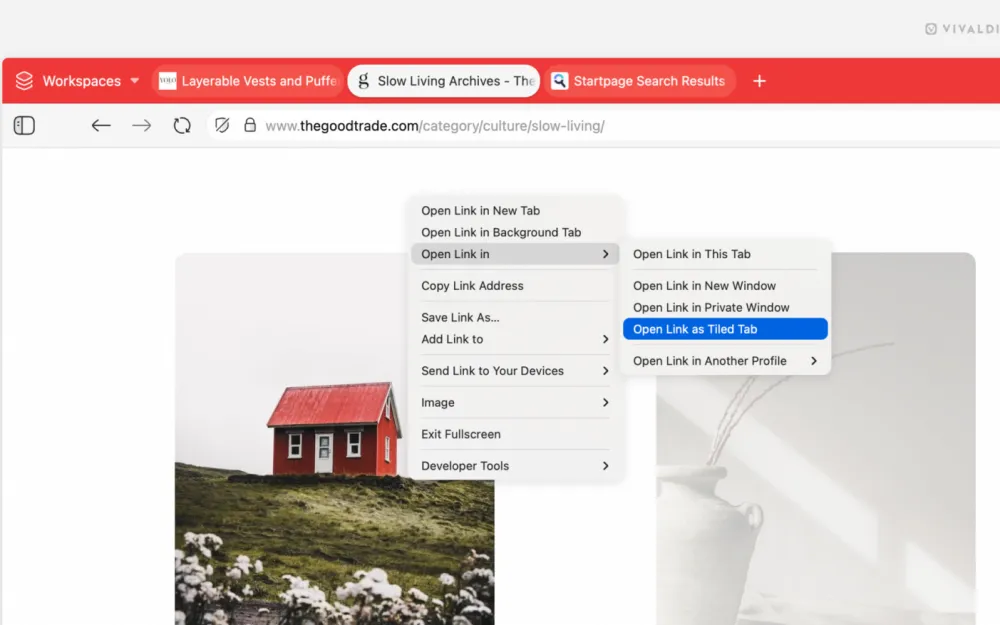
Instead of opening a link in a new tab and then dragging it to the active one to place them both in one window, you simply open the link in an already placed tab. Easy and straightforward.
You can also assign a mouse gesture for this option, turning tab placement into modern magic.
More Than Multitasking
All these enhancements turn tab placement into something you can use easily, consistently, and creatively.
You can start with a couple of tabs and then expand the workspace with others as needed. All this is available on the fly. You create a workspace that meets your requirements.
This is how top-notch browser features work: simple, convenient, and effective right from the start of using them.
Tabs That Meet Expectations
Managing multiple tabs should be convenient. Vivaldi 7.8 improves tab handling, supporting complex and extended sessions.
Pinned Tabs Have Become Stronger
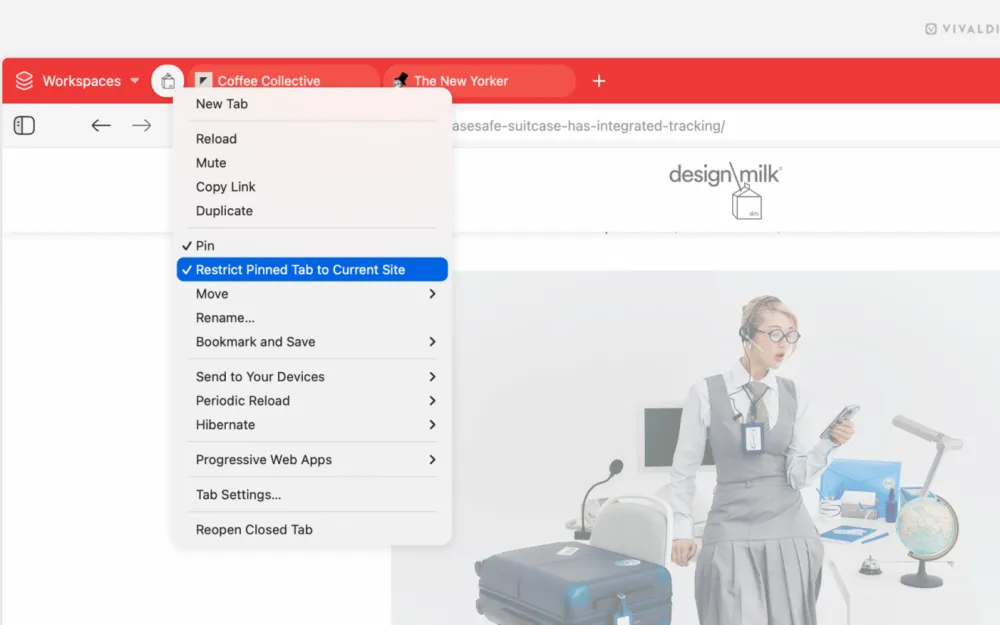
You can now pin a tab to a domain.
This adds reliability. A pinned mail tab stays a mail tab. A pinned project tab is always where you expect it to be.
And yes, this finally makes pinned tabs work the way they always should have. As Tony, our chief tab tester, asked: “Why didn’t they do this earlier?”. The answer: we missed the boat on that one. We admit our fault. Fortunately, our community suggested the idea and we listened to our users.
Email, through spaces and windows
By the way, about pinned tabs: if you use Vivaldi Mail, our built-in email client, there’s an extra bonus waiting for you. Pin the mail tab and it will stay pinned across all workspaces. Your inbox will always be at hand.
And that’s not all! Now email works in all Vivaldi windows. Previously, the mail window was displayed in a single window, which meant needing to switch between windows if you wanted to check or write an email while working elsewhere. In Vivaldi 7.8, this limitation has been removed.
Open a new window, switch between workspaces - your email won’t go anywhere.
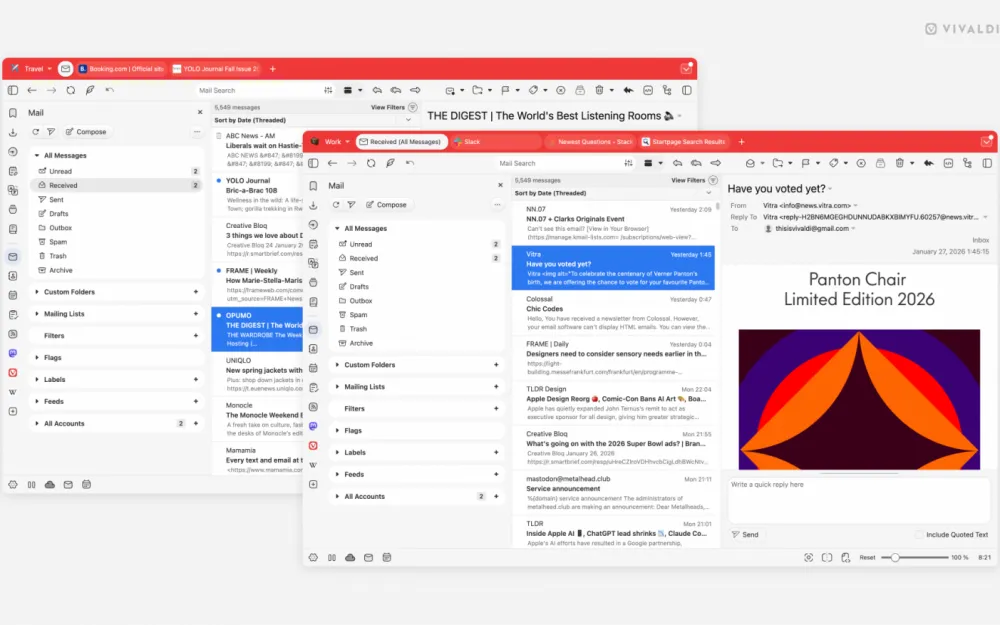
Since the email client is built directly into Vivaldi, it functions as part of the browser rather than as a separate application. With it available in all windows, it becomes what it should be: a primary tool that’s always at hand just when you need it.
With more convenient pinned tabs and support for workspaces, email now fits seamlessly even into the most complex configurations.
Daily surprise on the Speed Dial
Are you one of those who needs a new landscape every day? Or just need to add a bit of spice to your day? We have something fantastic for you! The “Slideshow” option for your Speed Dial.
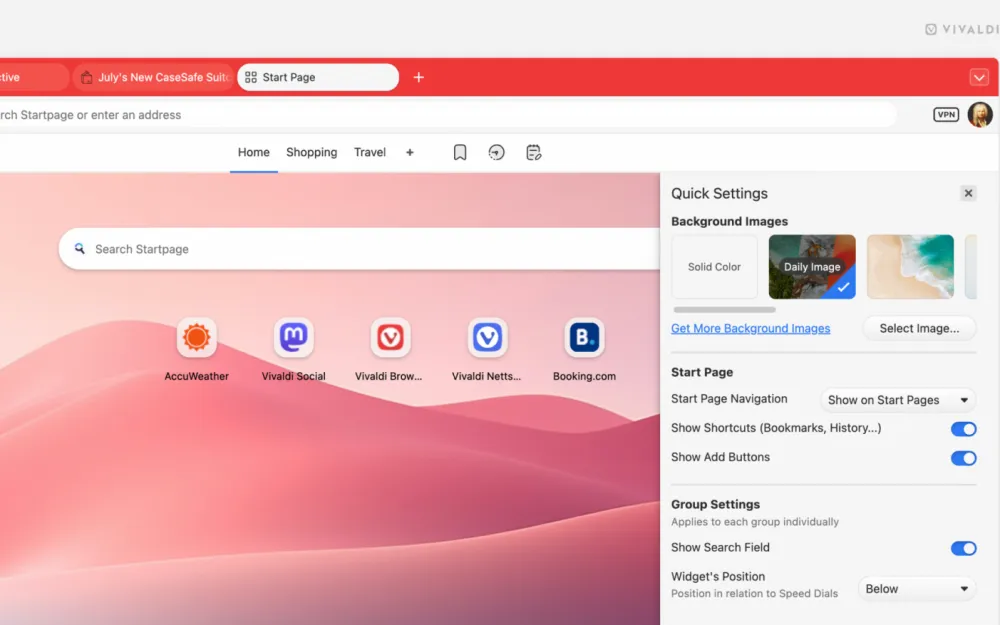
Once this option is enabled, you will automatically receive a new background for your Speed Dial from Unsplash. A little touch that makes life a bit less dull.
As always in Vivaldi, you can choose whether to enable this option or not. It’s your browser.
Other improvements
In addition to the mentioned innovations, we have made several other important enhancements.
Important stability improvements: Significant efforts have been made to enhance stability. Thanks to the new and improved crash registration system, we have managed to fix more crashes than ever before. According to the quality control department's estimates, "two buckets of crashes" have been resolved, and we are pleased to report that all known crashes in our own code have been fixed. However, there is still a small chance of an occasional crash, "which could be caused, for example, by your neighbor's microwave or cosmic radiation damaging your PC's RAM." "What can be fixed has been fixed," said the Vivaldi quality control team.
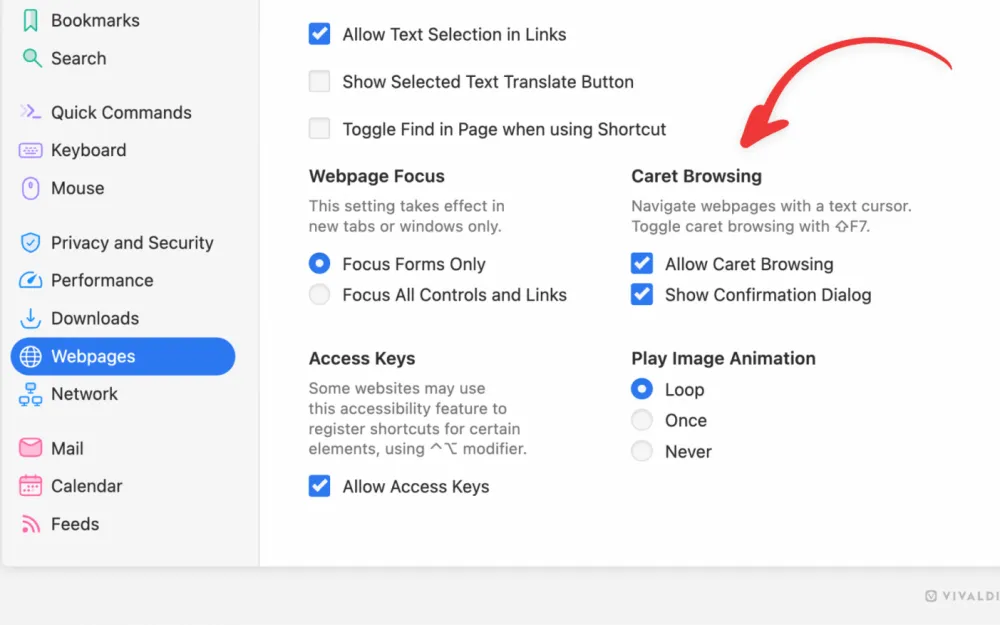
Cursor browsing is a special setting that allows you to navigate through page elements and highlight text using the keyboard. This is a great feature for people with disabilities, enabling them to navigate websites using the keyboard as if they were text documents.
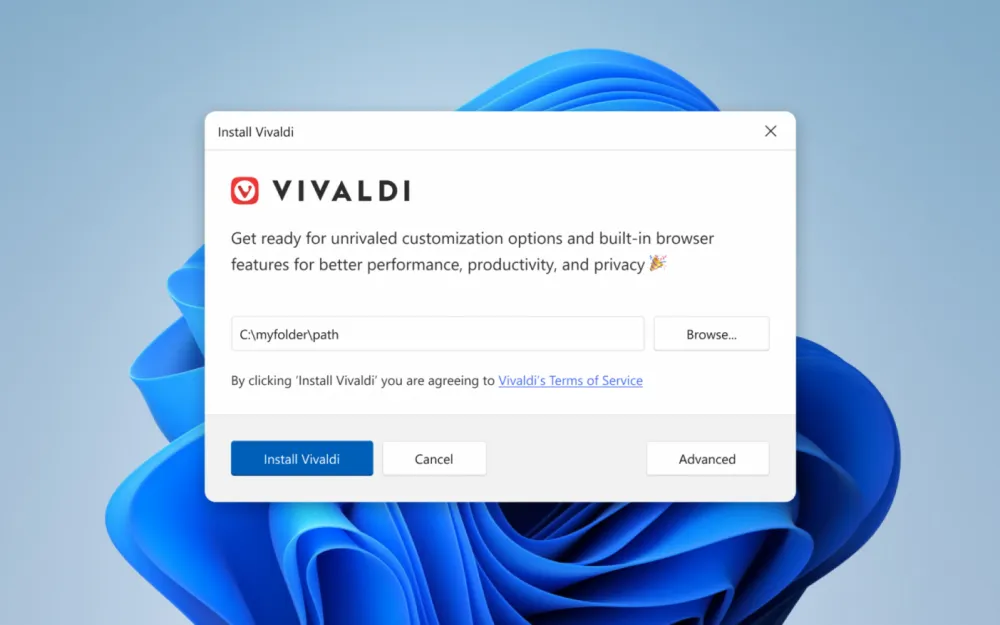
The new installer for Windows makes installation simpler and clearer.
You can view the complete list of changes here.
A browser that cares about you
Every Vivaldi release, big or small, follows one rule.
We do not bow to investors who impose features that benefit them rather than you. We do not track your behavior or use your data as a business model. We are focused on creating a browser that adapts to your workflow, respects your choices, and gives you real control over your experience.
We believe that browsing the web should encourage you to explore, seek ideas, and make your own decisions. It should stimulate your brain. When artificial intelligence stands between you and the internet, filtering what you see and deciding what you don’t see, it takes away your right to make decisions.
We have our stance. We prioritize people over hype and will not turn the joy of exploration into passive observation.
This philosophy permeates Vivaldi 7.8. From powerful tab placement features to thoughtful improvements throughout the browser—every change serves one purpose: to make your online experience more convenient.
If you enjoy using Vivaldi, please tell someone about us. Recommendations from people who actually use the browser matter more to us than any advertisement.
Vivaldi 7.8 is here. Download and try out the new features.
As always, thank you for being a part of the Vivaldi community. Together, we strive for a better web, step by step, with each new release.

I think when you say «stacking» in the first paragraph, you actually mean «tiling». This has confused me. Also, you use the word placement for tiling too.