- AI
- A
Generative UI: three approaches to interfaces assembled by AI
Imagine a user opens your product, and the interface not only displays pre-prepared screens but is assembled right now for a specific person and their context. And the product isn’t sitting in the corner with rope and soap :)
My name is Maria Moshkovich, I am a product manager for AI products. GenUI emerged in my practice as a solution to a specific task — and in this article, I will tell you what came of it. This article is intended for product managers and UX designers who have heard about generative interfaces but have not yet figured out: what they actually are, how they differ from a regular chatbot, and when they are necessary.
What is the fundamental difference
What does a classic chat with an AI agent look like: the user types text -> the model responds with text as well, possibly with nice streaming and markdown formatting. Sometimes, the behavior of the interface is embedded in specific scenarios of this chat, but use cases in this case must be quite specific and physically measurable.
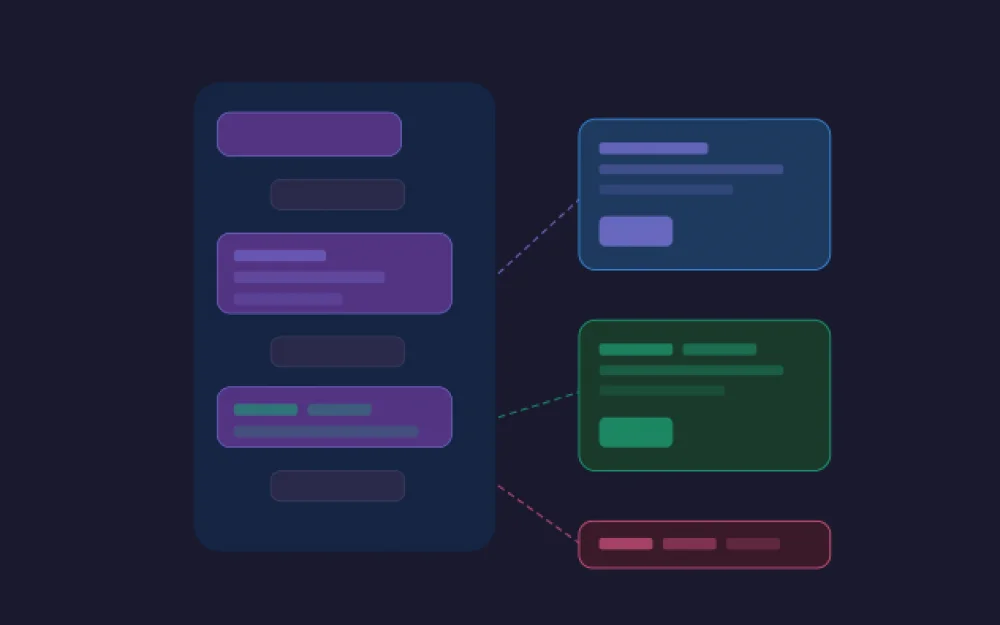
GenUI is when the model not only responds with text but also makes a decision about which component to show. For example, it collects interactive graphs based on your data, or widely used widgets for approval in vibe-coding applications that appear right in the middle of the generation.
When is this even necessary
Before rushing to revamp your product — let’s figure out when this is appropriate.
GenUI solves a specific problem: your interface is too variable to hardcode all states. And you want to reduce some of the cognitive load on the user, making their experience in the product more enjoyable. Here are a few cases as examples of when this could be applicable:
When the result of generation is a live artifact. The agent generated something and shows it as an interactive component. The user edits fields, changes parameters—the agent sees changes in real time and can change itself: rearranges, suggests edits, warns of contradictions. That is, joint work of the user and the agent on the object within the dialogue.
When structured data needs to be collected. The agent understands that the user needs to fill out several fields and renders a form for a specific context, for example, hotel booking.
When the answer is simpler and better shown visually. Data, comparisons, complex workflows. A graph or cards will provide quick understanding where text would create cognitive load.
When navigation through results is needed. The agent found 10 options, and the user needs to move between them, filter, or compare.
Three approaches to GenUI
There are different ways to approach the question of UI generation, and the choice of approach greatly influences what you will ultimately get.
Approach 1: HTML generation
The most obvious and most fragile option. The logic is quite simple: you give the model a task -> the model generates HTML markup -> the browser renders it. That’s it.
Pros: quickly implemented, can generate anything, and the model is not limited in its design considerations.
Cons: design considerations of the model and generation of anything)
The model generates HTML as it sees fit, which means that your design system loses its meaning: buttons may look different from request to request, colors may not match the overall interface. Yes, modern models are globally better at handling rules and implementing HTML; Claude is a good example of this, but even Claude can make mistakes. Also, this is a potential security hole: executable code from the model in your interface.
Additionally, there is a technical point that is often forgotten: the model can hallucinate nonexistent HTML attributes or generate markup that breaks in a specific browser. In general, production is currently trying to move away from this approach.
When it is suitable: quick prototypes, internal tools with no strict design requirements, or if you are willing to take risks and seriously work on your frontend skills.
Approach 2: Declarative Approach
Here, the agent does not write code and does not choose from fully ready-made blocks — he describes something like a technical specification: what should appear on the screen and how to assemble it.
Developers create a catalog of atomic components in advance — row, column, button, input. The agent operates with this dictionary: decides which elements are needed, in what order, with what parameters. Essentially, the agent acts as a kind of layout designer here.
This approach standardizes the A2UI protocol from Google, which was released in December 2025 — the agent sends JSON with a description of the components, and the client renders using its framework.
Pros: the style of the components remains yours — the button always looks like your button. It supports a large number of use cases while not needing to create a separate component for each scenario.
Cons: the agent is still free in composition, so the result may be somewhat different in structure. Quality, like in the first approach, directly depends on the model and the thoroughness of the skill.
When it is suitable: when there are too many variations of what needs to be visualized to gather ready-made components for each case, but consistency of design is still important to us.
Approach 3: Agent chooses a ready-made component
This is the most manageable approach. Developers create complete components in advance — a ready chart, a product card, a booking form. The agent does not lay out or describe the structure; he simply decides which component to show and fills it with data.
When we started looking for a ready-made implementation of this pattern, we came across Tambo — a small open-source framework about which there was no information in the Russian community yet. Conceptually, it works based on this third approach, but adds a layer: states, the life cycle of the component, and two-way communication between the UI and the agent (AG-UI protocol). Below, I will tell you a little more about it.
Pros: maximum control over the visuals — the agent cannot generate anything unforeseen.
Cons: requires an understanding of which components may be needed. Not suitable for universal agent systems.
When it is suitable: when precise control over UX is important and the number of cases does not tend towards infinity.
Comparative Table of Approaches
HTML |
Declarative |
Static / Tambo |
|
Control over visuals |
Low |
Medium |
High |
Freedom of the agent |
Maximum |
High |
Limited by the library and types |
Implementation complexity |
Rather low, but +10 to complexity if you want to teach it to generate according to your UI kit and all design standards. |
Medium, time to describe the operation and assembly principle of complex components. |
Medium, time to implement all necessary components. |
Safety |
50/50 |
Safe |
Safe |
How We Came to Tambo
The product in question is an AI assistant for marketing analytics. The interface consists of two main parts — a workspace with data tables that the user works with: looking at slices, comparing groups, drawing conclusions; and a chat with the agent who helps navigate through all of this.
When we designed the interaction between the agent and the interface, it became clear right away: some generative components would be very useful for the analyst when working with conclusions, especially when quick insights are needed. Instead of a text response, the agent can display an insight card with a key figure, a mini-chart for comparing groups, or a summary table.
But the question arose: what to do with the workspace? If the agent could change it however it wanted — the tables and slices that the user works with would start to live their own life, and this is the most valuable artifact of our product; it should contain nothing superfluous. After two days of continuous research, Tambo was found on GitHub.
Tambo supports two types of components. The first are generative: they work directly with the component library, rendering once in response to a message in the chat, something that fits into the context right now, like a graph. The second are interactive: these are regular React components that you place anywhere in the interface, not necessarily in the chat, such as a table in the workspace. The user interacts with it directly, and Tambo monitors its state.
The implementation itself is not complicated: components are registered with descriptions and Zod schemas for props — this becomes the agent's dictionary. Then it decides what to show based on the context of the dialogue and streams props directly into the component in real-time.
This is the approach we have ultimately arrived at:
Workspace — for main content: this is where Interactable components live. They are pre-placed, always visible at the necessary stage, and the agent can only change their content, not their structure.
Chat — for everything "beyond" the main: Generative components, like graphs, cards, etc., are generated only in the chat, not interfering with the work on the main material.
Which approach is suitable depends not on the stack and not on what is currently trendy — but on how you envision the user's interaction with your product. What is more important for them: predictability and control over what they see, or a rich and unexpected output from the agent? Where in your product is there room for the model's freedom, and where will it only get in the way? Answers to these questions determine the choice of approach.
Useful links for study
A2UI — a protocol from Google, documentation and examples
Tambo — a framework for React
AG-UI — a protocol for bi-directional communication between agent and application, works on top of A2UI and other specs
GenUI is actively developing — A2UI was released in December 2025, Tambo released v1.0 in February 2026, and these are far from the latest tools in this direction. But whatever the new frameworks and protocols may be, the logic of choice remains the same: rely on what your product and user need, not on what has appeared most recently.
If you have experience with GenUI in production — we would love to hear in the comments what approach you chose and why?





Write comment