- Hardware
- A
Remember 30-contact SIMMs? The complete history of RAM: from the first modules to 512 GB DDR5
In 1981, the IBM PC 5150 came with 16 or 64 KB of RAM, and the maximum configuration was limited to 640 KB—the architectural barrier of first-generation Intel processors. Today, flagship desktops and servers are equipped with 192 GB of DDR5 memory. This is a growth of 300,000 times over four decades. And there is still not enough memory.
During this time, more than a dozen standards have changed: 30-pin SIMMs that had to be installed in pairs, blow-through EDO modules, the failed RIMM for Pentium 4, and five generations of DDR. In this article, we will try to understand how RAM for desktops and servers has changed: in terms of frequency, capacity, and price.
The Era of SIMM and FPM/EDO: When Memory Was Installed in Pairs
Until the mid-80s, memory consisted of separate chips in DIP packages, which were soldered directly to the motherboard. Replacing or adding memory was almost impossible — the entire board had to be replaced.
In 1983, Wang Laboratories patented SIMM — Single In-line Memory Module. This was a small circuit board with soldered memory chips that was inserted into a special slot. Upgrading became a non-issue.
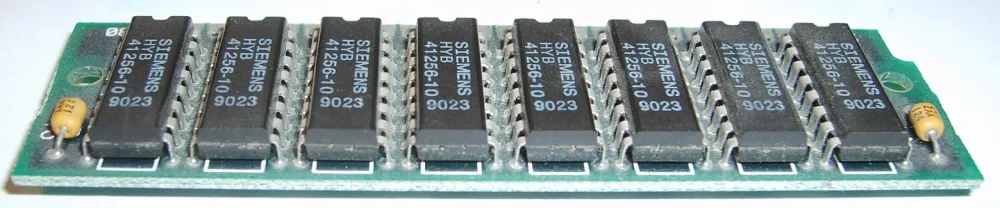
The first SIMMs had 30 pins and capacities ranging from 256 KB to 1 MB. Later, modules of up to 4 MB appeared, but these were already rare. They were used in IBM PC AT computers and the first machines based on 286 and 386 processors. However, they had to be installed not one by one, but in groups: 286 and 386SX processors with a 16-bit data bus required two modules at once, while the 386DX and 486 with a 32-bit bus required four 30-pin SIMMs simultaneously. Each module transmitted 8 bits of data, and to achieve the necessary bit width, they were combined.
By the early 90s, it became clear that 30 pins were cramped. In the era of 486 processors, 72-pin SIMMs with a 32-bit data bus emerged. Now one module could work independently on 486 systems — there was no need to pair or group them. Capacities increased: from 1 to 64 MB per module. A typical mid-90s computer based on a 486 had 4–8 MB of memory, while Pentium machines already had 16–32 MB.
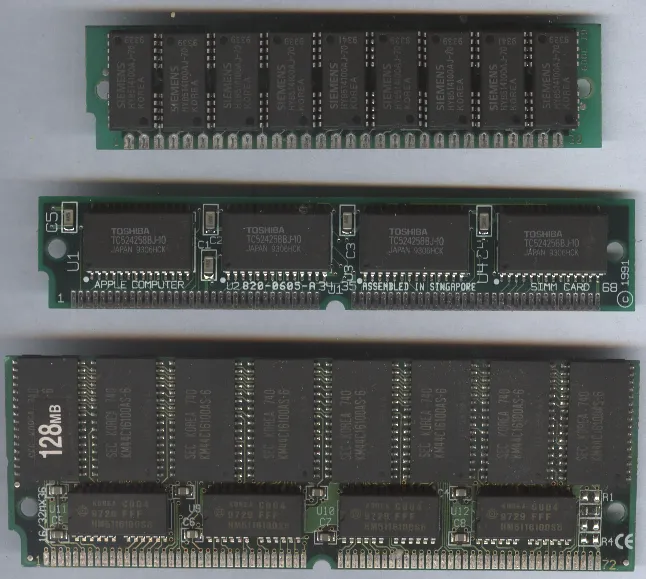
The SIMM modules themselves are simply printed circuit boards with contacts. However, the chips used different technologies. In the early to mid-90s, it was FPM (Fast Page Mode) — asynchronous memory that operated at frequencies of 25–33 MHz with an access time of 60–70 nanoseconds. In 1995, FPM occupied 80% of the market.
But Pentium processors with frequencies above 90 MHz required something faster. In 1996, EDO (Extended Data Out) hit the market — the same SIMM externally, but with different chips inside. EDO operated at 40–50 MHz and was 10–15% faster than FPM due to improved handling of sequential cells. The timings decreased to 50–60 nanoseconds. Motherboards for Pentium typically supported both types of memory, whereas systems on 486 only worked with FPM.
Outwardly, FPM and EDO were indistinguishable. The BIOS either detected the type automatically or simply did not recognize an incompatible module. Prices in the mid-90s were astronomical by today's standards — about $40–50 per megabyte. An 8 MB stick cost several hundred dollars, and people seriously considered whether to upgrade from 8 to 16 MB.
SDRAM and the Standards War: the Battle of DDR vs RIMM
By the end of the 90s, it became clear that FPM and EDO had hit a ceiling. Processors operated at frequencies of 100–133 MHz, and asynchronous memory could not keep up. A synchronous architecture was needed — and in 1996 SDRAM (Synchronous DRAM) appeared. The first commercial chip was released by Samsung in 1992, but mass production only began in 1993, and by 2000, SDRAM had almost completely displaced its predecessors.
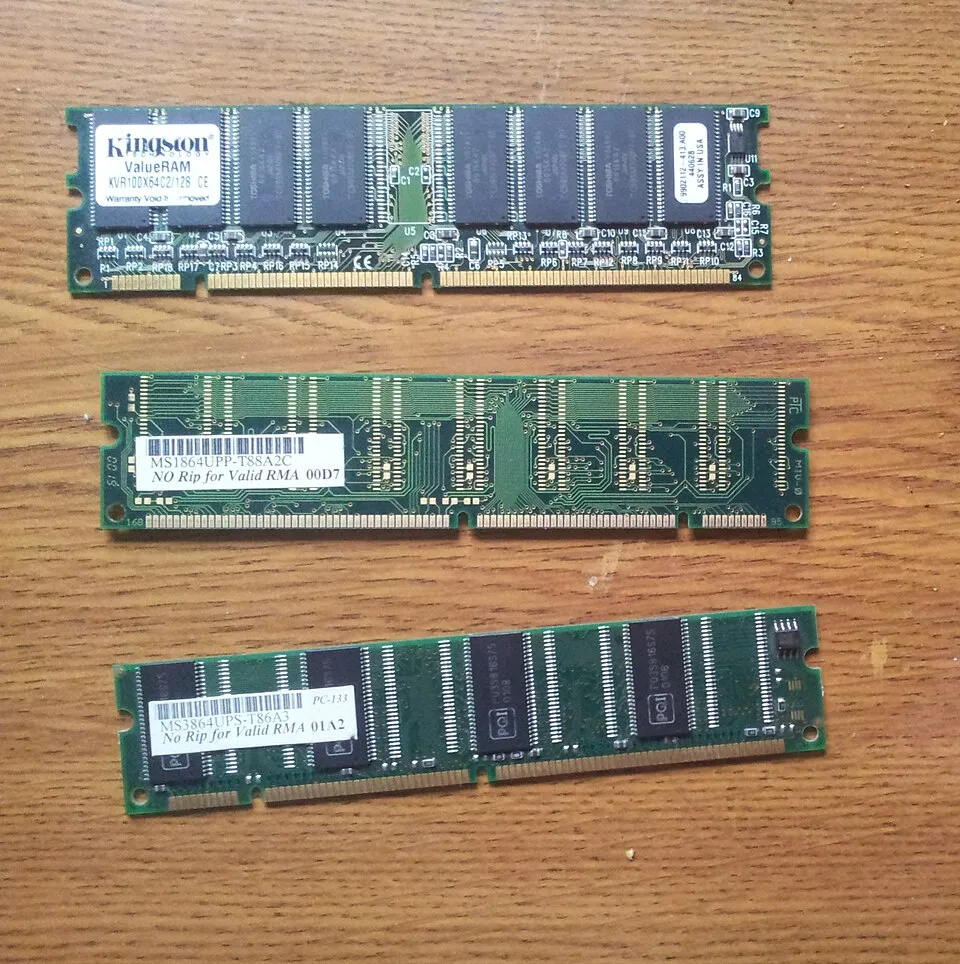
The main difference is synchronization with the system bus clock generator. The memory operated at the same frequencies as the processor: 66, 100, or 133 MHz (PC66, PC100, PC133). This provided a bandwidth of 800 to 1066 MB/s.
SDRAM was supplied in a new form factor — 168-pin DIMMs (Dual In-line Memory Modules), which replaced SIMM. In DIMMs, the contacts on both sides operated independently, providing a 64-bit data bus. Now one module could work alone even on Pentium — no pairs were needed.
Typical sizes for the late 90s: 128–512 MB for home PCs, and up to 2–4 GB for servers.
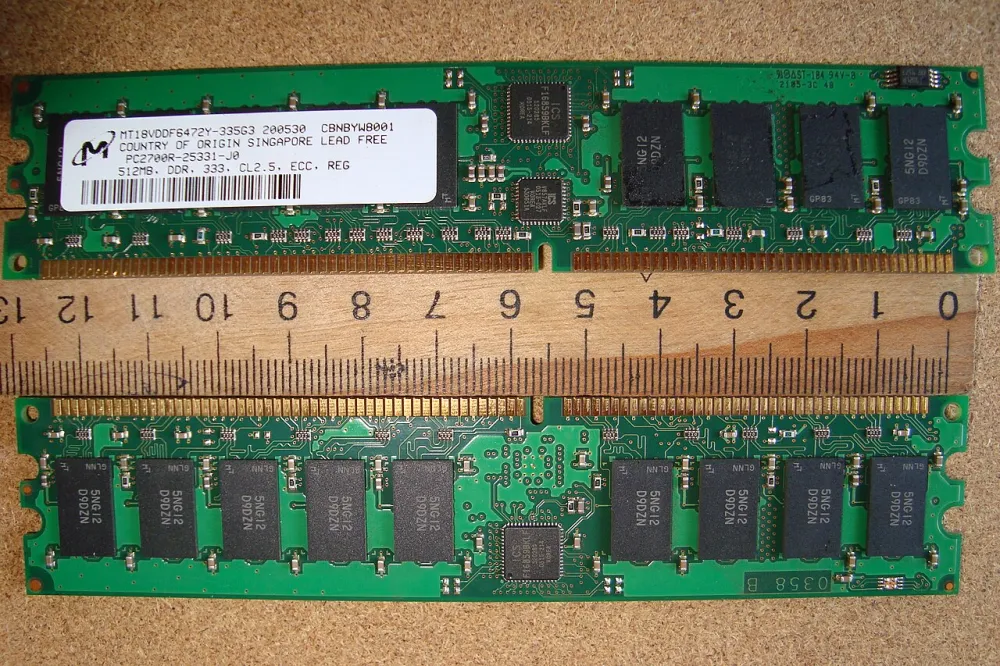
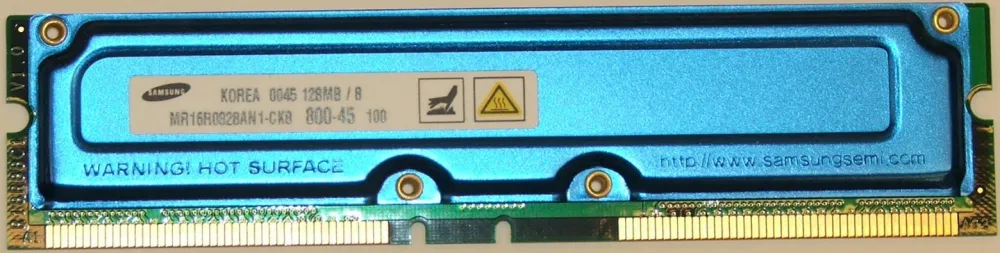
But Intel wanted more. In 1996, the company signed a contract with Rambus and decided to bet on RDRAM — a new architecture with a narrow 16-bit bus and a crazy frequency of 400 MHz, with an effective frequency reaching 800 MT/s due to data transmission on both fronts. PC-800 RDRAM provided a bandwidth of 1600 MB/s, and a dual-channel configuration offered a full 3200 MB/s.
The RDRAM modules were called RIMM and produced in a 184-pin form factor. But the technology had serious problems. First, the modules had to be installed in pairs. Second, empty slots required special caps — continuity modules (C-RIMM), which did not add memory but simply closed the circuit for the terminating resistors. Forget the cap — the system won't start.
But the main problem was the price. RDRAM cost 2 to 4 times more than regular SDRAM due to complex manufacturing and licensing fees to Rambus. The latencies were also higher: 45 nanoseconds compared to 30–40 for SDRAM. The memory heated up so much that it required heatsinks. Intel even began subsidizing RDRAM in 2000 by supplying Pentium 4 processors with modules included, but by 2001, they abandoned this approach.
Meanwhile, in 2000 DDR (Double Data Rate) SDRAM entered the market. The idea is simple: to transmit data on both fronts of the clock signal, like RDRAM, but with a wide 64-bit bus. DDR-266 at a frequency of 133 MHz provided 2100 MB/s (more than single-channel RDRAM) and was almost on par with dual-channel. Moreover, DDR was cheaper, generated less heat, and did not require caps. DDR modules had 184 pins and a voltage of 2.5 V.
In real applications, RDRAM did not provide a noticeable performance boost compared to DDR. The difference was 5–10%, and in some tasks, DDR even outperformed. Motherboard manufacturers — VIA, AMD, and later Intel itself — began mass-producing boards that supported DDR. The choice was obvious: why pay three times more for RDRAM with caps and heatsinks when DDR offers almost the same performance.
By 2002-2003, the standards war had ended. Intel finally abandoned RDRAM in favor of DDR, manufacturers stopped producing new boards for RIMM, and prices for Rambus memory plummeted. RDRAM remained only in gaming consoles — Nintendo 64 and PlayStation 2, where its high bandwidth still made sense. For computers, however, the future was with DDR.
The Era of DDR, DDR2, and DDR3: Doubling after Doubling
DDR became the foundation for three generations, each of which doubled the performance of its predecessor. This was 15 years of gradual but steady growth — without sharp leaps, but with predictable improvements.
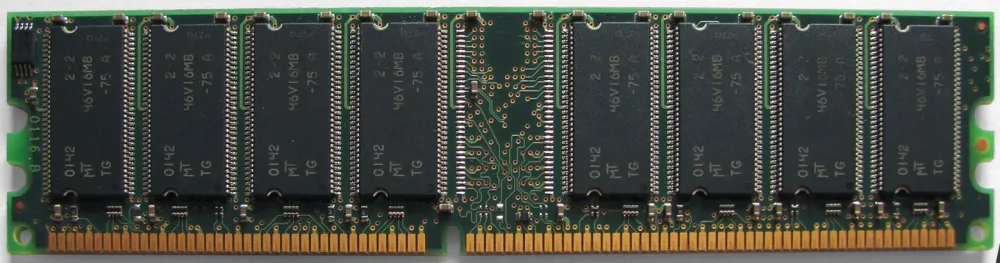
DDR (2000–2007) operated at frequencies from 200 to 400 MHz with a voltage of 2.5 V. Modules were supplied in a 184-pin DIMM form factor and had a bandwidth of 2.1 to 3.2 GB/s.
Typical module sizes: 256 and 512 MB at launch, later 1 GB modules appeared. By the mid-2000s, the standard configuration for a home PC was 512 MB to 1 GB, while gaming machines already had 2 GB. Servers were equipped with 4–8 GB.
In 2003, DDR2 was released. The main change was the doubled bus frequency while maintaining the same chip core frequency. This was achieved through a 4-bit prefetch (4n-prefetch) instead of the 2-bit prefetch used by DDR. DDR2 operated at effective frequencies ranging from 400 to 1066 MHz, but the memory core ran at 100–266 MHz — twice as slow as DDR with the same bandwidth. The voltage was reduced to 1.8 V, which decreased power consumption and heat.
DDR2 modules had 240 contacts and were physically incompatible with DDR due to a different key location in the connector. Bandwidth increased to 4.2–8.5 GB/s. Typical module sizes: 1–2 GB at the beginning of the era, and by the end, 4 GB modules appeared. The standard PC configuration in the mid-2000s was 2 GB for office tasks, 4 GB for gaming, and 8–16 GB for workstations.
DDR2 had a drawback: higher data access latencies. The memory operated faster, but the response time to CPU requests increased to about 12–13 nanoseconds compared to 10 nanoseconds for fast DDR. In tasks with frequent access to different memory locations, this slowed down performance.
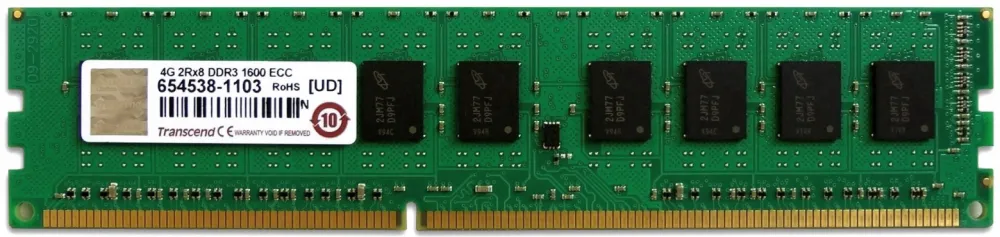
In 2007 DDR3 appeared. Another doubling: the 8-bit prefetch (8n-prefetch) raised effective frequencies to 800–2133 MHz while the core frequency was only 100–266 MHz. The voltage dropped to 1.5 V (later, DDR3L appeared with 1.35 V). The bandwidth reached 8.5–17 GB/s. The modules remained 240-pin, but with a different key—again, incompatibility.
The latencies of DDR3 at launch were even higher—around 13 nanoseconds. But by the end of the period, fast modules with latencies around 10 nanoseconds appeared—already better than DDR2.
Typical capacities for DDR3 modules: 2–4 GB initially (2007–2010), then 4–8 GB became the norm, and by 2015, 16 GB modules emerged. Standard PC configurations: 4 GB for office use, 8 GB for home use, 16 GB for gaming, 32 GB for professional tasks.
Each generation lasted about 5–7 years. DDR dominated until 2007, DDR2 until 2010, and DDR3 lasted all the way until 2015 and even longer in budget systems. It was a period of stability: memory became cheaper, capacities grew, and manufacturers knew exactly what to do next—simply double everything again.
DDR4, DDR5, and server solutions: modernity and records
In 2014 DDR4 was released. The modules received 288 contacts (like DDR5 later, but with a different key), the voltage decreased to 1.2 V, and frequencies increased from 2133 to 3200 MHz according to the JEDEC standard. Some modules reached 4266 MHz and higher. The bandwidth was 17–25 GB/s. Typical capacities for modules: 8–16 GB for desktops, up to 32 GB for enthusiasts, while standard server modules RDIMM were 32-64GB and LRDIMM at 128 GB.
DDR4 dominated until 2021 when Intel released Alder Lake processors with DDR5 support. Standard PC configurations by the end of DDR4’s life: 16 GB for office and gaming, 32 GB for serious tasks, 64 GB for professional workstations.
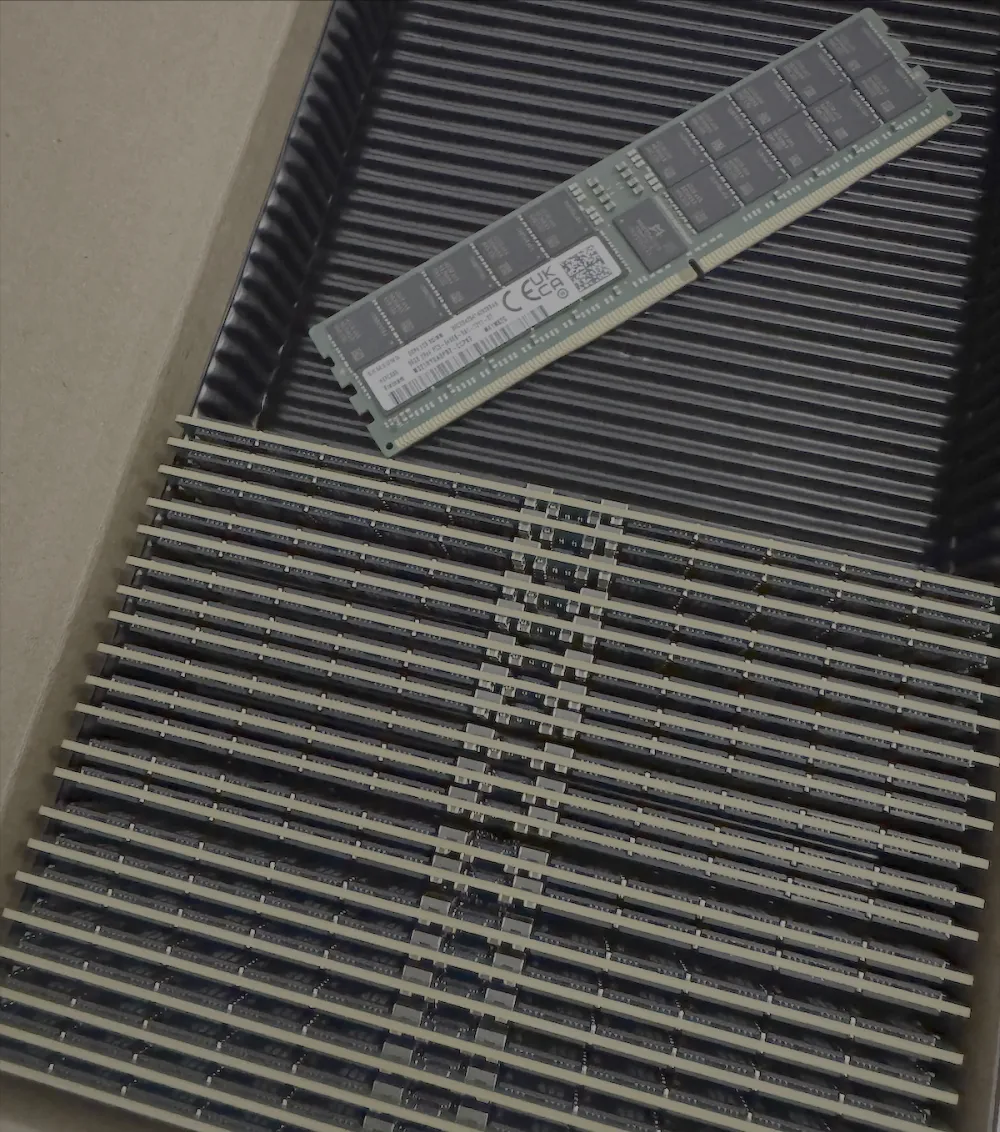
DDR5 appeared in 2021, but it only became widespread by 2023–2024. The voltage dropped to 1.1 V, speeds started at 4800 MT/s and now reach 6400–8400 MT/s for top modules. The bandwidth is up to 67 GB/s. An important innovation: built-in power management on the module itself and internal error correction. The new type DDR5 - MRDIMM reaches a frequency of 8800 MT/s but has not yet gained wide adoption. By the way, HUDIMM is also expected to be available soon.
The memory density on the chip has increased to 64 GB compared to 16 GB for DDR4. This has allowed for modules of up to 48–64 GB for desktops. Server sticks reach 256 and even 512 GB for LRDIMM. A typical gaming PC configuration in 2024–2026 will be 32 GB (2 × 16 GB), and for professional tasks — 64–128 GB. In our cloud platforms in 2025, we at mClouds have already begun the transition to 96GB RDIMM DDR5 6400 MT/s modules.
What's next?
DDR6 is expected by 2027–2028. JEDEC completed the draft standard at the end of 2024, and Samsung, Micron, and SK Hynix are already testing prototypes with Intel and AMD. The initial frequency is 8800 MT/s, with a target of 17,600 MT/s. This is almost double the ceiling of DDR5. The architecture will change: instead of two 32-bit channels, there will be four 24-bit subchannels, which will reduce electrical load and improve signal transmission.
It is expected that DDR6 will transition to a new CAMM2 form factor instead of the usual DIMM, but this is not certain, :). This will require new motherboards. It's too early to talk about prices, considering the realities of the first half of 2026 and the memory and storage market as a whole.
What memory stick was in your first computer or server? And how much RAM are you using now?

![From Virtual Hands to AI for Survivalists: Curious Open Agent OSes [and One Hardware Project]](https://cdn.tekkix.com/imgs/2026/05/habrcom/big/ce0b1057616faed51cd8b9f3b2b9.webp)
Write comment