- DIY
- A
Simple emergency button for the elderly
Recently, my mom has found it difficult to use a mobile phone, mainly due to vision problems. Even the simplest mobile phone required unlocking, selecting the right menu item, finding the desired contact, and pressing the call button.
The "SOS" button available on some phones designed for elderly people seems to solve the confusion of UX/UI. But it also creates problems: it requires a long press, and besides dialing the necessary numbers, it activates a loud siren that I couldn't turn off in the settings.
There is another difficulty: the mobile phone can simply be hard to find; it doesn't always stay in the same place.
I started looking for alternatives, including articles on Habr. Most people's thoughts were focused on using GSM alarms and GPS modules. I thought about a program that would send an email message at the click of a mouse button, including to an SMS gateway. But that seemed cumbersome, and therefore, unreliable.
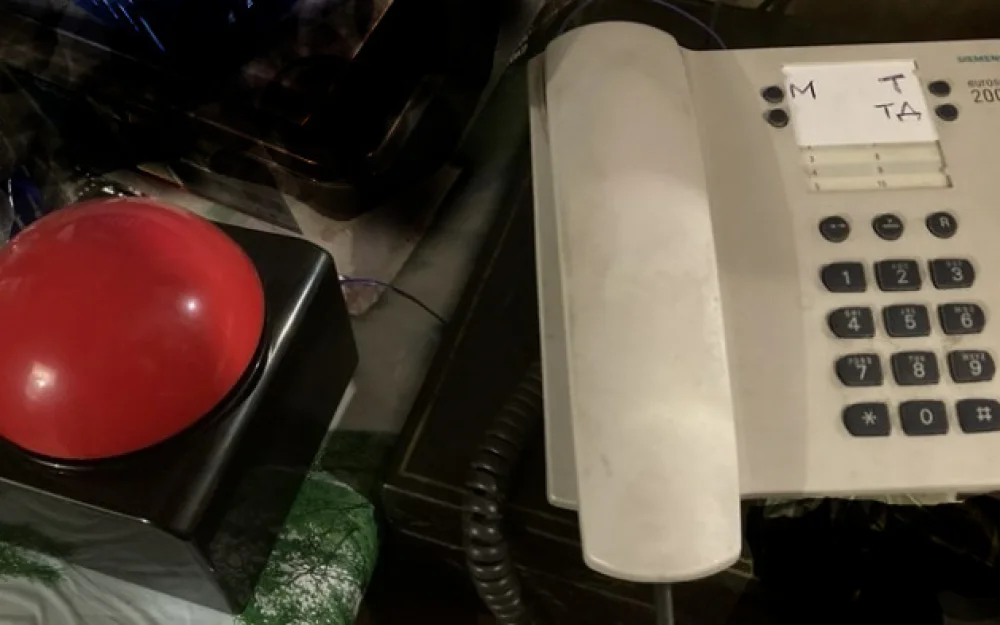
Suddenly, an idea came to mind: simply solder a huge button, like one from a doorbell, to the speed dial button of a landline phone. All you need to do for a quick connection to the person you want is to pick up the receiver, hear the dial tone, and press the button. It's not complicated.
I found a really giant button for quizzes on marketplaces, similar to the one used in the TV show “One Against One Hundred.” Inside, there is a tactile button on the board, to which I soldered two wires.
There's no need to insert batteries into the button. If you want it to continue making sounds and lighting up, you'll have to build galvanic isolation. But experience has shown that illumination when pressed is not necessary. The button clearly indicates (tactilely) that it has been pressed.
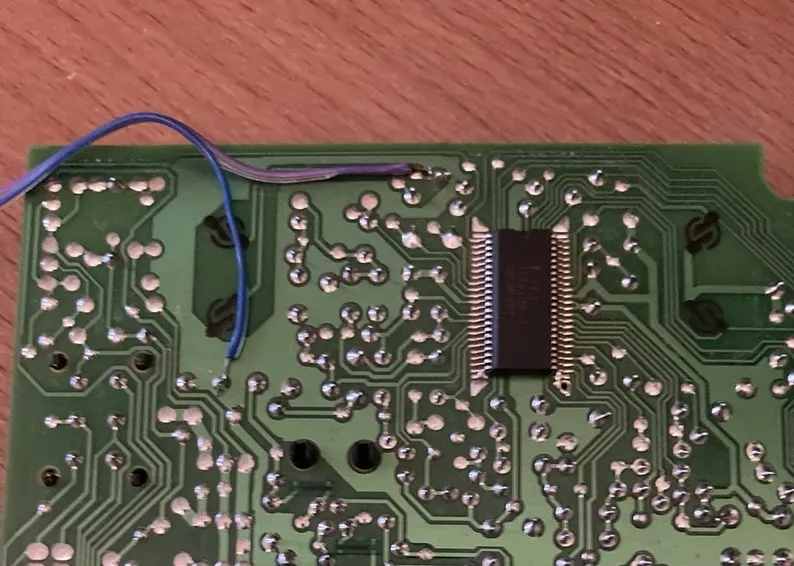
On the other side, I soldered a wire to the traces on the phone's circuit board that go to the speed dial button.
That’s all I wanted to share. I hope it will be useful to someone as well.
Write comment