
- Security
- A
TLS fingerprinting: why even clean proxies don't prevent bans
Imagine a situation: you carefully prepared for multi-accounting, set up the environment, assigned a unique residential proxy for each stream, and trusted your IP addresses were clean, yet all your accounts get banned one by one despite each stream using its own unique IP.
The reason why you lost your profiles might be TLS fingerprinting. This is not some hidden technology from the ancient Aztec civilization, but rather a modern technique that works deeper than the IP address level and allows identifying devices and sessions based on the characteristic fingerprint of a TLS connection.
In other words, if all your requests have the same TLS fingerprint, even the best-quality proxies won't save you from being blocked on platforms that can work with these fingerprints.
What is TLS fingerprinting and how does it work?
TLS (Transport Layer Security) is a cryptographic protocol that ensures a secure HTTPS connection between a client and a server. And here we are interested in the very first data exchange – the TLS handshake. During this virtual exchange, the client sends a ClientHello message with a set of parameters to negotiate encryption. These parameters can largely expose who is connecting to the server.
The set of data contained in the ClientHello forms a unique TLS fingerprint, one of the digital identifiers of the client.
In the screenshot below, I’ve provided an example of such a fingerprint – this is a screenshot of an actual TLS handshake I intercepted using Wireshark on my local device.
The problem (and for some, this will truly be a problem) is that every browser, library, or operating system implements TLS in its own way, so the set of parameters ends up being unique.
The TLS fingerprint will always be consistent for a specific client, regardless of their IP address or proxy used. It might change slightly if the font or extension set changes, but in most cases, it will remain identical.
The TLS fingerprint is formed from:
TLS Version. Standard Chrome supports TLS version 1.3, while the Python requests library will have version 1.2 or also 1.3, just like Chrome, etc.
Cipher Suites. These are not the fonts you use to write, no - here we're talking about fonts for encryption, if you want encryption algorithms. Each browser has a similar set, but differences will exist – Firefox has about 15 ciphers, Chrome has around 17, scripts (python requests, curl) have an even shorter list, typical for the OpenSSL library, but at the same time, the encryption algorithms themselves can differ.
Supported TLS Extensions. This includes additional protocol options (
Supported Groups (Curves). This is more like "mathematical language" that the protection is built on. Each browser has its own unique list of methods.
Signature Algorithms. Preferred algorithms for digital signatures within TLS (they differ in priority between clients). This is a list of standards that your browser is able to check. Chrome uses one set of algorithms, Safari uses another – you probably get the idea.
It's also important to understand the nuance – the set may be roughly the same, but the order of transmission can differ. If two different clients support the same list of ciphers or extensions but send them in a different sequence, we will get different fingerprints. This is the subtlety – any seemingly minor detail, yet the result is different.
An interesting analogy with cooking – if you first put garlic in the pan, and only before serving the dish add meat for 5-10 minutes, it will have a completely different taste than a dish prepared according to the classic recipe – first the meat, and garlic added 5 minutes before serving. The same goes here – the order of transmission matters significantly!
JA3 - what's the connection with the third part of the popular 00s PC game?
Anyone as ancient as I am and remembers the mercenaries game Jagged Alliance probably thought - the old man forgot to take his pills again, but no – I’m writing correctly – it’s not about gaming, but still about TLS fingerprints, more precisely about their transmission technique.
JA3 is a 32-character hash calculated from the combination of the parameters mentioned above. It’s convenient to store and check. And this hash will be our fingerprint.
Each unique combination of parameters will give its own JA3 hash, and even the slightest difference will create different hashes – Chrome 120 on Windows 11 and Firefox 121 on the same device will give different JA3 fingerprints.
You can find your JA3 hash using special services (tls.peet.ws or via Wireshark’s built-in functionality).
Note: Wireshark is a software for analyzing network traffic (sniffer) that allows you to see real-time data passing through your computer. Be warned, once you start, stopping can be difficult.
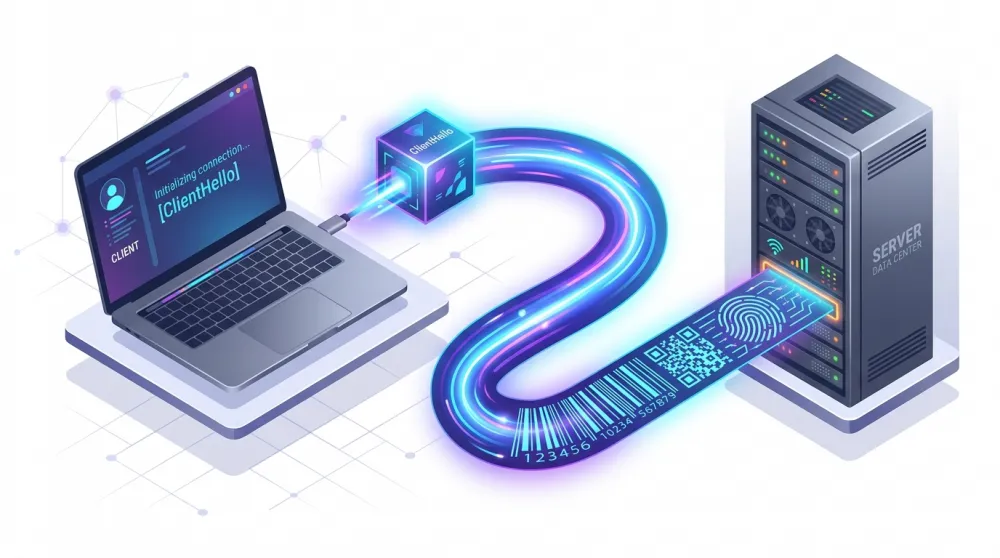
In summary: TLS fingerprinting allows reliably distinguishing one client from another by analyzing only the network parameters of the encrypted connection. Changing the IP or modifying the User-Agent won't help – the "handwriting" of your TLS handshake will remain the same.
Why proxies do not hide the TLS fingerprint
Using a proxy server by default is considered a way to hide or alter your identity online. And to some extent, it works like that. If you use a proxy to mask the IP address of a specific user on a particular device – it will work, the proxy will hide the real IP address.
I don’t want to be a downer about the previous paragraph—but the temptation is strong. Changing your IP address does not hide you with 100% certainty; if the service wants, it can retrieve your real IP, there are several ways to do so, and all of them are known. So without additional protection, simply using a proxy is an illusion of masking, nothing more.
It doesn’t work that way with multi-accounting. A proxy works at the network level, and its capabilities are limited to routing traffic through another IP.
With an HTTPS connection, the TLS handshake occurs directly between your device and the target server, and the proxy only forwards already encrypted data without interfering with its contents.
A proxy changes only some external attributes for the request:
The IP address that the site sees (masking your real address);
Geolocation (depends on the proxy IP);
The traffic route in the network (passes through itself);
In some cases, it allows bypassing regional content restrictions.
However, a proxy cannot change things such as:
Your browser or script TLS fingerprint;
Browser fingerprints: Canvas, WebGL, audio, fonts, etc.;
HTTP headers and client characteristics themselves (unless you manually changed them);
Other hardware-software identifiers (screen resolution, time zone, plugins, etc.).
The simple conclusion follows: even the most reliable proxy does not make your request invisible to fingerprinting systems. If you run multiple sessions through different proxies but with the same client (which only allows changing IP addresses without touching any of the above), then to the target site, all these sessions appear as originating from the same device.
A typical beginner mistake - buying expensive residential proxies in the hope that changing IPs will solve anonymity or multi-accounting issues. More expensive does not mean better protected. Expensive proxies are not about complete protection but about the quality of obtained IP addresses. Expensive proxies are more likely not to be blacklisted and not to have some gray history of usage (though even this is not guaranteed, but the chance of getting a dead pool is lower, and that is a fact).
If you don’t change the TLS fingerprint (and not only it, since the TLS fingerprint is just one component of the browser fingerprint), whether you bought a proxy for each account for $5 or $10, the result will be predictable – your profiles will be banned or work will be complicated (frequent captchas, errors, etc.).
Here’s your answer – why you get banned even with clean proxies – the IP address is new, but the digital trace remains the same.

Nevertheless, proxies themselves remain an important tool – they solve the problem of IP address separation and masking. But for full anonymity, they need to be combined with other anti-detect measures.
How platforms use TLS fingerprinting for blocks
TLS fingerprinting technology has long been used by almost all major platforms fighting bots, fraud, and multi-accounting. Moreover, even many medium-sized services integrate ready-made solutions for capturing device fingerprints. It can be said this way – if a web platform takes security seriously, there is a high chance that with every HTTPS request, it passively collects the client’s TLS fingerprint and compares it with known templates.
Now, about the entities:
Cloudflare and similar anti-bot services. Cloudflare, protecting sites from bots, actively analyzes TLS handshakes. If the JA3 hash of your request does not match the template of any common browser, the request is marked as suspicious. For example, calls from a Python script using the requests library have a completely different TLS signature than Chrome/Firefox, and Cloudflare either blocks them, shows a captcha, or presents a special page with a JS challenge (Turnstile). Thus, if the DFI client reveals itself at the TLS stage, the protection will respond regardless of IP.
Social networks and ad platforms (Meta, TikTok, etc.). Facebook and Instagram enforce very strict fingerprint control. Their systems link accounts with identical TLS fingerprints, even if they have never logged in from the same IP address. As a result, blocking one profile can automatically affect all related accounts.
Meta, in addition to TLS, considers dozens of other indicators (Canvas, WebGL, background sensors, etc.) to build a multidimensional user profile.
TikTok also aggressively tracks multi-accounts - in addition to the TLS fingerprint, they look at behavior (simultaneous logins, similar actions), but just a common TLS profile will be enough to link your accounts together.
Marketplaces and e-commerce (Wildberries, Ozon, Amazon, etc.). Major trading platforms use TLS fingerprinting not only against multi-accounts of sellers but also to protect against mass data scraping.
Wildberries and Ozon fight against automated price collection from competitors by tracking identical TLS fingerprints on numerous requests. If you run a parser with multiple proxies, but it uses the same HTTP library everywhere (and thus the same fingerprint), the marketplace will quickly detect it. Within a few hours, the IP addresses of your proxies will be flagged or even banned, as the system will see hundreds of requests with identical TLS fingerprints and block the entire range of IP addresses as malicious.
Advertising systems (Google Ads, etc.). Google Ads checks the TLS fingerprint when creating new advertising accounts and during suspicious activity. If you try to create multiple accounts from different IP addresses but on the same device, they will all be flagged and sent for manual moderation (or simply preemptively blocked).
Other platforms (Amazon/eBay, LinkedIn, Twitter/X, Avito) also, to some extent, take TLS fingerprinting into account when automatically searching for anomalies.
Now pay attention! I tried to clarify, but if anyone got the impression that using one device and several proxies will get you caught solely by the TLS fingerprint - this is not true. TLS is just one of the methods used by anti-bot systems to detect anomalous activity. Anti-fraud systems work based on scoring (assigning penalty points), and the TLS fingerprint is simply one of the building blocks in the overall structure.
Methods to bypass TLS fingerprinting
If a TLS fingerprint can give us away, the logical approach to bypassing it is to change or mask it. Ideally, our client should look like a completely ordinary real-user browser, or each stream of automated requests should have different TLS profiles so that they cannot be linked to each other. Makes sense? Of course it makes sense, but how do we achieve this?
Here are the methods used to combat TLS fingerprinting:
-
Use a real browser through automation. The simplest way to generate a plausible TLS packet is to actually open a browser (Chrome, Firefox, etc.), which will handle the data exchange with the server itself. Tools like Selenium, Puppeteer, Playwright in combination with Chromium/Firefox provide an authentic TLS fingerprint of a standard browser. Even in headless mode, modern browsers exchange the same ClientHello with the server as in normal mode, so a single TLS fingerprint cannot distinguish them from a regular user. However, running a browser through automation tools can leave other traces, but that is a topic for another article.
-
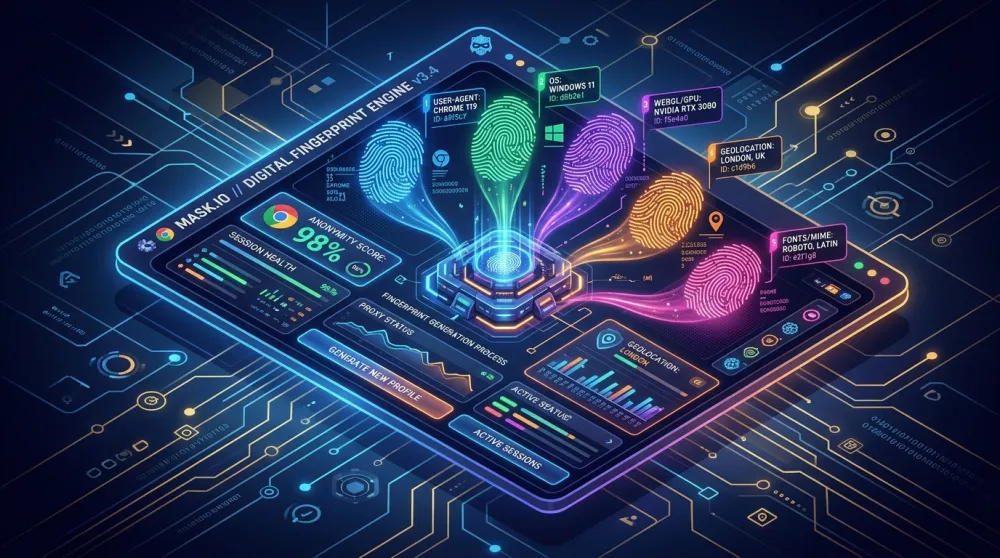
Use anti-detect browsers. Anti-detect browsers are one of the most reliable solutions. Essentially, anti-detect browsers are modified Chromium or Firefox versions that generate a unique set of fingerprints for each profile: from Canvas and WebGL to TLS. When starting a new profile, they can assign a random but realistic TLS fingerprint taken from a database of real devices. Alternatively, they can generate parameters on the fly, randomizing them into plausible combinations. In some cases, these parameters can also be configured manually, but spoofing a TLS fingerprint is a more delicate adjustment and is not recommended for non-professionals. The fingerprint must look credible. If a TLS parameter combination that does not exist in nature is set, smart systems will also recognize it as fake. Quality anti-detects avoid such mistakes, providing profiles indistinguishable from regular users.
An anti-detect browser combined with a unique proxy for each account is a standard solution for secure multi-accounting. In the context of web scraping, an anti-detect browser is less convenient (harder to scale to hundreds of threads); usually, they are used selectively to bypass difficult CAPTCHAs.
Imitation of TLS packet by software methods. Professionals can manually configure low-level parameters of a TLS connection. There are libraries and patches for HTTP clients that allow you to specify your own order of ciphers, extensions, etc., thereby emulating the TLS handshake of the desired browser.
Rotation of TLS fingerprints. If emulating a browser profile is difficult, you can try an alternative approach - frequent changes of TLS fingerprints, so that each request stream looks different. Some proxy providers or parsing services offer dynamic TLS profile substitution. Essentially, your request passes through a special server that randomizes TLS parameters before connecting to the desired website. However, it's important that the substituted fingerprints also correspond to real devices, otherwise, instead of one suspicious profile, you may create several suspicious ones.
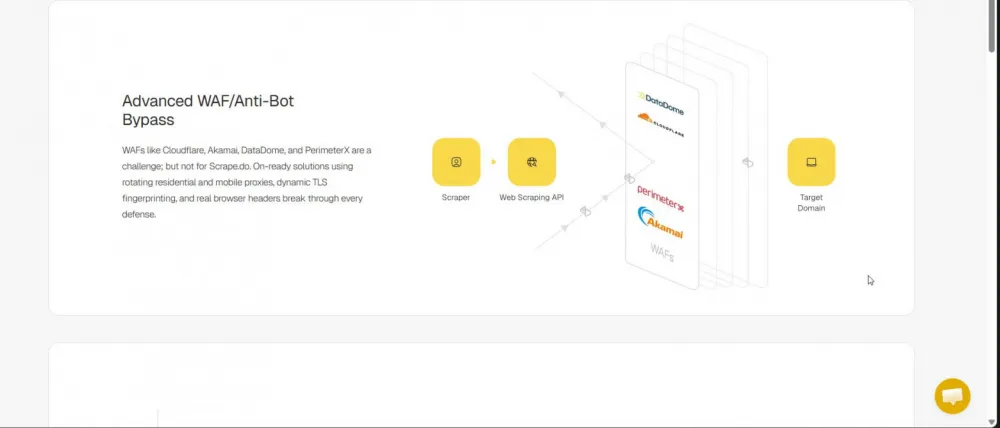
Each of the methods has its pros and cons in terms of implementation complexity and effectiveness. It's best to combine several approaches.
For mass data parsing, use proxy rotation + TLS spoofing utilities, and for account management, use anti-detect browsers + dedicated proxies for each profile.
The general principle is the same - it's not enough to hide your IP, you also need to convince the server that you're a regular user.
Conclusion
The era when changing an IP address was enough for anonymity or bypassing bans is behind us. TLS fingerprinting has proven its effectiveness in detecting bots and linking accounts, which is why major internet platforms have implemented it universally. If you are inexplicably blocked even when using clean residential proxies, it is highly likely that the issue lies with the TLS fingerprint of your client. This means it's important to monitor not only the cleanliness of proxies but also the trace left by your software.





Write comment