- DIY
- A
Modernizing Alarm System on Arduino
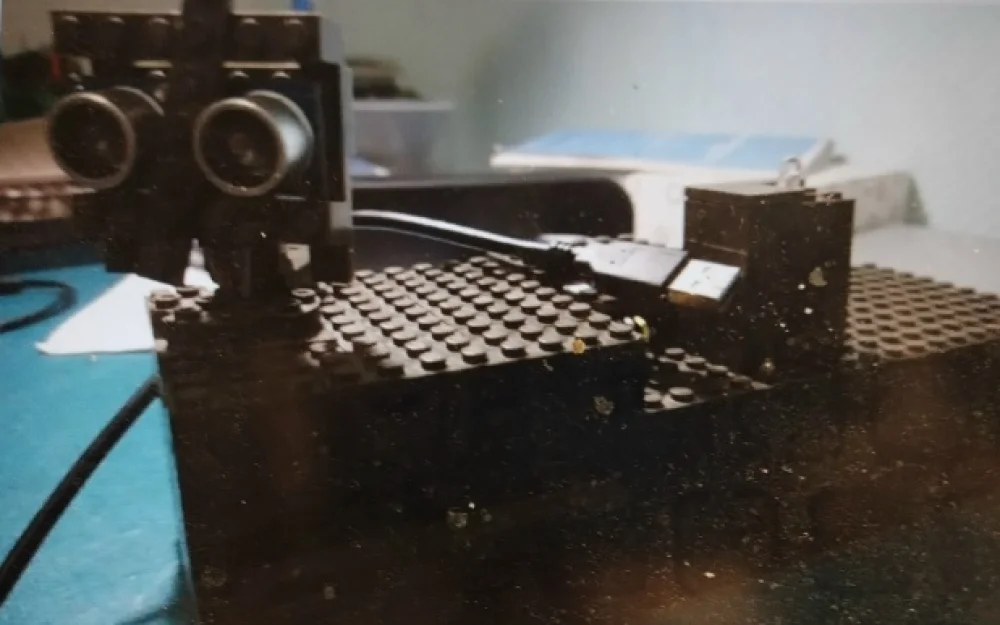
In the previous article, I discussed how to create a simple alarm system using Arduino.
Today I will explain how it was upgraded.
We will add the ability to temporarily disable it via the IR port using a remote control.
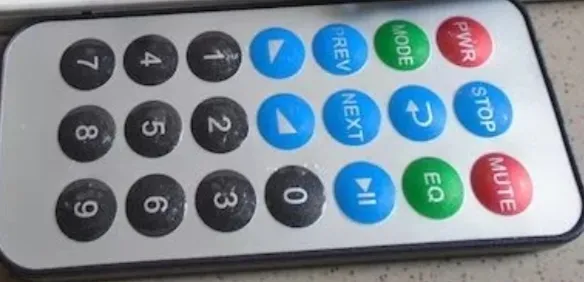
To do this, we will add an infrared port and write code to temporarily disable the alarm:
#include //Include the library for working with the IR receiver.
 IRrecv irrecv(4);//Create the receiver object specifying the pin.
 decode_results results;//Variable for storing the received data.
 const int Trig = 7;//Pin to which the TRIG contact of the distance sensor is connected.
 const int Echo = 6;//Pin to which the ECHO contact of the distance sensor is connected.
 const int BUZ = 10;//Pin to which the piezo speaker (buzzer) is connected.
 const int RED = 13;//Pin responsible for the red color of the RGB LED.
 const int GREEN = 12;//Pin responsible for the green color of the RGB LED.
 const int BLUE = 11;//Pin responsible for the blue color of the RGB LED.
 //Array of LED colors in binary form.
 int COLORS[] = { 0b000,//LED is off.
                  0b001,//Blue color.
                  0b010,//Green color.
                  0b011,//Green+blue=cyan.
                  0b100,//Red color.
                  0b101,//Red+blue=purple.
                  0b110,//Red+green=yellow.
                  0b111,//Red+green+blue=white.
                };
 unsigned int time_us1 = 0;//Variable for storing response time.
 unsigned int distance_cm1 = 0;//Variable for storing distance.

void setup() {
   pinMode(RED, OUTPUT);//Set RGB LED pins to output mode.
   pinMode(GREEN, OUTPUT);
   pinMode(BLUE, OUTPUT);

pinMode(Trig, OUTPUT);//Set TRIG pin to output mode.
   pinMode(Echo, INPUT);//Set ECHO pin to input mode.
   Serial.begin(9600);//Set the baud rate for serial communication.
   pinMode(BUZ, OUTPUT);//Set the buzzer pin to output mode.
   irrecv.enableIRIn();//Enable the IR receiver.

}
 void showColor(int color) { //Procedure that reads bits and turns on/off the corresponding components of the RGB LED.
   digitalWrite(RED, bitRead(color, 0));//Determine the state of the 1st bit.
   digitalWrite(GREEN, bitRead(color, 1));//Determine the state of the 2nd bit.
   digitalWrite(BLUE, bitRead(color, 2));//Determine the state of the 3rd bit.
 }
 void loop() {
   noTone(BUZ);//Turn off the buzzer.
   digitalWrite(Trig, HIGH);//Send an ultrasonic signal from the sensor.
   delayMicroseconds(10);//Signal duration is 10 microseconds.
   digitalWrite(Trig, LOW);//Stop sending the signal.
   time_us1 = pulseIn(Echo, HIGH);//Determine the duration of the pulse.
   distance_cm1 = time_us1 / 58; //Convert to centimeters. Conversion factor is 58.

Serial.println(distance_cm1);//Output the distance to the serial monitor.

delay(50);//A short delay.
   //If there was a hang, try to reassign the output mode to which
   //the ECHO contact is connected.
   if (distance_cm1 == 0) {
     pinMode(Echo, OUTPUT);
     digitalWrite(Echo, LOW);
     pinMode(Echo, INPUT);
     return;
   }

if (((distance_cm1) < 195) and (distance_cm1 != 189) and (distance_cm1 != 188)) { //If the distance is less than 195 cm...
   for (int i = 0 ; i <= 7 ; ++i) { //Repeat 7 times.
     tone(BUZ, 500);//Emit sound at a frequency of 500 Hz.
     delay(100);//Delay of 250 microseconds.
     tone(BUZ, 1000); //Emit sound at a frequency of 1000 Hz.
     delay(100);//Delay of 250 microseconds.
     showColor(COLORS[i]);//Turn on the RGB LED.
     delay(200);
   }//Delay of 200 microseconds.
 }

else(showColor(0b000));//Otherwise, do not turn on the LED.
 if (irrecv.decode(4294967295)) { //If a button on the IR remote is pressed...
   noTone(BUZ);//Turn off the buzzer.
   irrecv.resume();//Resume operation of the receiver.
   delay(5000);//Pause for 5 seconds.
 }
 }
Now, when the corresponding button on the infrared remote is pressed, the alarm is temporarily disabled and one can pass through calmly.

Write comment