- AI
- A
Motion Graphics for Developers: Remotion, Skills, a Bit of Style and Any AI Agent
If I wanted to hype it up, I would say that motion graphics no longer require a separate profession, an Adobe license, or many years of training. But I won't say that. I will only say that if you are a developer and know how to formulate a task, today you can create animated promo videos by describing them in code in your favorite IDE.
In this article, I will show:
Why a developer should even get into motion,
What Remotion is and why it has "taken off" right now,
What Skills have to do with it,
And what result you can realistically achieve in 30 minutes and a few thousand tokens.
Here’s what I want!
Today, we are not talking about Apple-level advertising or a 15-minute YouTube video. We need a short, neat promo video. One that can be placed on a landing page, in the README for my new SaaS startup, in a presentation for an angel investor, or in my favorite Telegram channel)
Usually, this is 10–40 seconds long. Text, simple animations, a bit of dynamics. Sometimes code. Sometimes UI. Sometimes just the meaning that needs to be conveyed faster than a paragraph of text can do.
For example, here’s a video like this:
Not wow, but it's generally acceptable. I haven’t reached the wow examples yet, but I'll leave links at the end of the article to people who have found their zen and create great videos in a similar way.
How our grandfathers did it
Historically, all this was done in Adobe After Effects, sometimes in DaVinci Resolve. The tools are powerful, no doubt about it. But I certainly won’t study them :D. In fact, I have extensive experience in regular video editing. Cutting, trimming, adding sound — no problem. But motion is too much.
A couple of months ago, I needed a video with code animation. Something like this:
I immediately thought that there must be a way to implement such animation with code. After a bit of googling, I indeed found such a way. Meet – Remotion!
Remotion: video as a React application
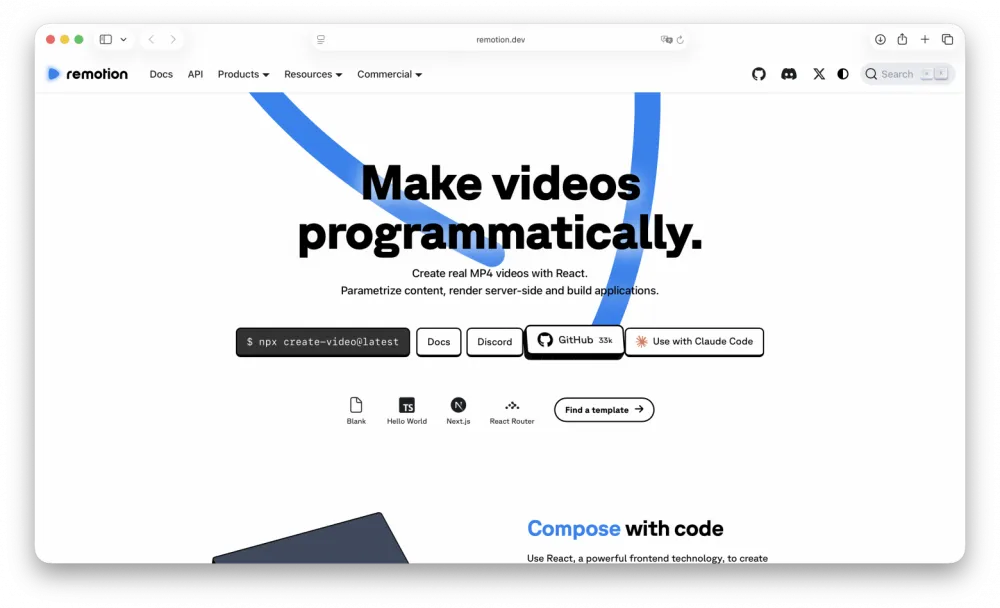
Remotion is a library where video is described with code. Under the hood, it uses JavaScript and React. Essentially, you write React components that do not respond to clicks but are rendered frame by frame. There are compositions, there are parameters, and there is a deterministic result.
At that moment, I tried Remotion but failed. The thing is, I don’t have a deep knowledge of frontend and React. My main language is Java, and overall I'm currently more involved in the product side than in coding. But I like writing code, as well as using AI agents)
I immediately tried to integrate an AI agent into the video creation process and make it "create a video." Formally, it worked. In reality – it did not. There were videos, but they looked bad. The transitions between scenes were awkward, the font was mediocre, and each new scene was difficult for the agent to generate. In general, the agent did not understand how to work correctly with Remotion. I didn't save the result because I didn’t know I would be writing this article.

Skills: a turning point for Remotion
A couple of weeks ago, Remotion introduced Skills. To simplify, Skills are formalized actions that AI can invoke.
In this case, it meant that the agent immediately understood how to create compositions correctly, how to add animations and what animations exist in general, how to change the duration of a composition, how to export the result, and so on.
Now the agent uses Remotion like a professional. In fact, Remotion has become "agent-ready." And this is exactly what was missing in my first attempt.
Returning to the task and making a video
We create a Remotion project from scratch. Remotion provides a lot of templates for various project types. Code Hike (the last one in the image), by the way, is what I started with the very first time when I needed code animations. This time, I chose Hello World. A complete list of templates can be viewed here.
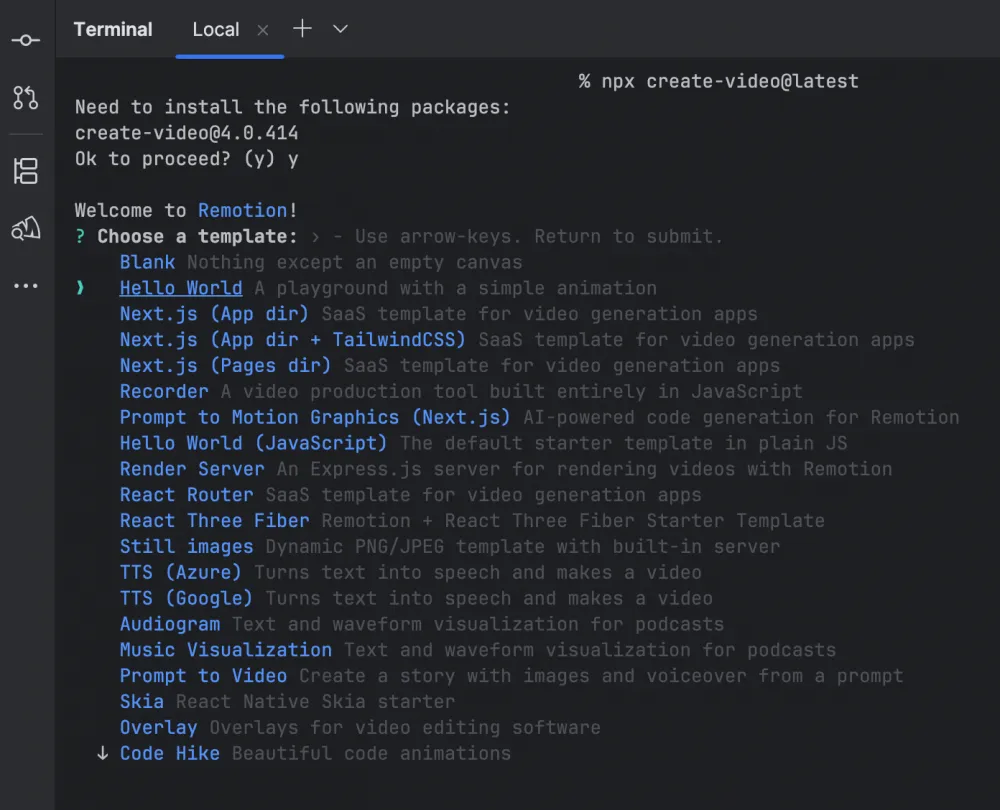
Immediately after creating the project, it can be launched to see the basic animation in the editor available in the browser.
Well, the next step is simple. I ask ChatGPT to generate not code, but the structure of a promo video: scenes, text, accents. I make a few adjustments according to my preferences and hand it over to the agent. The first attempt turns out… okay.
I ask for a 16:9 format and a bit more expressive transitions — and this is resolved in one iteration.
Of course, the result wasn't perfect right away. In some places, the timing is a bit sharp, and in others, the text appears too early. After a couple of iterations, the video can already be shown without feeling ashamed (I hope). It just remains to dust off the old skills, open Davinci Resolve, and work on sound design 💅.
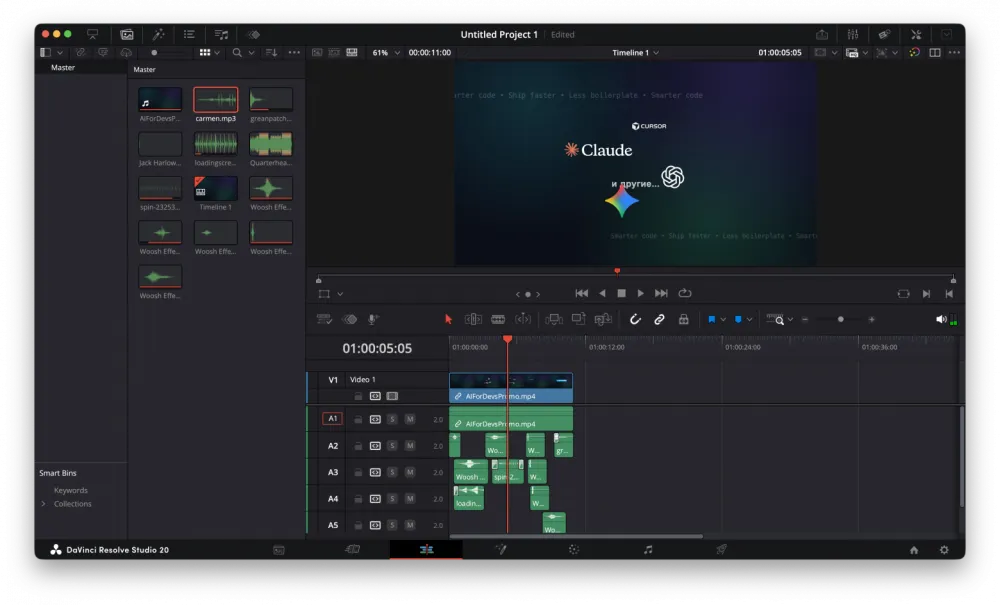
In the end, I have a neat promo video with animations.
Conclusion
The combination of Remotion + AI agent with Skills support is fantastic! A working tool. Especially for developers, product teams, and startups. Just a little understanding of what Remotion can do, and you'll be able to create cool videos.
I think this tool can also be extremely useful for motion designers. You can generate animations on a green background and use them further.
Here are examples from Twitter that I mentioned at the very beginning of the article:
The project code is available on GitHub, but I don't think it will hold much value. It's pure "vibrations" and "vibe coding," but maybe someone will find it useful.
Thank you for reading. And subscribe to the channel, as if we were family 🙂







Write comment