
- Security
- A
OSINT for the Lazy. Part 7: Remembering Forgotten Passwords for a Zip Archive in 2 Minutes
What is junk? Junk is what you keep for years and throw away just before you need it.
Disclaimer: All materials presented in this article are taken from open sources and are intended solely for educational and informational purposes to demonstrate the principles of file research. Anything you think of negatively is entirely on your conscience and a product of your imagination. Live with it.
What is junk? — Junk is what is kept for years and you throw it away just before you need it. Sometimes it happens that we store some data in a zip archive, but have completely forgotten the password for it. As literate people, we do not use our birthday or our cat's name as a password, but the password is forgotten. The chances of remembering it are zero.
What to do? Many software programs, paid and free online services, and similar tools are advertised. I will also add my spoonful of honey to this barrel of the same.
We will need an archive with a forgotten password, Debian Linux system. Preferably Kali or Parrot. We place our archive on the desktop of the system, open a terminal, and type the command: zip2john
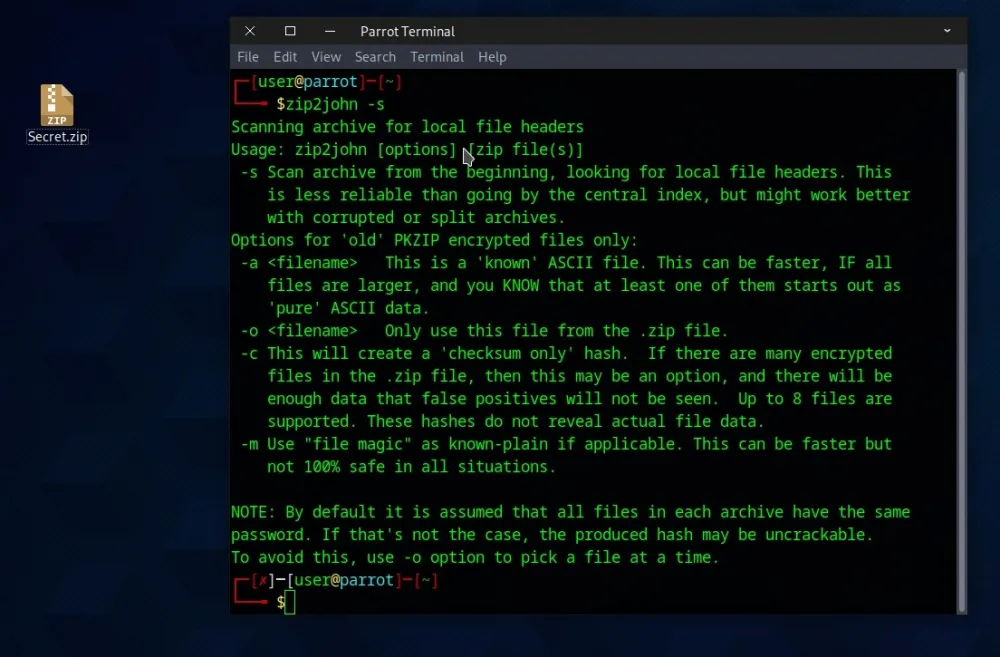
After that, we type in the terminal: zip2john home/user/Desktop/Secret.zip, where Secret.zip is the name of our forgotten archive:
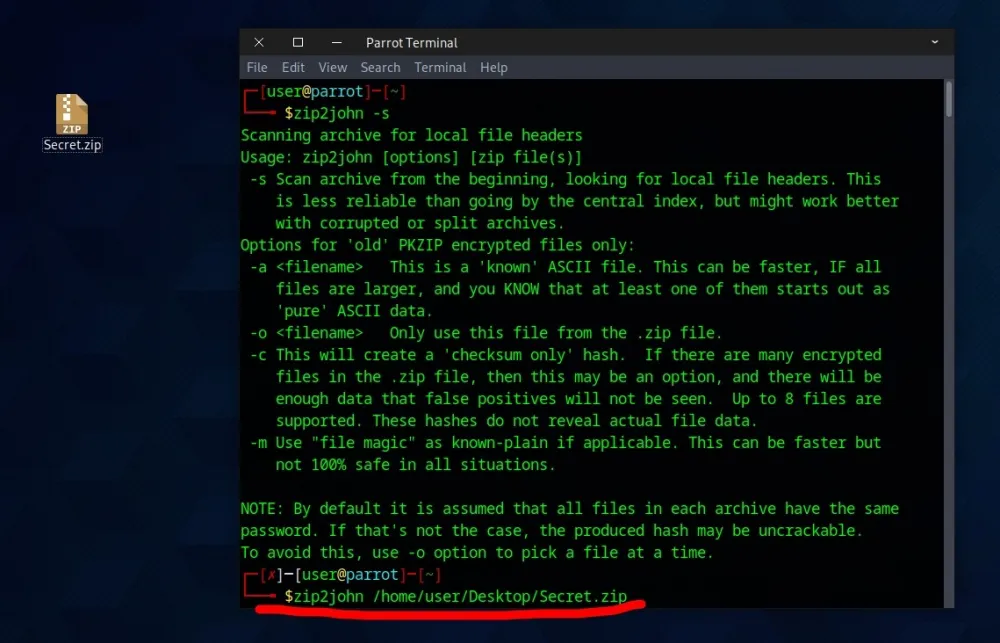
Sometimes, it is necessary to specify the path to the files: home/user/Desktop/
Which we successfully do.
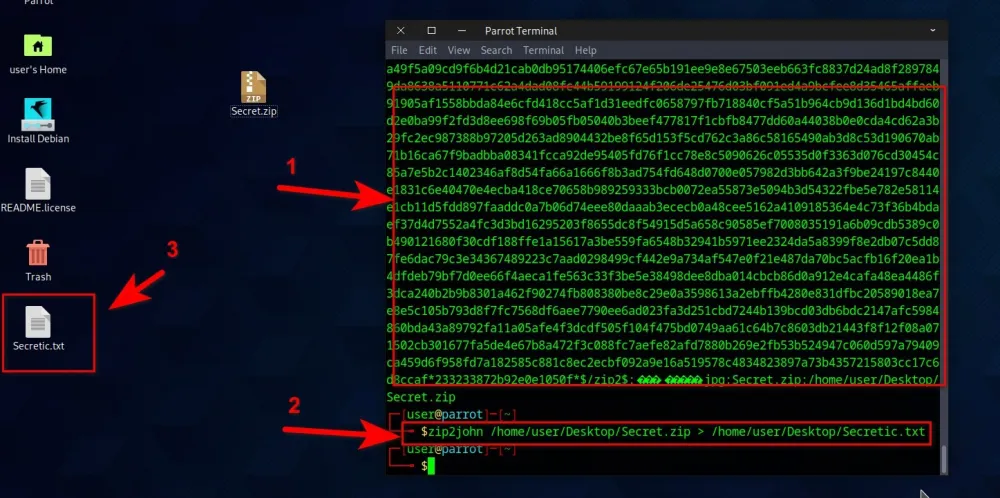
The "matrix" (1) begins, and then we send the hash of the archive to a text (3) file:
zip2john home/user/Desktop/Secret.zip > home/user/Desktop/Secretic.txt (2)
And we extract the password for the archive: john home/user/Desktop/Secretic.txt -show
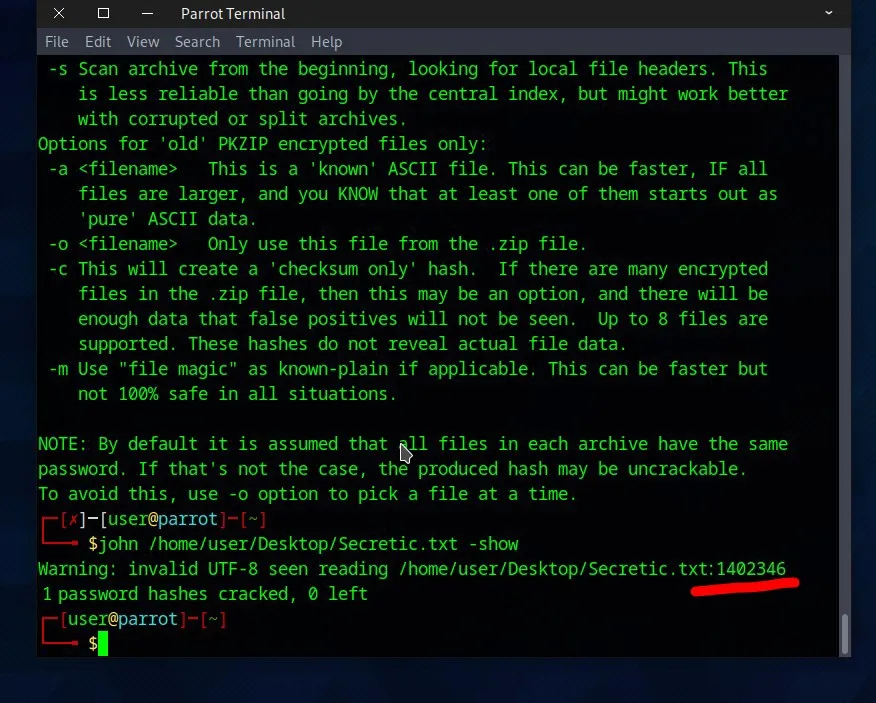
Enjoy your refreshed memory.







![From Virtual Hands to AI for Survivalists: Curious Open Agent OSes [and One Hardware Project]](https://cdn.tekkix.com/imgs/2026/05/habrcom/big/ce0b1057616faed51cd8b9f3b2b9.webp)

Write comment