- AI
- A
Neural Network for Free Video Generation
I am tired of paying subscriptions for video generation. Every service wants $20–50 a month, and if you need to generate content in multiple languages, the costs multiply. That’s why I created YumCut - an open-source short video generator that turns a single text idea into a finished voice-over video. No GPU, no expensive subscriptions, no limits on quantity.
In this article, I will explain how it works, what technical solutions I had to come up with, how AI agents wrote code and a mobile application for me, and why faceless videos are a trend worth understanding and using.
What is faceless video and why is it a trend
Faceless videos (videos without a face) are a format of short vertical clips where the author does not appear on screen. Instead, there are images, animations, effects, and a voice-over. The format has taken off on TikTok, YouTube Shorts, and other platforms with vertical content.
Why this works:
Low entry barrier - no need for a camera, lighting, editing, or skills to stay on screen
Scalability - one person can manage dozens of channels in different languages
Anonymity - the author does not have to reveal themselves
Automation - the entire process can be delegated to AI
The format is especially popular for stories, horror tales, news digests, educational content, and “fact videos.” One of my videos generated by YumCut gained 90,000 views on Russian-speaking TikTok.
There is demand for such videos. But most tools for creating them are paid SaaS services with subscriptions. I wanted to change that.
What YumCut can do
YumCut takes a text idea as input, literally one sentence, and generates a finished short video lasting from 30 seconds to a minute. The whole process looks like this:
LLM generates a script - a structured story is created based on your prompt
An image prompt is generated for each scene - LLM describes what should be in each frame
Images are generated (~20 pieces per video) - via connected APIs or locally
Voiceover is generated - text is converted into speech in the desired language
Video is assembled - images, effects, transitions, overlays, and audio are combined using FFmpeg
The video is ready - from prompt to result takes about 20 minutes
Everything is tailored for vertical format, ideal for TikTok and YouTube Shorts.
Multilingualism: one idea - seven languages
One of YumCut's key features is the generation of videos in multiple languages at once: English, Russian, Spanish, French, German, Portuguese, and Italian.
How it works: you write one prompt, for example “Write a creepy story about bugs living in the walls”. YumCut generates the story, translates it into the necessary languages, generates images once and uses them in all language versions. The visuals remain the same, while the text and voiceover are adapted.
For each language, a separate voice can be chosen. This is important: one voice rarely sounds good in all languages. But for each language, there will be a voice that sounds natural. YumCut allows you to customize this.
This approach allows you to derive content from one idea for audiences in different countries with minimal additional costs.
Templates: quality control
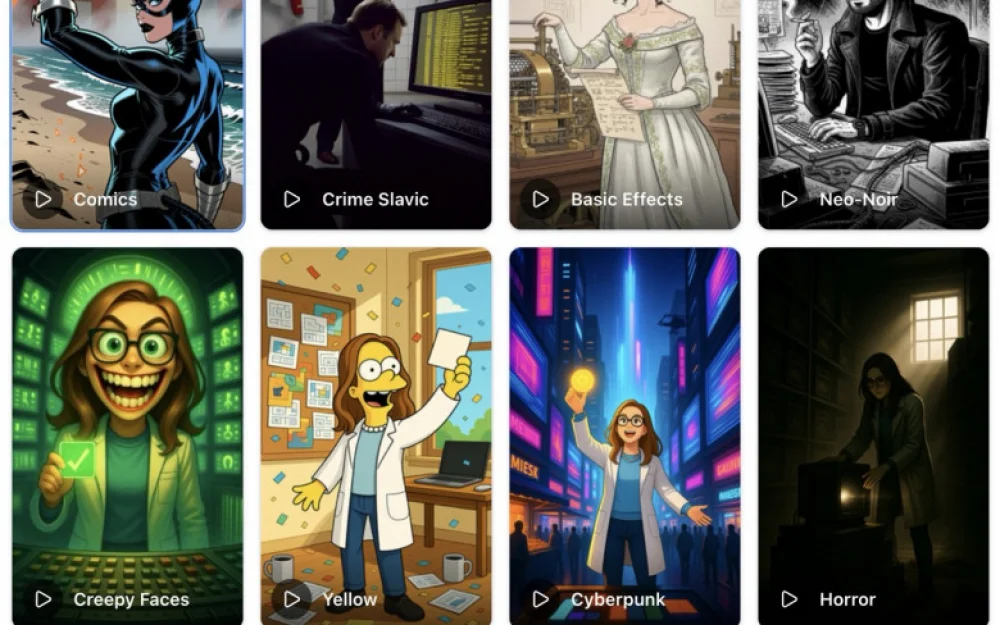
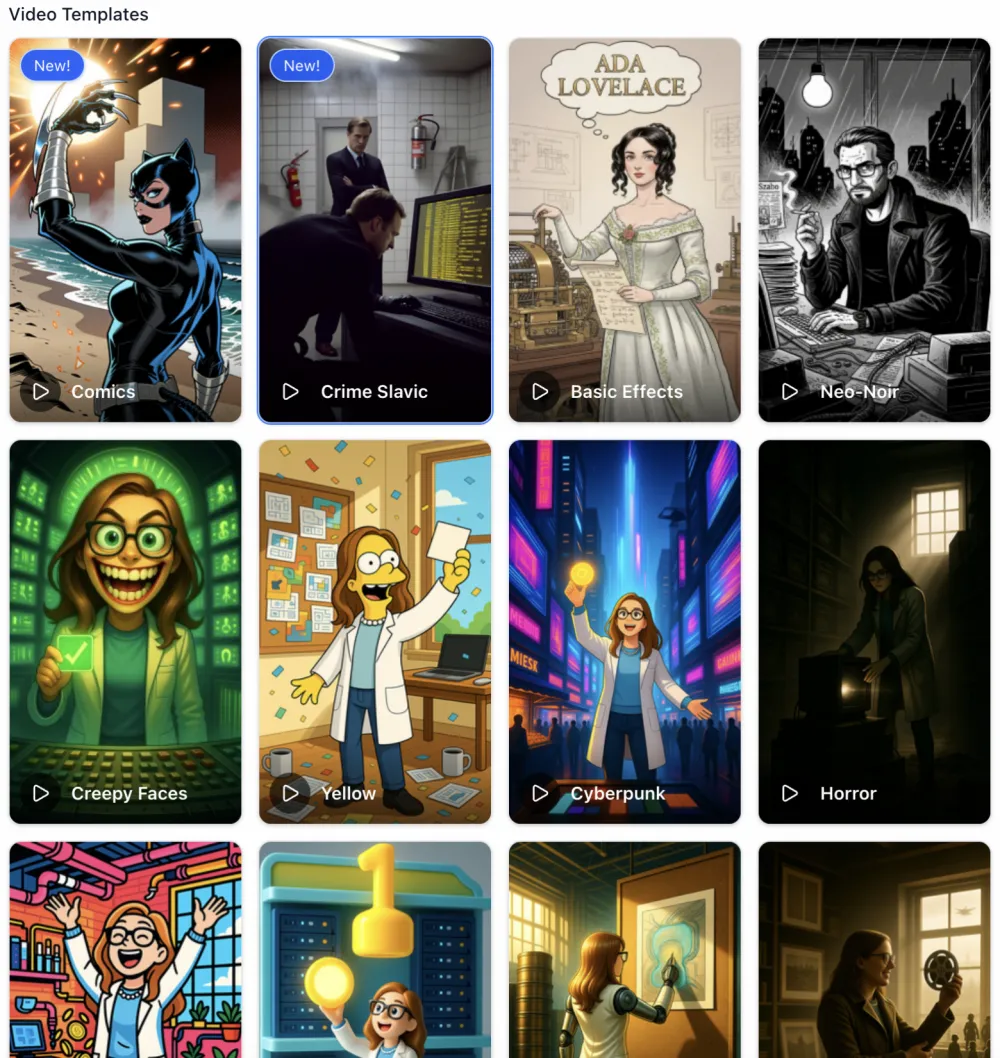
YumCut has a system of customizable templates. A template defines the structure and style of the video: how the story is built, what visual style is used, how elements are arranged. Templates can be added, updated, and adapted to your needs.
The principle is simple: the better the template, the higher the quality of the video output. AI generates content, but the framework is set by the template. This provides control that is lacking when working with fully automated services.
Character consistency
If you want to use a branded character in all videos - YumCut supports this. You can upload your character or generate it based on a story. The character will be used throughout the video.
For generating images with a consistent character, the following are supported:
Qwen-Image-Edit - generates images with the character cheaply, but works best with a drawn, animated style
NanoBanana - can generate photorealistic images with character consistency, but is significantly more expensive
For some types of content (news, facts, scary stories), character consistency is not essential, and you can simply not worry about it.
Doodling Effect
A simple set of images is boring. The viewer will scroll past. Therefore, one of the first effects implemented was doodling or imitation of drawing a picture.
Technically, it works like this:
The utility receives an image as input
It forms outlines
The outlines are converted to SVG
SVG outlines appear gradually, creating a "drawing" animation
Existing solutions on the internet offer a similar effect through API at prices comparable to generating the image itself. In YumCut, this is implemented entirely on open-source utilities, without third-party paid services.
I honestly say that the current implementation has a nuance: the outlines appear gradually, but not quite as if they were drawn by hand. A full imitation of a stroke is a task for the future. But even now, the effect works: it was precisely the video with doodling that gained those very 90k views.
Doodling works most organically with drawn images. The processing takes more time due to conversions and additional processing, but the result is interesting.
Overlays and Working with Transparent Video
Images with effects and transitions create dynamism, but sometimes it's insufficient. Therefore, YumCut has implemented an overlay system: transparent videos that are layered over the main one, making the final clip livelier.
It sounds simple, but a lot of time went into the implementation. The problem lies in the formats. Most video codecs that support alpha channels (transparency) store videos in very large formats. One minute of overlay can weigh one gigabyte or more.
The solution was found in the WebM format with the VP9 codec - one of the most modern open formats with support for transparency. But it didn’t work "out of the box." It took a significant amount of time to configure FFmpeg, select encoding parameters, and integrate into the pipeline. Now everything is set up and works, overlays are stored compactly and applied without problems.
Where to get images, voiceovers, and music
Images
The top video generation models (Veo, Sora, Kling) are closed and only available for a fee. Open-source models exist but require GPUs costing tens of thousands of dollars. Therefore, YumCut builds videos based on generated images.
Images can be generated locally on regular hardware. However, about 20 images are needed to create a video, so it is more convenient to use one of the free or conditionally free APIs:
Provider | Features |
|---|---|
ImageRouter | Free routing among models |
BotHub | Support for multiple models |
OpenRouter | Sometimes has free models, payment in crypto |
Google AI Studio | Free billing with a $300 bonus |
Runware | Wide selection of models, $2 welcome bonus |
Thanks to the architecture with pluggable utilities, you can use any image generation model - just write a script that takes a description and returns a file.
Voiceover (TTS)
I started with ElevenLabs, but their subscription model was annoying: you have to generate a certain limit every month. This is inconvenient for small volumes. Local TTS models are good for English, but there are quality issues with multilingualism. However, you can clone any character's voice locally without limitations.
Currently, there are budget cloud solutions: InWorld and Minimax. They offer audio generation and voice cloning capabilities. In the source code of YumCut, you can find options for local generation through various utilities (installation of Python dependencies is required).
Music
For copyright reasons, YumCut does not have a built-in music library. Options:
Manually overlay music when publishing (TikTok and other platforms offer licensed tracks)
Use AI-generated music - its quality is now quite high
LLM: different models for different tasks
YumCut uses OpenRouter to access language models, and different LLMs are applied for different tasks:
Script generation - models from Claude (Anthropic) perform best
Image description (prompts for the generator) - gpt-oss-120b and similar models work well
All of this is configurable. You can connect any LLM via OpenRouter and reconfigure it for your tasks.
Architecture: utilities instead of a monolith
To make the project easy to develop and expand (including with the help of AI agents), I chose an architecture based on plug-in utilities.
Each processing stage - image generation, doodling, video assembly - is performed by a separate utility that takes input data and returns results. The main utilities are written in TypeScript using open-source libraries, but you can connect a utility in any language supported by the system.
Stack:
Backend - Next.js (TypeScript)
Database - MySQL
Video processing - FFmpeg
Mobile application - Swift (iOS)
No GPU is required. FFmpeg commands are generated dynamically for assembling the final video with effects, transitions, and overlays.
There is a REST API, which opens up possibilities for automation and integration.
Cursor vs Codex: how AI wrote YumCut
I initially developed the project in Cursor with models from Claude. Cursor worked like a mid-level developer who drank 10 cups of coffee: besides what I asked to implement, it generated a bunch of additional things that didn’t work correctly. I constantly had to clean up unnecessary code.
Then I switched to Codex from OpenAI. The difference was significant: Codex understands tasks and executes them specifically. Updating and changing individual parts of the project became simple, without the fear that the agent would break something elsewhere.
Codex also wrote the mobile application for iOS entirely - from authentication to video saving. Pure Swift, not a single line I wrote manually. The application works through the site's REST API and allows users to create, view, and share videos.
Comparison of services for generating faceless videos
There are many tools available in the market for creating faceless videos. Here is how they compare:
Service | Open Source | Custom Templates | Character Consistency | Local Launch |
|---|---|---|---|---|
YumCut | ✅ | ✅ | ✅ | ✅ |
Revid.ai | ❌ | ❌ | ❌ | ❌ |
Faceless.video | ❌ | Limited | ❌ | ❌ |
AutoShorts.ai | ❌ | Limited | ❌ | ❌ |
Shorts Generator AI | ❌ | ❌ | ❌ | ❌ |
BigMotion.ai | ❌ | ❌ | ❌ | ❌ |
Creatify | ❌ | ✅ | ❌ | ❌ |
InVideo AI | ❌ | ✅ | ❌ | ❌ |
Fliki.ai | ❌ | ✅ | ❌ | ❌ |
Pictory | ❌ | ✅ | ❌ | ❌ |
Vizard.ai | ❌ | Limited | ❌ | ❌ |
Most services operate on a subscription model ($20–50+/month) and are closed SaaS solutions. YumCut is the only one on this list that can be deployed locally and used without restrictions. The online version allows you to try the service by generating 3 videos for free.
License and Plans
The project is released under a license that permits use for personal purposes. For commercial deployment as a service, please contact me. In the future, I plan to relax the license - up to completely free, if there is a demand from the community.
In Summary
YumCut is a tool that I created primarily for myself. I needed to generate short videos for a YouTube news channel without spending hours on it. It resulted in a solution that:
Works from a single prompt
Generates videos in 7 languages with a common visual style
Does not require a GPU
Uses any models through plug-in utilities
Completely open-source for personal use








Write comment