- DIY
- A
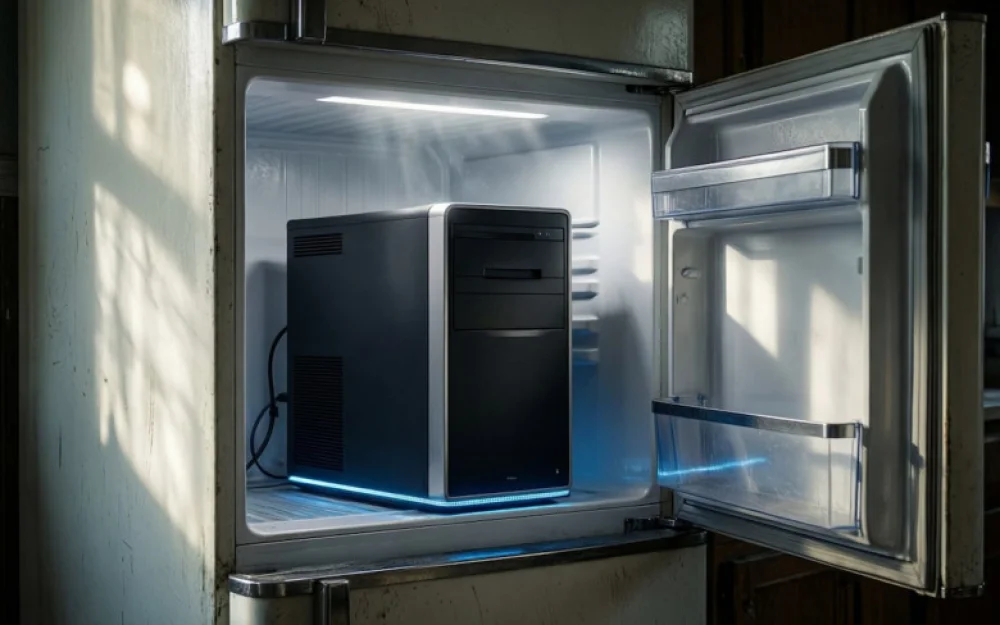
What happens if you build a computer in a refrigerator? Yes, in a real refrigerator
Have you ever thought that you have a place at home that is perfect for cooling a computer? It exists in every home, is well-suited for this purpose, costs less than a good water cooler, yet effectively does its job. I'm talking about the refrigerator. If you think this is complete nonsense, that there will be condensation, and that it's generally inconvenient to assemble something like this, you are mistaken, but only partially. Here's an example of how to build a computer in a refrigerator and how much additional performance you can extract from it.
Can you build a computer in a refrigerator?
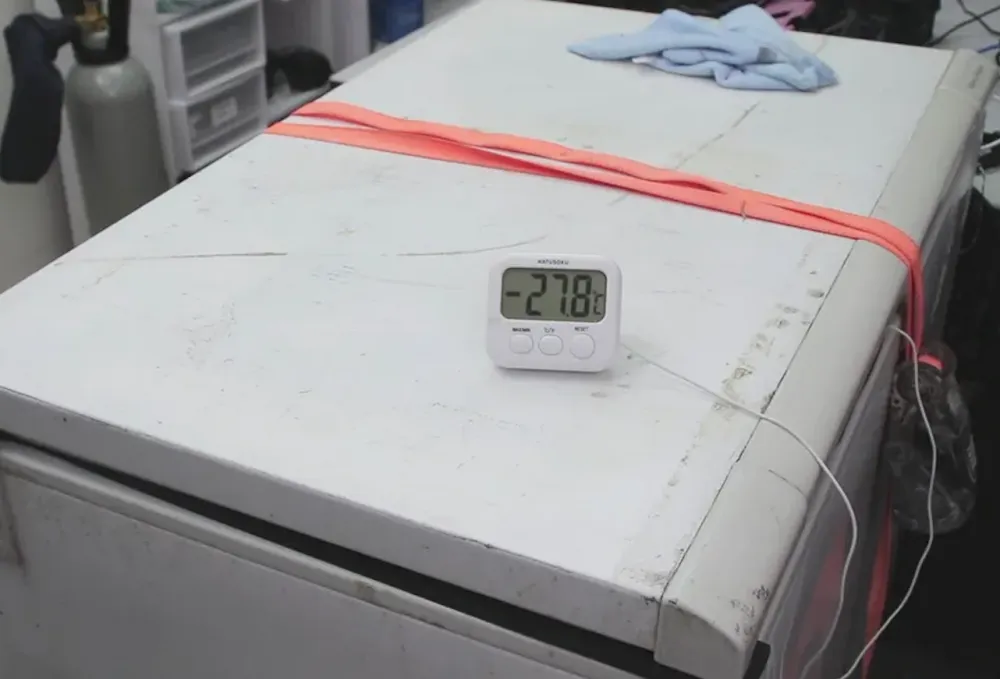
This project was marked by one of the Australian bloggers under the nickname TrashBench. What’s interesting is that he managed to implement a project that even more renowned resources failed to achieve. He assembled, launched, and conducted full tests of a computer in a freezer at a temperature of minus 28 degrees Celsius. The most intriguing part is how he dealt with the condensation problem, but we will discuss that below.
The idea of stuffing a computer into a freezer is not new at all — before TrashBench, dozens of other bloggers and specialized publications had attempted to do this. They all invariably encountered two main problems: condensation and temperature instability. Water that settles on components during sharp temperature changes turns any experiment into a lottery — you might get lucky or you might not.
The author of the project approached the problem's solution in an unconventional way. He realized that it wasn't about exotic coatings or insane insulation, and not even about extremely low temperatures — it all comes down to the size of the freezer. A large freezer opens up completely different possibilities that many haven't even considered.
A good computer for 2026
The Australian didn't risk using modern flagship hardware, which probably also played a role in the success of the endeavor. The following components were used in the construction, all of which, except for the power supply, ended up in the freezer:
motherboard ASUS ROG Maximus XI Apex
processor Intel Core i7-9700KF
graphics card ASUS ROG GeForce GTX 1070
tower cooler Thermalright Phantom Spirit
memory G.SKILL Trident Z RGB
power supply SilverStone Strider 750 EF
The use of outdated hardware was justified by simple logic — if something goes wrong, the loss won't be critical. It's also important that these components consume much less power than modern top-end processors and graphics cards. Finding these components for sale now is almost impossible. There is now much more powerful hardware at reasonable prices.
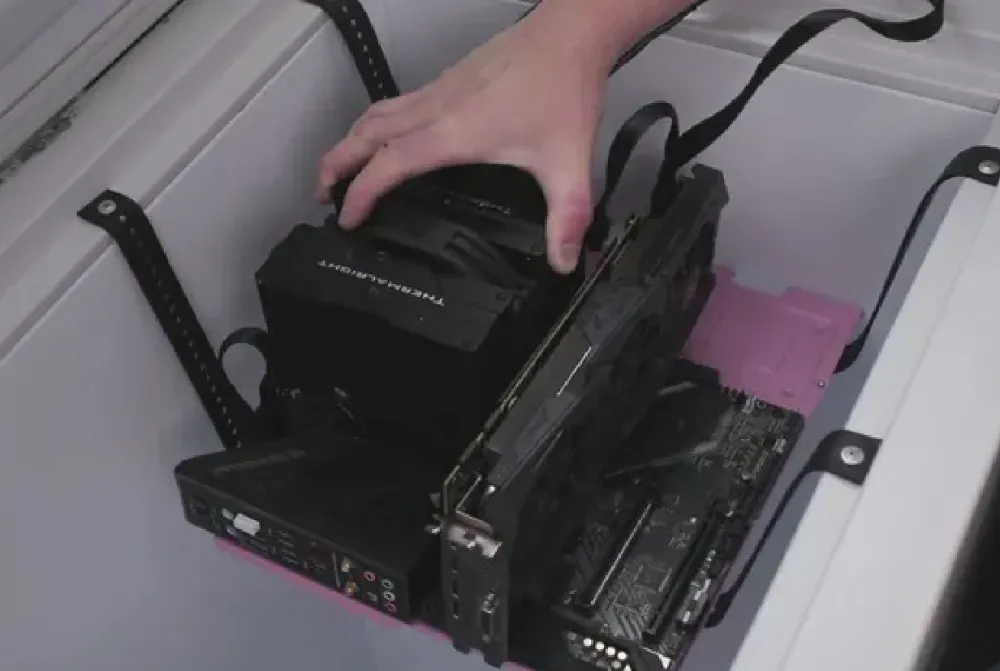
Computer in the Freezer
Before starting the experiment, TrashBench completely emptied a large (this is important) freezer and suspended the components in the air on flexible straps, instead of placing them on shelves or walls. The cables were carefully routed and sealed to minimize moisture intrusion from the outside. At the bottom of the freezer, he placed silica gel packed in socks, which allowed air to pass through and became an active air drying system.
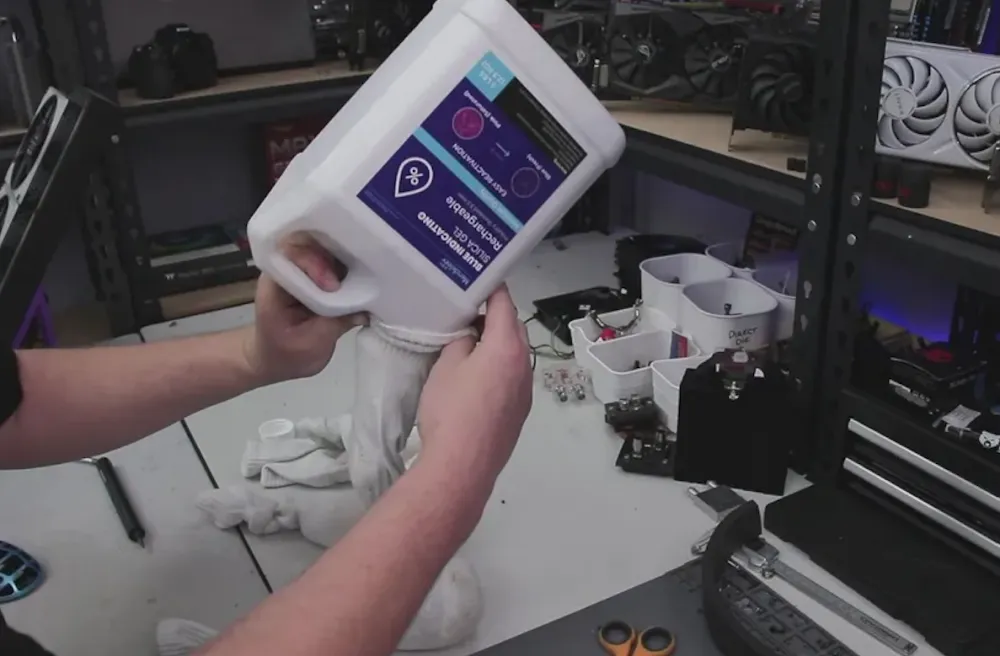
This combination of a large chamber volume, minimal air flow turbulence, and aggressive humidity control allowed the system to avoid condensation and not fail in the first few minutes. In small freezers, silica gel quickly becomes overloaded due to the high airflow and stops being effective. In a large chamber, it has time to clean the circulating air of moisture.
How much faster does the computer work at negative temperatures
The cleverness of the entire experiment was that the project author did not try to make the freezer continuously cool the running PC — that would have been an impossible task. Instead, he used it as a temporary thermal battery, which was only needed to quickly run benchmarks. Hundreds of liters of air pre-cooled to minus 28 degrees can absorb several hundred watts of heat for a few minutes before significantly warming up. After all, refrigerator manufacturers do not build such potential into their devices.
The following popular tools and games were chosen for testing, which are well-suited for a 2016 system:
3DMark Time Spy
3DMark Fire Strike
Cyberpunk 2077
Far Cry 6
Shadow of the Tomb Raider
Simply placing the components in the freezer even at a temperature of minus 28 degrees provided minimal performance gains. In most cases, the difference turned out to be within the margin of error — the only obvious improvement was an increase in GPU frequency by 51 MHz due to lower operating temperatures.
Manually overclocking the graphics card by about 240 MHz on the core yielded more noticeable results, though still not impressive. The largest gain was recorded in Shadow of the Tomb Raider — about 8% (from 102 to 110 FPS). In 3DMark Fire Strike, the gain was around 7%. In other tests, the improvements were much more modest. From this, we can conclude that freezing a computer will not turn the GTX 1070 into a performance monster.
Although at one time I needed to transcode a large project shot in FullHD to 8K resolution in Final Cut. It was quite a strange request from the client, but he wanted it that way, and since they were paying — it had to be done. This was about 8 years ago, and the power of the Intel iMac hardware did not allow for easy processing. I moved the computer to a glazed balcony where the temperature was around zero and started the process there.
Instead of the predicted couple of hours, the computer managed in about an hour and a half. I know it's better not to do this, but it was my experiment. I solved the cooling problem, but in the compressed volume of the all-in-one, it made sense, while a well-ventilated case handles its tasks just fine. Therefore, the result at TrashBench turned out to be more modest.
Will the computer survive after working in the freezer?
After the benchmarks, the author of the experiment extracted the components from the freezer and confirmed that they were not only still cold but also working. Later, he admitted that he himself did not expect the hardware to survive such executions.
The secret of success is not that the freezer was cold — but that it was large. Small freezers heat up almost instantly under load, causing rapid temperature fluctuations and multiple crossings of the dew point — the very conditions that create condensation.
A large freezer works not like an air conditioner but as a cold reservoir. It has more cold surface area for passive heat absorption, lower relative humidity spikes even with minor air leaks, and thermal inertia slows down temperature changes.
Therefore, as in many other areas, size matters, but the main thing is knowing how to use it. In this case, that skill was a thoughtful drying system with silica gel in socks. Something like this makes sense if you plan to overclock the hardware much more than was done in the experiment. But with prolonged operation in such a mode, the compressor of the freezer will almost certainly not withstand it. After all, it was reaching a temperature of -28 degrees for almost a whole day. Its job is to maintain the temperature in a well-insulated chamber, not to try to defeat a 600-watt heater inside itself.


Write comment