- DIY
- A
How Two People Made a Device for the Blind
In this article, we would like to touch upon the complex topic of creating devices for people with visual impairments. It will discuss another device aimed at improving lives. However, this is not a promotional article for a new product, but rather a behind-the-scenes look at the production of similar devices, their necessity, new trends in this field, as well as the challenges and overcoming them in this difficult creative process.
A brief introduction.
Why was there a need to create yet another technical device, when there are already "plenty of them," starting from simple "guide sticks" for a symbolic thousand rubles to complex printers that print Braille texts directly on paper?
The answer to this question is rather rhetorical.
At a certain stage, the opinion formed that the process of miniaturizing PCs on one hand and the process of creating lightweight models of machine vision, "speaking," and "listening" have leveled off in their development. This means that it was possible to make another attempt to improve the lives of those who cannot see.
However, we did not want to create something disposable or narrowly specialized that only solves one task. The idea was to create a sort of "Swiss army knife" that would provide the user with a service level of a completely new quality. Please forgive the marketing jargon. At the same time, the user would not be burdened with the necessity of carrying something on their head or, even worse, in their head. In the latter case, we are talking about neuroimplants.
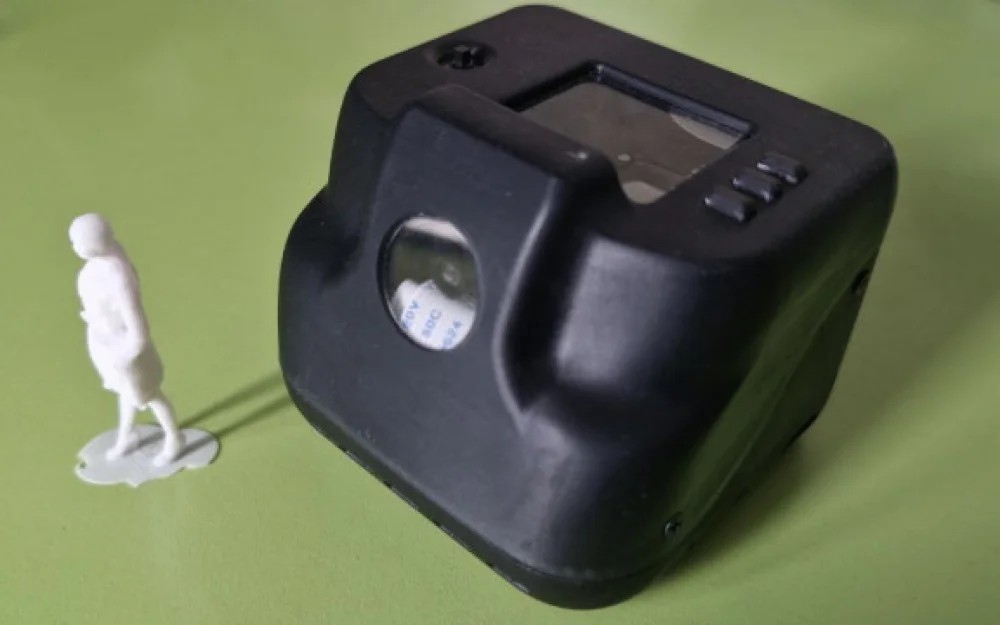
Therefore, we began to develop our individual device that would fit in the palm of a hand.
A few words from the perspective of the sighted on the topic.
The device project was not "pulled out of thin air," and the authors reviewed a significant amount of information from the Internet, obtained through personal communication with the target audience. It quickly became clear that the people for whom everything was initiated (without diminishing their personal qualities) differ as consumers of technically complex devices. They possess a certain "faith in miracles" when dealing with any gadget or device. This leads to a certain level of skepticism that accompanies a visually impaired tester both during the operation of the device and after discovering previously unnoticed features of the instrument.
In other words, consumers of these devices will always expect "something more" from what modern technology can offer, even with its rapid development.
Another detail that emerged during communication with visually impaired colleagues is the fact that their daily life, for the most part, does not differ much from that of any other person, and only very minor transactions when interacting with the environment make this daily life different.
Nevertheless, we felt that we could help simplify the implementation of these very minor transactions with everyday items and the environment.
What we focused on at the start.
In the device we were developing, we decided to implement several features that we thought could be adapted:
a small neural network that recognizes objects from a list;
read and vocalize text from the camera;
describe the environment, including objects in their interrelations, and preferably actions occurring in the captured photo;
the ability for interactive interaction with the device: ask a question about the taken photo and receive a meaningful answer.
autonomous operation for up to 5-6 hours.
sound output directly from the device.
no need for smartphone configuration, meaning complete autonomy of the device.

What we decided not to include.
We chose not to include the following functionality in the device:
face recognition.
As it turned out experimentally, face detection, although it works at relatively large distances - up to 10 meters, the recognition of faces itself is not so successful in this regard. Lighting and the movements of the recognized person play their role. Also, face recognition itself is not in high demand at such short distances.determining distances to objects.
Even despite the technical complexity of detecting correct distances, the process of orientation in this part is purely individual. Since we mentioned technical difficulties here, here are a few. If we take the detector from the same neural network yolo, then the task is to determine the size of the object’s bbox pixels by height in the photo. This is not difficult if the object fits in the photo. But what if only part of the object got into the frame?
Another task that seems to be solvable by introducing an infrared distance sensor - the narrow beam of the rangefinder itself. As it turned out, the beam is absorbed, reflected, or simply "passes through the handrails" of the stairs, giving an incorrect representation of the distance to it.
other sensors, as well as additional microcontrollers. Initially, there were even ideas to install a mini-lidar for spatial orientation, but this was abandoned. Despite the fact that the lidar looked elegant on the wrist and was difficult to distinguish from a wristwatch, holding the hand strictly horizontal for the slam algorithm to work effectively is not a task for a living person. Also, options for sensors that "look good on robots" were also "cut": ultrasonic sensors, infrared sensors, despite their apparent price and integration attractiveness.
navigation algorithms in some form. Attempts to "shove slam" and other interesting things have not yet yielded real effective results. And it's not even about the power of the hardware used, although that plays a role too. As it turned out, what works well on robots does not work on humans. But this has already been addressed in the previous point.
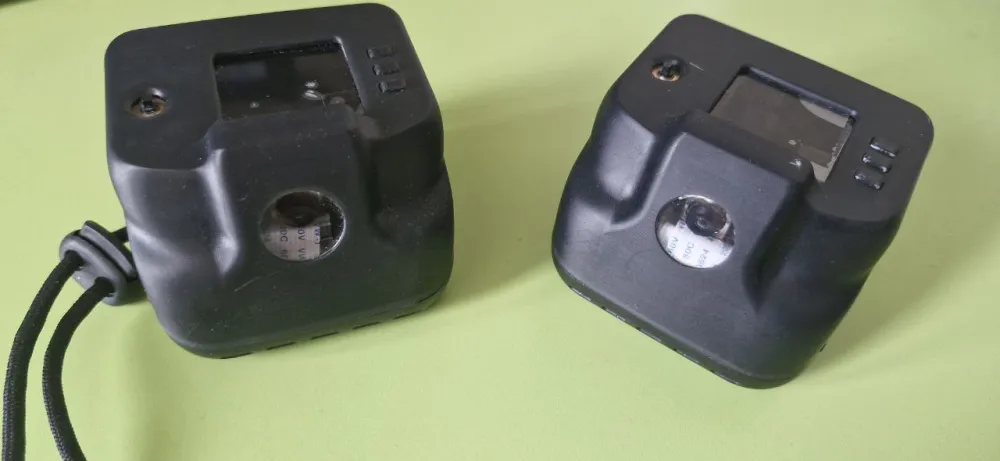
What the device is made of.
We will not list the full components, as the model is protected by a patent, but in general terms it looks like this.
A mini-PC where all the software is placed, as well as "associated" modules:
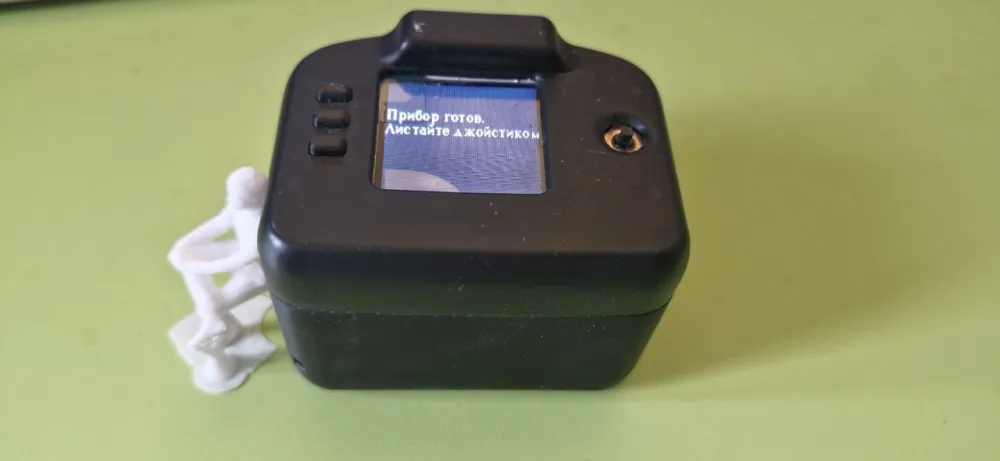
mini-screen, on which the menu items are displayed. Strangely enough, it's so small that even a person with vision impairment finds it difficult to see everything. But the charm of this mini-screen is that it has a joystick and a couple of navigation buttons. Any manipulations are also duplicated by voice from the device itself.
mini-speakers, which turned out to be sufficient to provide audio for the analysis of the subway map in the underground carriage.
battery charge control modules and the battery itself. As previously mentioned, the device can work for 5-6 hours, but there are ideas on how to further extend this time.
camera with adaptive autofocus. In testing a whole range of cameras, we selected the one that could read medication instructions and reasonably well "sees in the dark."
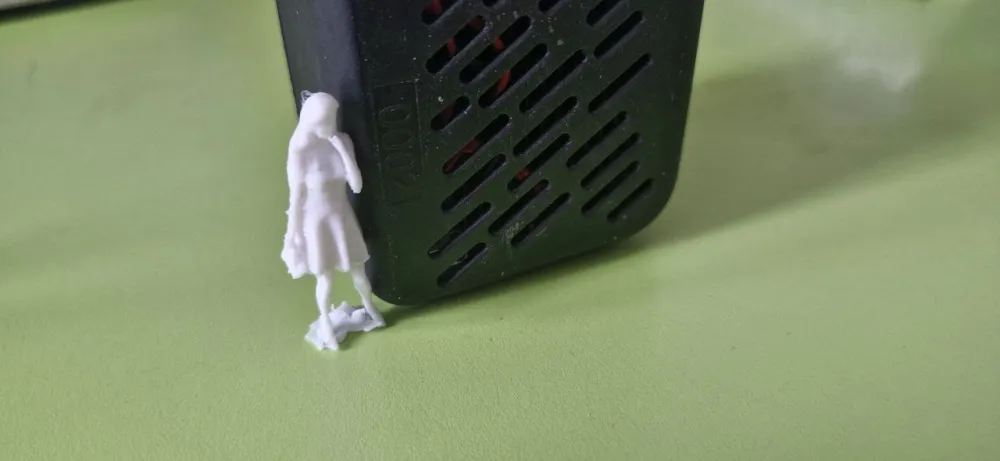
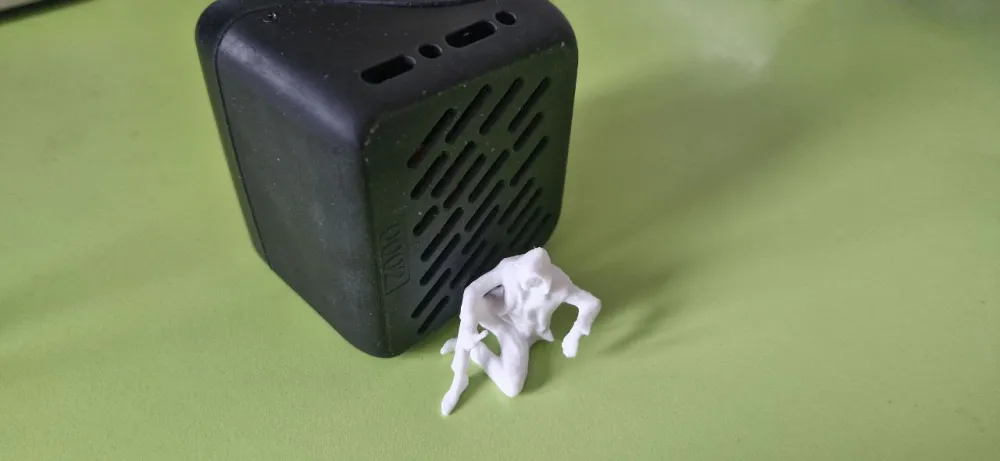
radiator. This is a separate large, complex topic. Cooling the device during active use is not an easy task. It's even more challenging when passive cooling is involved. Several "efficiency steps," as we shall call them, were taken from both the hardware and software sides.
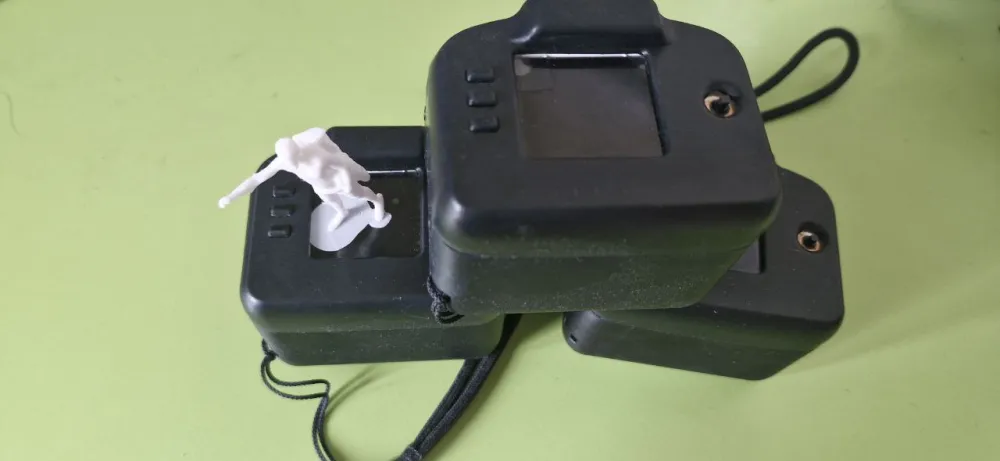
What has been implemented.
Here the points will somewhat overlap with the tasks that were conceived, as the development vector was aimed at solving them.
a small neural network that recognizes objects from a list.
The number of objects for detection-recognition-voicing exceeds the standard YOLO list by several times. And we won't keep any secrets here; this architecture was taken as the basis. It has performed well on edge devices both in its "raw" form and after optimizations of the model itself. The recognition speed is 200-300 ms + the time to vocalize the object. The vocalization time can vary depending on the speed of speech chosen by the user. The device offers two speeds: normal and fast. Practice has shown that the "fast" mode is used more often. It is great for object detection, but there can sometimes be problems with text recognition.
We also added the ability to determine the location of the object in the frame: left, right, or center.
Among the objects are useful ones for the target audience: doors, steps, stairs. However, as mentioned earlier, unfortunately, it is not possible to fully walk around with the device.read and voice text from the camera.
Here we didn't try to "overthink" and decided to simply attach an API from some powerful company to which our captured image from the camera would be sent. This yielded better results both in terms of processing speed and quality. Unfortunately, it turned out that the API's capabilities were limited to a duration of 1 year; then "some powerful" company stopped its charity efforts. Moreover, access issues to the API arose from the country. For a while, the problem was solved by implementing a VPN on the mini-PC itself, but then that stopped working as well.
Why foreign API?
Strangely enough, foreign services were cheaper than local software when calculated in tokens-to-rubles. And initially, the API was completely free!
As a result, we had to "switch" to local domestic analogs of text recognition APIs but gave up on speech synthesis via API. It was too expensive.
Additionally, over time, we added local text recognition directly on the device. It works longer and worse than the online version, but "that is the path" of autonomy.description of the environment, including objects in their interrelations.
This operation scenario of the device also went down the path of using a foreign API. And everything worked great until a certain point, as it was provided for free by a foreign giant. The VLM model hallucinated and sometimes fell into a cycle of repeating what had already been voiced. But overall, it performed decently - the user received an image representation of what they pointed the camera at. And this description was detailed enough to even recognize "whose brushwork this is" (C) when a famous painting was captured in the frame.
In the target environment, this process is generally called tiflocommenting. Description of what is happening. And the device did this quite well.
However, this story with the free API also ended, like any other story involving something free. One fine day - error 500 and the search for another service.
Domestic companies have access to VLM models, and their performance is no worse than that of foreign ones. However, access is far from free, and the device itself ceases to be relatively budget-friendly.
Therefore, as a temporary solution, servers were hosted on their own infrastructure, using heavily quantized models. The speed decreased, but the descriptive part of the scenario's work did not suffer significantly. Although this is a subjective opinion.
the ability for interactive interaction with the device: to ask a question about a taken photo and receive a meaningful answer.
Here, the operating mode largely echoes the previous one with one exception. If you want to know something in more detail, rather than just receiving the descriptive part of the photo, you can directly ask a question aloud, right into the device.
This behavior option provides a good acceleration in terms of interaction with the device. There is no need to listen to everything that is on the photo; you can immediately ask specific things.
In the technical part, it remains the same - the same VLM model responds to the user. But this time via prompt.
The most challenging part of the implementation, as it turned out, is not converting the user's speech into text for subsequent transmission to the model. It is the mode switching from sound playback to recording. Over Bluetooth.
Why over Bluetooth? Here again, the user experience comes into play, which states: better than headphones - only Bluetooth headphones. And better than Bluetooth headphones - bone conduction headphones. For people with visual impairments, it is extremely important that their ears are not occupied by anything. Therefore, torn between a headphone in one ear, a wired option, and bone conduction, we chose the latter.
Visually, the headphones are positioned in front of the ear shell and do not cover it. And the built-in microphone in the headphones is truly a gift. However, switching the Bluetooth microphone to record on a mini-PC turned out to be a non-trivial task, which was also successfully solved.
By the way, the sound recording quality from the Bluetooth device for recognition purposes is better than that from the microphone on the device.
We won't talk about the device's autonomous operation and its duration, as there is little interesting here, except that the minimalist sensor monitors the battery charge, and the device warns in advance about complete discharge with voice alerts.
Let's focus on the point about the lack of need for smartphone configuration.
complete autonomy in settings. This step of transitioning to configuration solely by the device itself was not easy. And the difficulties of this implementation began to manifest themselves immediately. If the settings for the speed of speech were more or less clear - it did not pose difficulties from the device, then the settings for bluetooth and wifi became a real challenge for the developer.
For example, how to solve the problem of selecting a wifi or bluetooth network from the available ones?
Enumerating all available networks is a real nightmare.
How to enter keyboard characters on the device when you only have a joystick and a couple of buttons?
We had to create a "carousel" of symbols, scrolling through which you can input the sequence that makes up the wifi password using the spoken letters of the alphabet.
Additionally, the vocalization of the menu items through speech synthesis is extremely time-consuming, even in milliseconds.
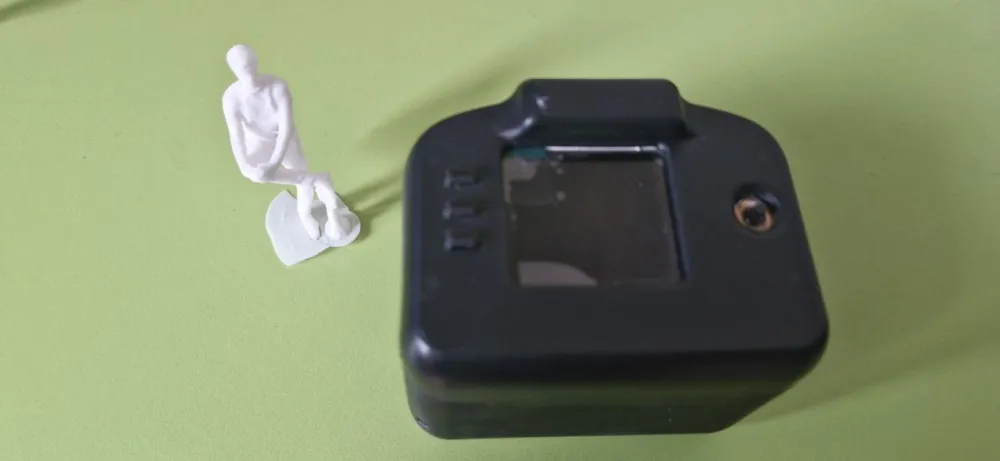
A few words about the device case and ports.
The pursuit of miniaturization of the device led us into a certain logical dead end. The smaller we wanted to make the device, the more we faced the necessity of somehow dealing with the generated heat. And heat was generated excessively. At some point, we wanted to abandon the passive cooling option and achieve smaller sizes and less weight.
But remembering the principle: "what rotates - must break," we ultimately abandoned the idea of an active fan on the device. And this added weight to it. Not only in our eyes but also in the hands of those who held it during testing.
The subheading also mentioned the ports. The usb ports, through which the device is charged, had to be reinforced several times. Consumers, as it turned out, are physically strong people and when placing the device on charge, they often broke the ports. Wireless charging of the device is still just a dream.
About testing and implementation.
Inspired by the creation of the first MVP, we set our sights on the endless fields of potential consumers who eagerly dreamed of touching our creation. At least, that’s how it seemed to us.
The reality met us with harsh everyday life at the "All-Russian Society of the Blind," where we approached with our product. We were met with a cautiously skeptical attitude, but overall friendly for the domestic reality. There we submitted our device for testing and feedback in the hope that our efforts would be duly appreciated.
After some time, we were contacted and asked to conduct a demonstration of the capabilities, which we gladly organized.
However, whether the inspectors had already seen something better on the "event horizon," or the device was not catastrophically quick in its reflections, or simply due to the gray autumn weather...
We were encouragingly patted on the shoulder and shown demonstrations of other interesting devices that had been gathering dust on the shelves for lack of necessity. But the "overall message" was this: there are already mobile phone applications available, so why do we need more? At this point, the progress of implementation came to a halt...
But we did not give up and conducted independent testing with blind users we found through correspondence. They provided positive feedback, which slightly encouraged and supported us.
About future plans and a spoonful of tar in mobile applications.
First, let’s talk about the spoonful of tar, so we can later discuss the bright future.
No one disputes that there are well-supported applications, one of which is well-known - "Be my eyes." For those who have never encountered it, as the author had until recently, here’s a brief overview.
The application provides photo description services, taken through the phone. Essentially, our scenario on the device is "scene description." There is no possibility for interactive engagement with the photo, meaning you cannot verbally clarify certain details. There is also video calling with a live volunteer, whom you can call through the app, and they will help you for free.
All these aspects undoubtedly carry a positive tone and provide convenience. But, at the same time, they are vulnerable areas: the consumer pays with their privacy.
The author tested the video call feature but remained silent when establishing the connection, imitating an accidental call. The other end of the line also stayed silent. Then a dialogue took place.
As for the photo description function - it works quickly, but only with an internet connection. Furthermore, the issue of privacy is also lacking - photos are sent to foreign servers that are currently operational. For how long?
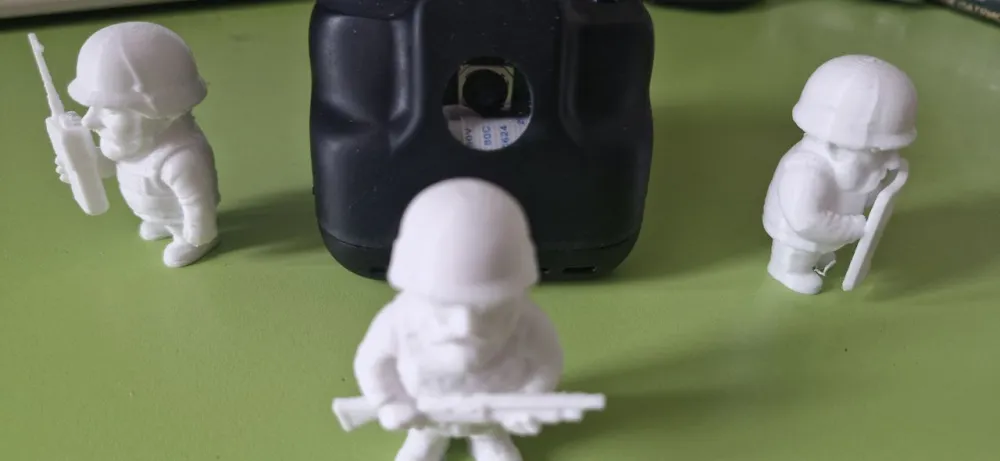
But as they say, "why blame the mirror if your own face is crooked." The device is still far from ideal. The responses via the API are not coming as quickly as one would like, and 5-6 hours of operation time is insufficient for some; on a hot summer day, the radiator on the device overheats. Servers with VQA models won't handle the influx of users; currently, only small groups can be accommodated. So, there is still a long way to go.
Write comment