- Hardware
- A
How to Run 3D Applications on a Server Without a GPU: From SwiftShader to WARP
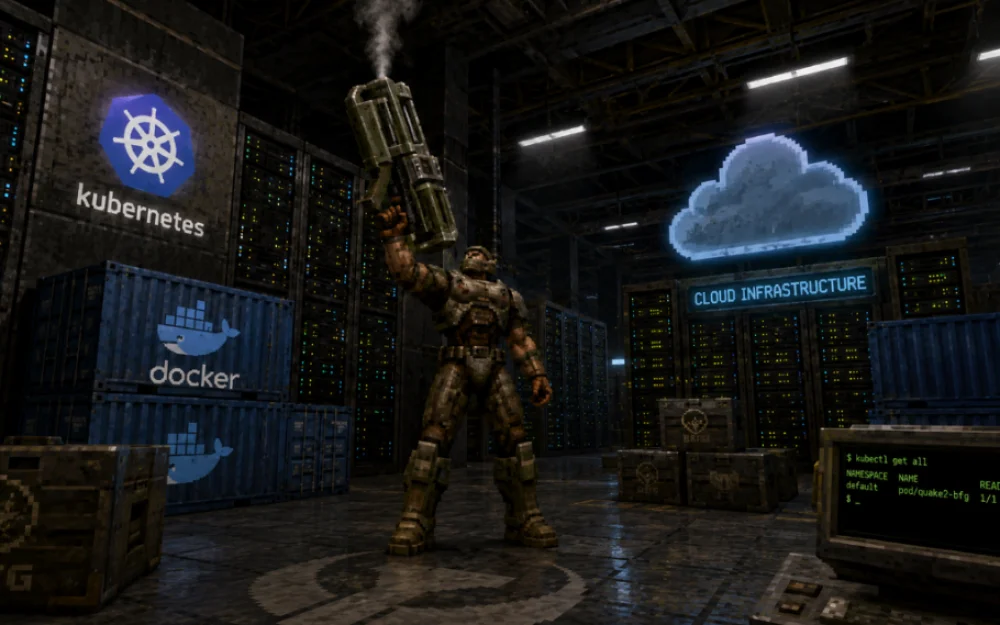
Going through my retro computer once again, which I already wrote about on Habr, I replaced the graphics card and launched Quake 2. When I decided to compare the visuals, I set it to Software rendering, and an idea popped into my head: it’s a shame you can’t do the same with modern games… Or can you?
A quick Google search gave a clear answer — it's easy. And the tools for this are publicly available. Below are four of the most popular software solutions that allow running 3D applications even if there is no GPU with OpenGL or Vulkan support on the server.
What does "application requires a GPU" even mean
I'll start with a very rough generalization: the heart of any device that handles 3D graphics output is a rasterizer. Its tasks include projecting prepared 2D geometry into a raster representation — a grid of flat fragments ready for further shading and output to the screen. Early 3D accelerators like the 3dfx Voodoo 2 practically only did this, taking on part of the computational load. The geometry itself and transformation were still processed by the CPU.
Before such accelerators appeared, game developers had to write their own rasterizers that ran on the CPU. The ability to pack this part into silicon and give developers access to it greatly simplified life, leading to the emergence of a whole zoo of different APIs like Glide, DirectX, Vulkan and the like.
Since then, the rasterizer has been implemented in hardware in all modern desktop and mobile architectures. Although there were unsuccessful experiments — like the Intel Larrabee GPGPU, which performed rasterization entirely in software. Time has clearly shown that this approach is unviable and it's better to leave things as they are.
To sum up: when an application requires a GPU, it does not need direct access to the hardware, only the ability to interact with a graphics API. If a valid response is returned to the API call, there is generally no difference whether the response came from a hardware or software driver. The latter can run perfectly well on the CPU, even if it is considerably slower.
Why servers often run without a GPU
For the classic server model, the absence of a graphics card is the norm. No, of course, it is capable of producing some simple image - there is a primitive video output in BMC/AST chips to show BIOS/UEFI, run the operating system installer or display the recovery console. But running Blender or WebGL there becomes a problem. A typical virtual machine is capable of handling tens of thousands of connections, working as a database and web server, but gets lost when the software asks: "Where is our OpenGL?"
The reason is simple - previously, server applications rarely required graphics, and a discrete GPU was an extra point of failure and additional power consumption. In the modern world, a server may easily require a browser for autotests, tools with WebGL/WebGPU, screenshot generators, 3D engines, and Electron applications. And then it turns out that the latter need hardware acceleration, and the utility for taking screenshots actually wants to operate with a normal graphics context.
There are two ways: install a GPU, which suddenly turns out to be quite expensive and not always justified solution. The alternative is to provide an illusion of a graphics card, where what should normally live in silicon is implemented in software.
SwiftShader (Vulkan)
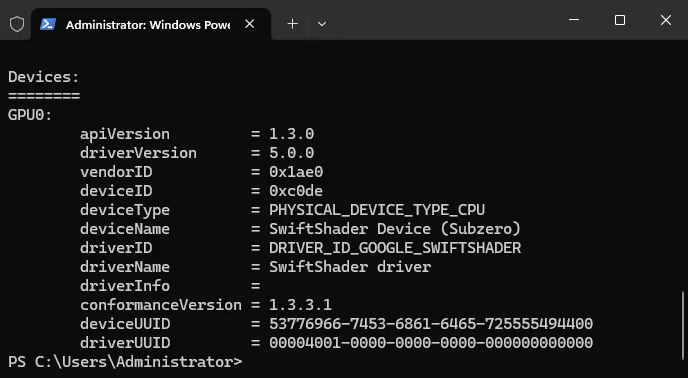
The development of the Canadian company TransGaming was first presented to the public in 2005. The description directly states that it was created for gamers who want to play casual games but are not willing to spend money on the latest graphics cards. SwiftShader made it possible to use 3D graphics even if the computer did not have a 3D accelerator.
At that time, it was one of the fastest software rasterizers. A 50-fold increase in performance was claimed compared to the Direct3D Reference Rasterizer from Microsoft. It worked on any PC with an x86 processor and support for the Intel SSE extension. Supported operating systems from Windows 98 and higher. Linux, by the way, too - through Cedega (formerly WineX).
Over time, SwiftShader has been used less and less for games. Instead, it found application as a fallback mechanism for rendering 3D graphics in Chrome, starting from version 18. If for any reason the video card driver (discrete or integrated) was unavailable, the browser would switch to software rendering using SwiftShader.
Now it is still alive, under Google's wing, but no longer as a proprietary product, but as an open-source product — the source code is available on GitHub. However, WebGL fallback in Chrome can no longer be considered guaranteed behavior — it has been deprecated (Chrome 130 and newer). If you want to try it in action, for example on Windows, you need to obtain pre-compiled libraries (or build them yourself). The easiest way is to look in Chrome's system directory:
C:\Program Files\Google\Chrome\Application\[version]\
Among other things, you will see three files — this is just what you need.
vulkan-1.dll — the loader, so-called Vulkan loader. The application does not access the driver directly, it must be linked with this library. It acts as a switch between the software and a specific driver. Its tasks include finding all available Vulkan implementations in the system, listing them and loading the required one. After that, it directs calls from the application.
vk_swiftshader.dll — a full GPU driver that runs on the CPU. Inside, the entire Vulkan pipeline is emulated — from the software rasterizer to the JIT shader compiler. In other words, if vulkan-1.dll decides to use software rendering, all calls will be passed to this DLL.
vk_swiftshader_icd.json — an ICD (Installable Client Driver) manifest with minimal content. It is only needed so that the loader understands which driver is in front of it and how to connect it.
In most cases, you can simply copy these three files to the directory with the application that requires the Vulkan API, and that will be enough. Sometimes it helps to place them in C:\Windows\System32.
llvmpipe (OpenGL)
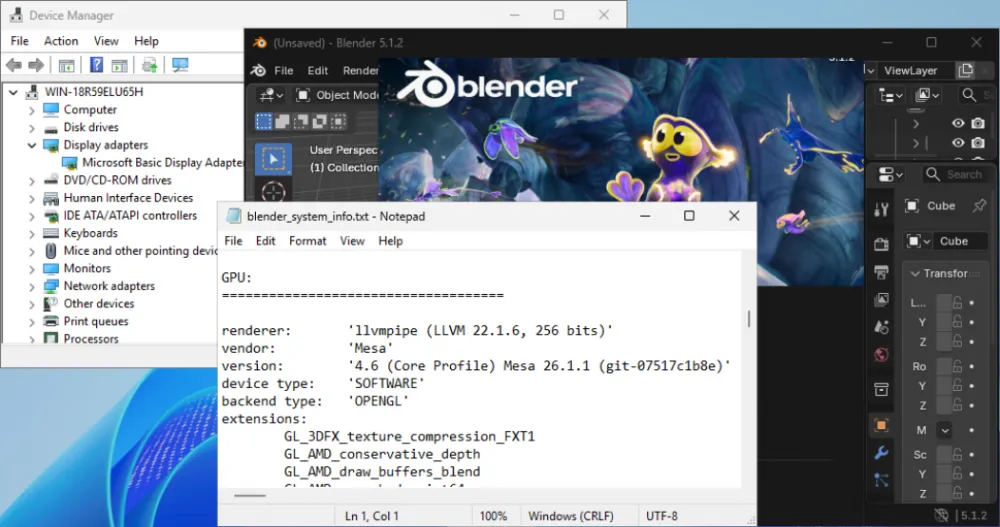
Unlike SwiftShader, which was originally developed as closed-source, llvmpipe grew within the Mesa ecosystem — a free implementation of graphics APIs. It can be considered one of the best examples of what a modern software rendering engine for Linux should look like.
In documentation it is referred to as a Gallium driver. To understand how it works, additional context is needed. The Mesa project abandoned the idea of writing an entire OpenGL driver from scratch every time — instead, they created a single common Gallium3D layer. The implementation of a specific driver then acts as a backend for particular hardware. Llvmpipe does the same, but instead of translating Gallium instructions into commands for a physical GPU, it compiles an intermediate representation (LLVM IR) and feeds it to a JIT compiler.
The latter handles all the "dirty work" of rasterizing elements, processing vertices, and shading. As a result, shaders are JIT-compiled into regular CPU functions every time. Notably, llvmpipe features a parallel execution mechanism (up to 32 threads). It allows for efficient utilization of CPU cores and significantly speeds up image output.
lavapipe (Vulkan)
Another product of the Mesa ecosystem. It gets a bit more interesting here — lavapipe acts as a Vulkan frontend for Gallium. It was initially named Vallium, but the developers quickly realized this would cause more problems than benefits. Rasterization is again handled directly by llvmpipe. The driver also truthfully reports to the system that it is of type VK_PHYSICAL_DEVICE_TYPE_CPU, while still supporting all the functionality required for applications to run.
An interesting fact: for a long time, users would regularly run into a warning that read not a conformant vulkan implementation, testing use only. Most often this happened not intentionally, but when there was no correctly installed physical GPU driver in the system. A fallback would trigger, and users would end up using lavapipe, often without even realizing it. The warning itself only reflected its formal status in the Khronos CTS (Conformance Testing Suite). Fortunately, since 2022, lavapipe has been fully officially conformant.
This component does not need to be installed separately. If your Linux distribution has a package like mesa-vulkan-drivers, then lavapipe is also included there.
WARP
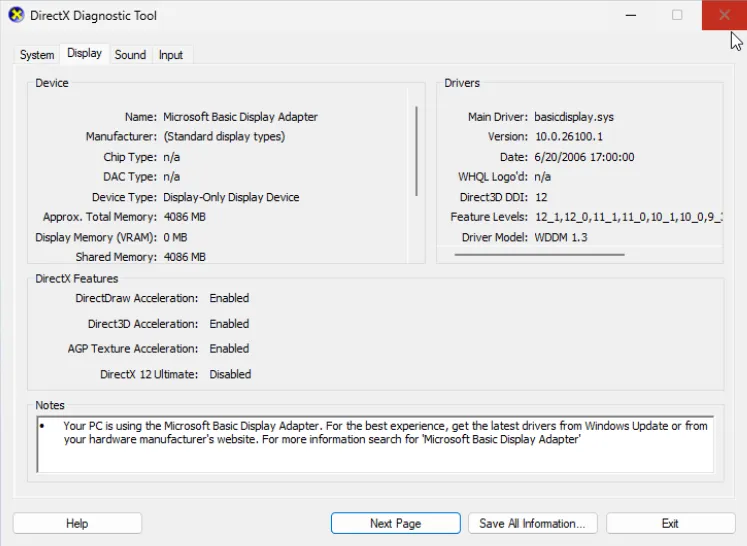
And for our final highlight, we saved Microsoft's development called WARP (Windows Advanced Rasterization Platform). The name is clearly a nod to the Star Trek series, where warp technology helped the crew of the USS Enterprise (NCC-1701) explore uncharted regions of deep space. Its core philosophy is exactly the same as the other focus subjects of this article: JIT compilation to x86 machine code and multi-core parallelization.
WARP was initially positioned not as a way to run games on a PC without a GPU, but as a tool for server-side rendering and graphics testing. It is not a standalone product, but a part of the Direct3D runtime. In terms of performance, it has been compared to the basic Intel GMA 3000 integrated graphics since as far back as Windows 7. It could not handle running any demanding software on it, but it was definitely suitable for offline rendering, automated tests, and preview generation.
Instead of a conclusion
It's amusing, but history has once again proven to be cyclical. A long time ago, Quake 2 with software rendering was a compromise: we sacrificed image quality and FPS for one goal alone — the ability to at least run the game without a suitable accelerator. More than two decades have passed, and we are still using the same old trick, not out of desperation, but as a deliberate engineering solution.
Software rendering was and remains one of the most effective tools in developers' hands. It is no less useful for DevOps engineers, who sometimes have to deal with unexpected requests from applications that, for one reason or another, want full access to the GPU.
And for enthusiasts, it provides a unique opportunity to run something like Crysis, which outperformed all flagship GPUs available at the time of its release, right on a server that is not designed for gaming at all — examples of this can be found on the well-known video hosting platform. Though you will have to be patient... and have plenty of RAM.
![From Virtual Hands to AI for Survivalists: Curious Open Agent OSes [and One Hardware Project]](https://cdn.tekkix.com/imgs/2026/05/habrcom/big/ce0b1057616faed51cd8b9f3b2b9.webp)


Write comment