- Hardware
- A
Sofle RGB Wireless — a split keyboard with backlighting and no wires
A few years ago, I started using the Lily58 Pro split keyboard. I really like it: compact, comfortable, everything is at my fingertips, and my hands hardly tire even after a whole day of typing. There have been no problems in five years. The only downside is that it's wired, with cables connecting the halves and then the keyboard to the PC. While the cable isn't too much of an issue, I still desire full wirelessness.
Recently, I saw an ad on Wallapop for a ready-made Sofle RGB Wireless — with backlighting, encoders, and not a single wire. The price seemed reasonable, I contacted the seller, and picked it up. Now it’s on my desk; I have worked with it for a few weeks and am ready to share my impressions: what kind of keyboard it is, how it is assembled, and how it feels in use.
What kind of model is this
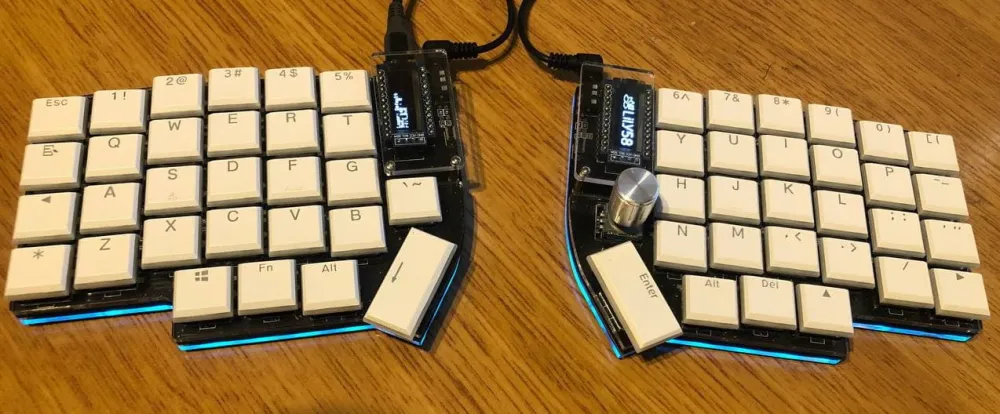
Most mass-market models, even premium ones, are built around the old row layout. The hands are positioned close together, the wrists twist slightly, the shoulders rise — it may seem like a minor issue, but by the end of the day, it all adds up. Gaming keyboards offer backlighting and macros, but they hardly touch upon ergonomics. Branded ergonomic options like the old Microsoft Natural or the new Logitech Ergo help, but they are bulky and do not provide the freedom that custom build enthusiasts are looking for.
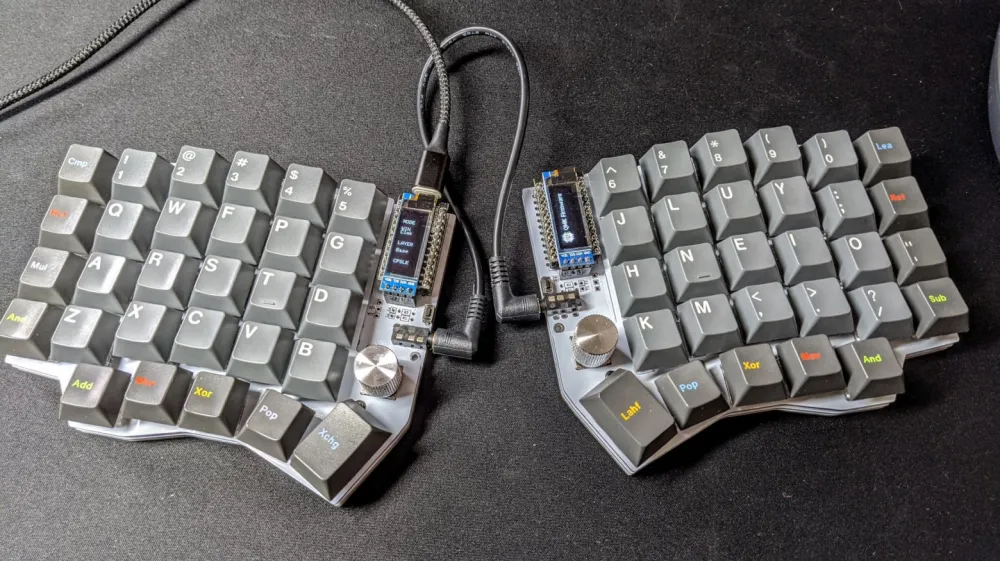
The Sofle emerged on the wave of ergonomic keyboards in the late 2010s. Projects like Corne and the same Lily58 showed how comfortable they can be. However, some users missed a proper number row and convenient keys under the thumbs. There were other complaints as well. In general, the author of Sofle, Josef Adamčík, gathered the best of these ideas and released his own version of the split keyboard in 2019. It is a symmetrical system with 58 keys, 29 on each half.
The main block is designed in a column layout: six columns, four rows, and a separate cluster of five keys under the thumbs. There are also spots for encoders, which are usually used for volume or scrolling. Small OLED screens are included that display various information about the keyboard's operation. For example, entered characters or layer number. Honestly, it's more of a decoration for geeks than a useful accessory. Personally, I like it.
The PCBs for Sofle are compatible with standard MX switches or low-profile Choc switches, with the ability to swap them out on the fly for convenience. The advantage of the project is that everything is open: schematics, case models, configs. There are constant improvements being made, new options are offered, etc.
RGB and Wireless Version
When the standard Sofle became familiar, some users wanted to add beauty. PCBs with RGB appeared—an LED under each key and edge lighting. It looks really cool in the dark: colors smoothly flow, reacting to clicks or other external factors. Wired assemblies most often used Pro Micro or Elite-C controllers with QMK firmware—everything was easily configurable, especially through VIA.
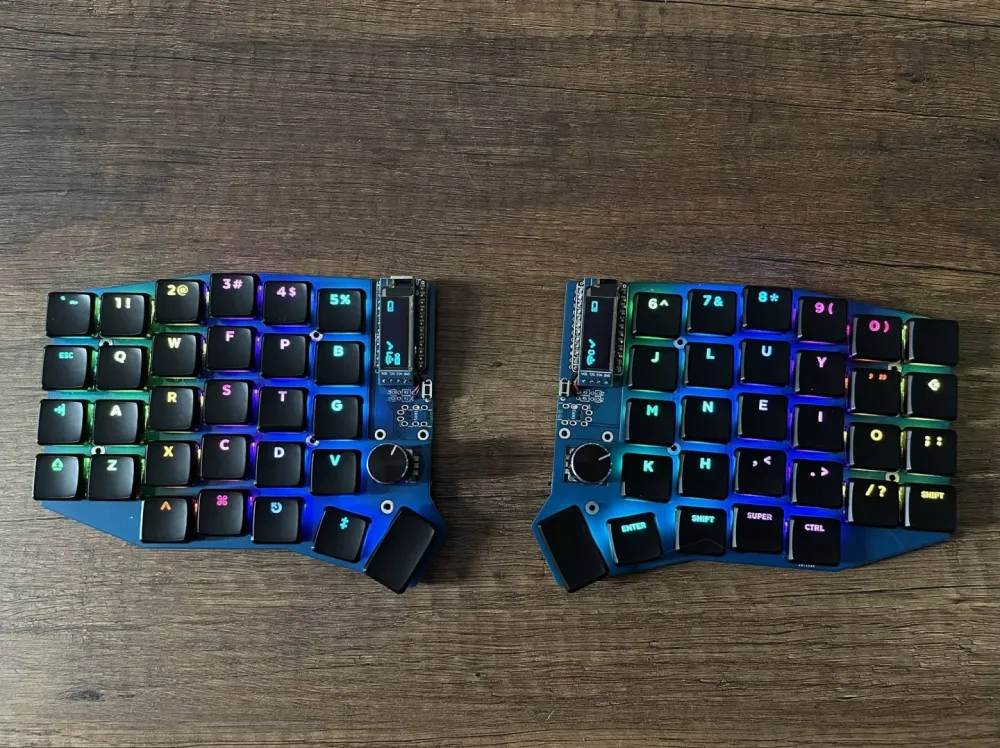
In wireless versions, regular controllers were replaced with nice!nano with an nRF52840 chip—small modules with Bluetooth Low Energy and low power consumption. The connection between the halves is now wireless. Each side received its own Li-Po battery ranging from 100 to 500 mAh and a switch. Battery life ranges from a couple of weeks to a month, depending on how brightly the backlight shines. It connects to several devices via Bluetooth instantly, and the halves can be separated as wide as desired. This freedom has made the wireless version especially popular.
ZMK Firmware and Customization
Wired options traditionally ran on QMK—a powerful platform with a ton of features. But for wireless models, a new product was created—ZMK Firmware. This is a fork specifically designed for Bluetooth and energy efficiency. The keyboard sleeps between keystrokes, and battery life is significantly longer. The project is actively developed, with excellent support for split models and various peripherals.
Recently, ZMK Studio was added—a web tool where you can change the layout without recompilation. Layers are made according to your habits: a main one for letters, additional ones for symbols, navigation, or media. Encoders change behavior depending on the layer, and the lighting supports complex effects. The documentation is good, and help is always available in the chats.
In general, that's about it. Now let's talk about my keyboard and the adventures I've had with it.
Purchase on the online marketplace and impressions
To be honest, I stumbled upon the keyboard by chance, and I liked it right away. Below, I will show a photo from the platform so you can understand how Sofle looked in the original pictures.
Looks good, doesn't it?
It was offered without keycaps and switches, which isn’t a problem. But even without those, I thought it looked quite decent and nice. Here's another photo, now with legs for adjusting the position of the keyboard in space.
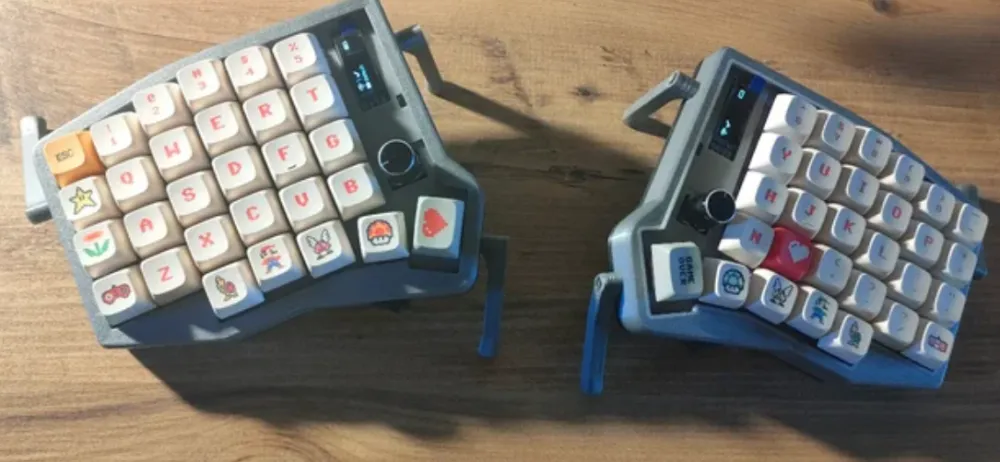
Overall, it seemed fantastic to me. It cost about 180 euros, and I decided to buy it. By the way, there are keyboards of this model on Aliexpress, a bit cheaper, but you would have to wait. I really wanted to try it out at work since I already had switches and keycaps. I ordered it, and problems started at this stage. The seller didn't send it, and the money was returned. Then he apologized and promised to send it right away. I bought it again, but he sent the keyboard on the last day allowed by the platform (five days are given for shipping after purchase).
No, not like that. The harsh reality
I waited for the package to arrive, unwrapped it impatiently, and there it was…
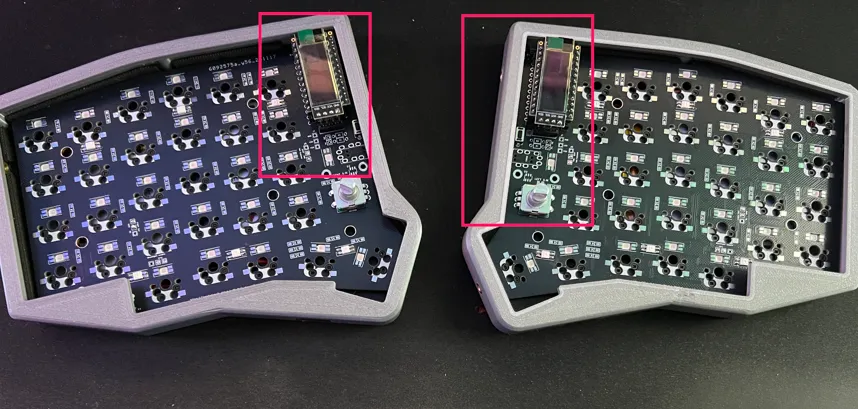
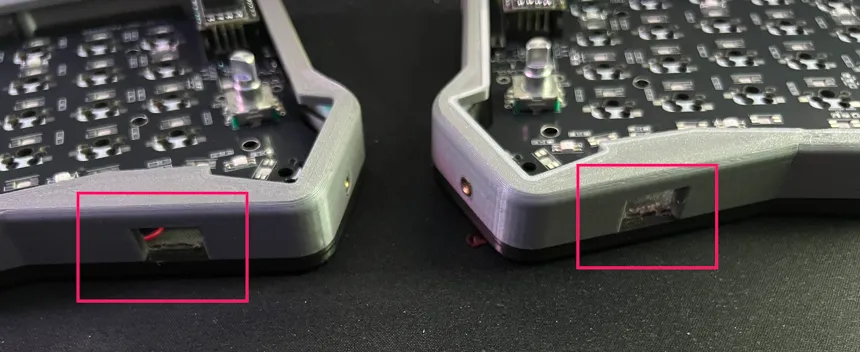
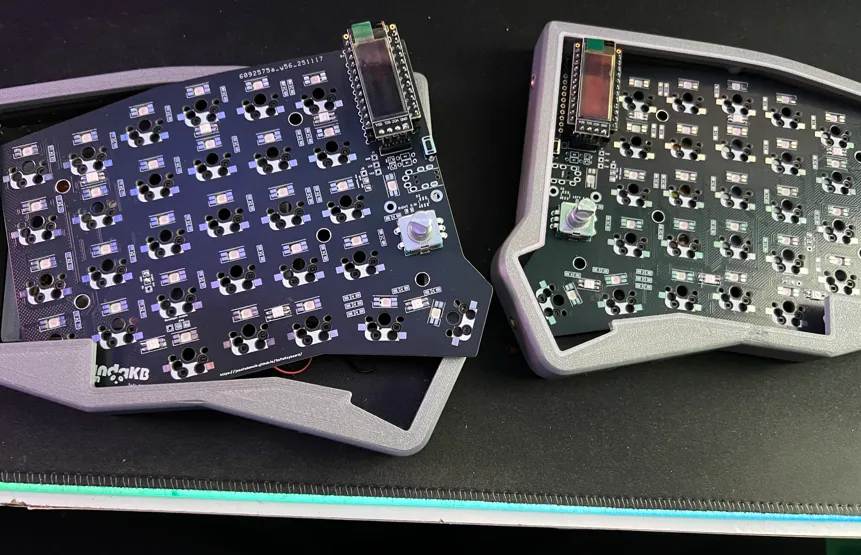
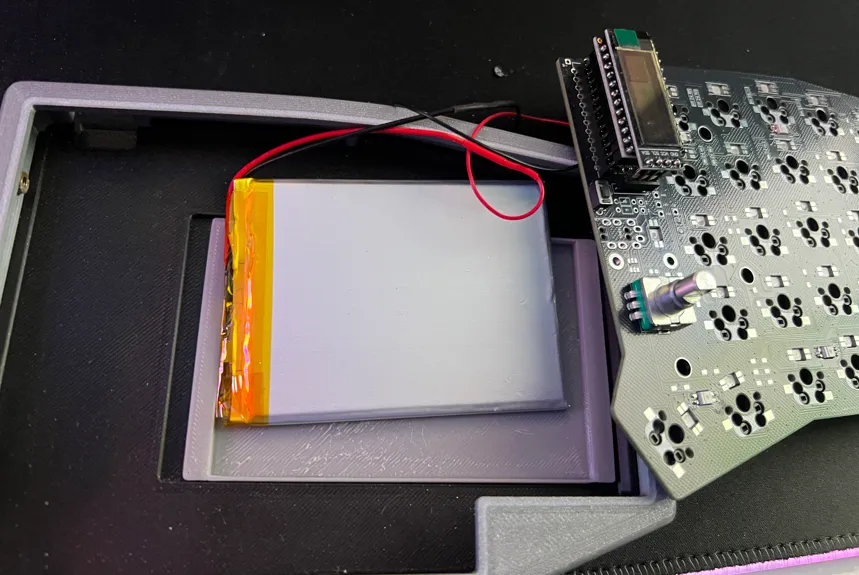
The printed case is twice as high as it should be. There is no top cover to place on the board. The batteries shift and fall out, the lower cover for the battery pops off. Nothing is secured; everything literally falls apart, plus there are no switches, as shown in the original photos.
In short, I had to write to the seller to express my deep concern. At first, he was all puffed up and claimed that this was a customizable keyboard, and he indicated that in the advertisement (he didn't). Well, then he agreed to refund 50 euros. I would have returned all of it, but I have a 3D printer, so I can print the case myself.
So instead of installing the switches and keycaps, I had to look for models of a proper case. I also decided to print keycaps — it turned out that the ones I had were not of the right model.
Correcting Mistakes
In general, I had to print everything from scratch: the case, the covers for it, and the keycaps. Since the knobs were golden, I decided to make the keycaps the same. It turned out unusual, but I like it. I also ordered regular factory keycaps; I think I will replace my homemade ones soon.
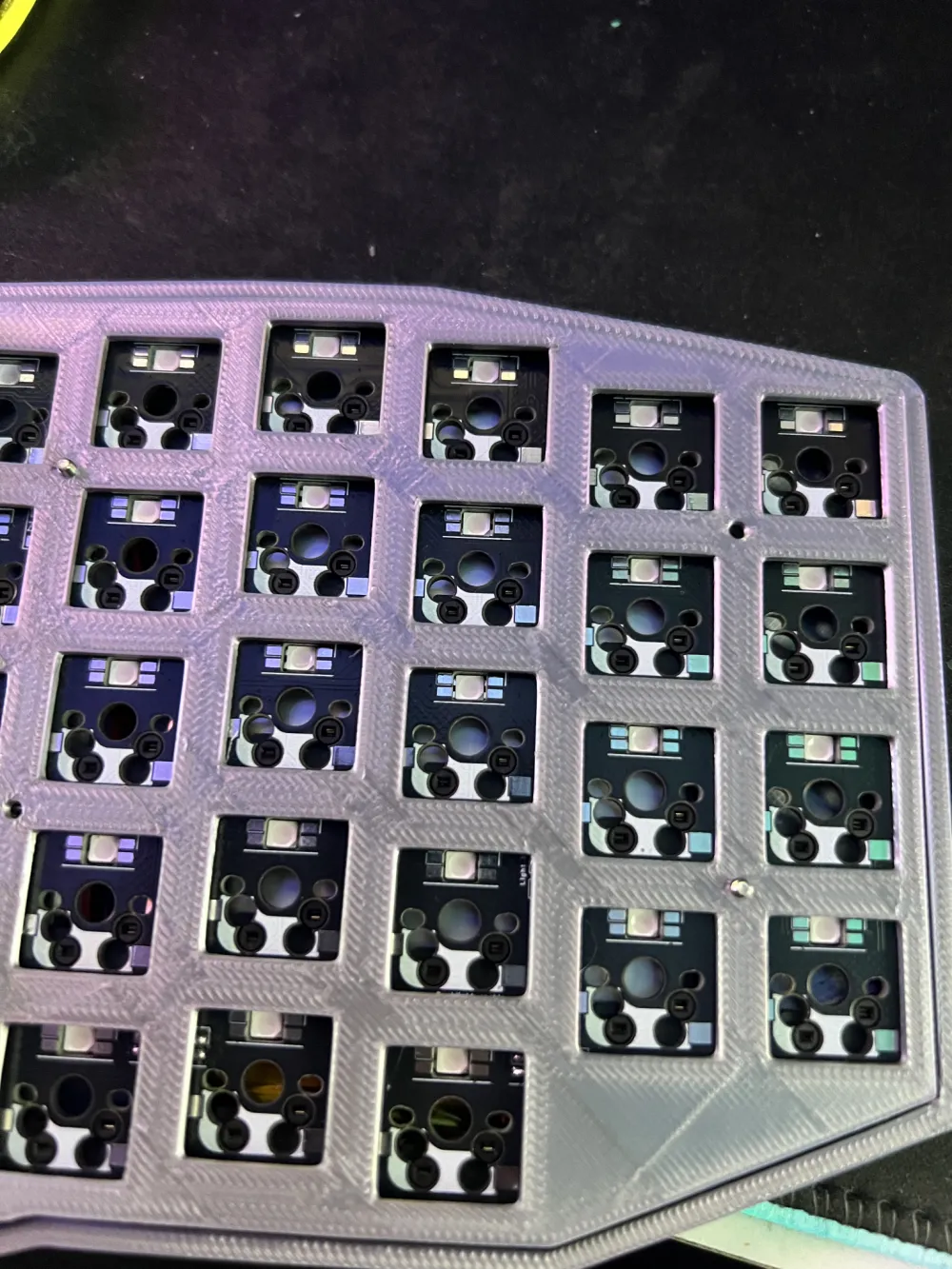
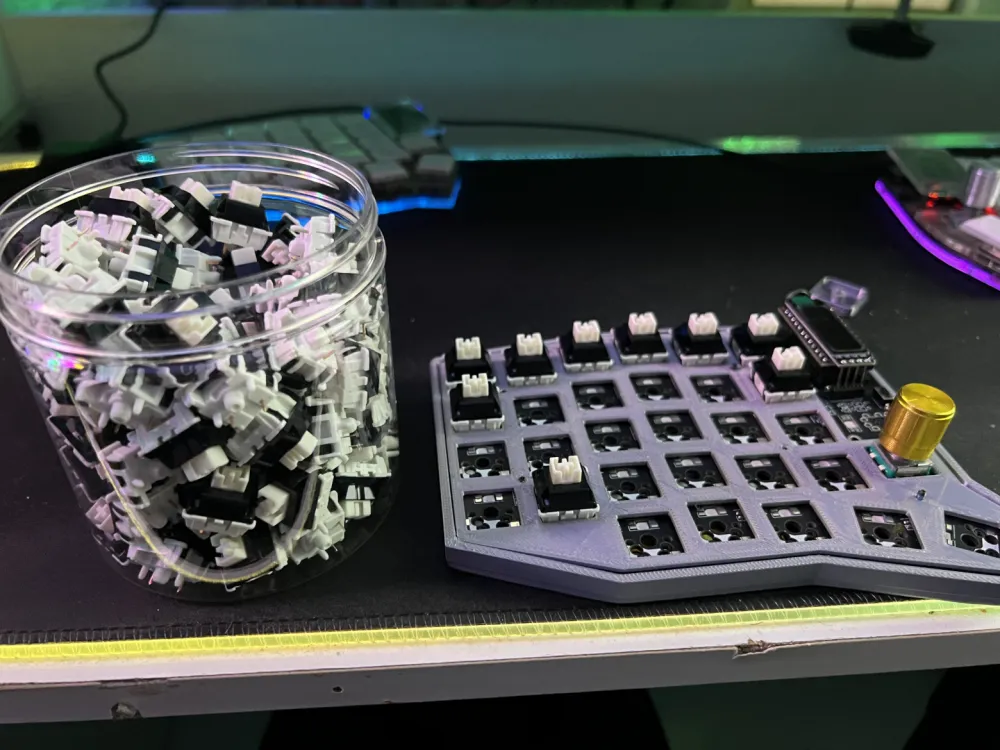
Everything went smoothly, you could say, as expected. The case is not perfect, but much better than what originally arrived. That one probably belongs to some other keyboard configuration; it’s just too high.
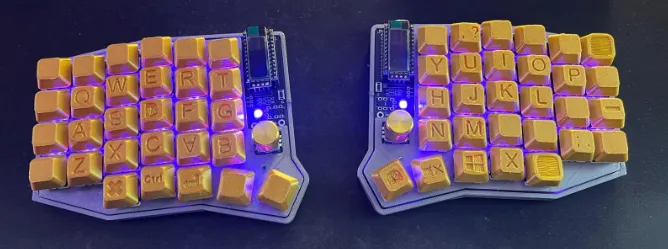
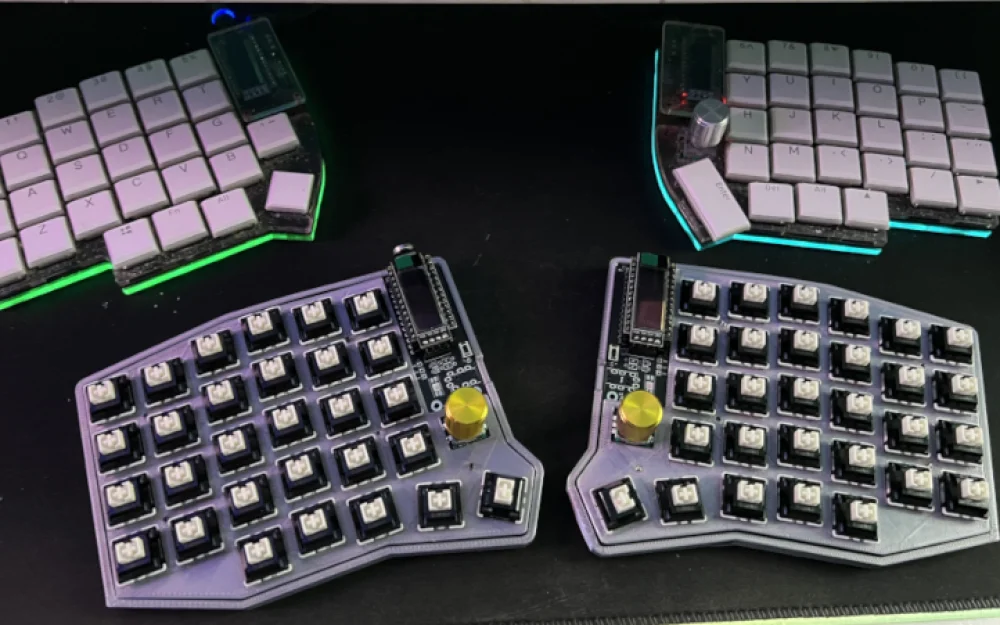
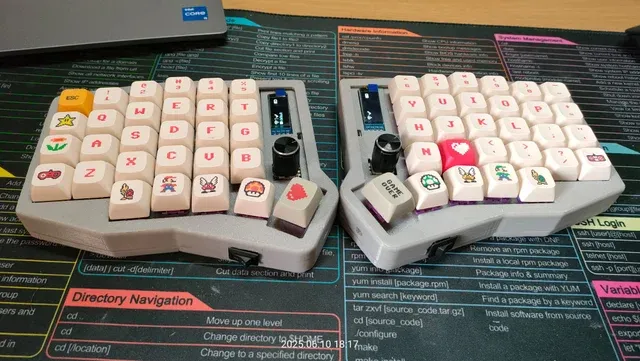
And here is what I currently have on my desk. By the way, I am typing this article already with Sofle. Of course, I had to get used to the higher keys (here are MX switches, not Choc low profile, like on Lily58 Pro), to some features of the keyboard itself, but everything is good. The adaptation is going well.
How to Set It Up
Everything is simple. The firmware/layout modification is done using ZMK. There is a very convenient tool called KeyMap Editor. It is a web service where the layout is configured.
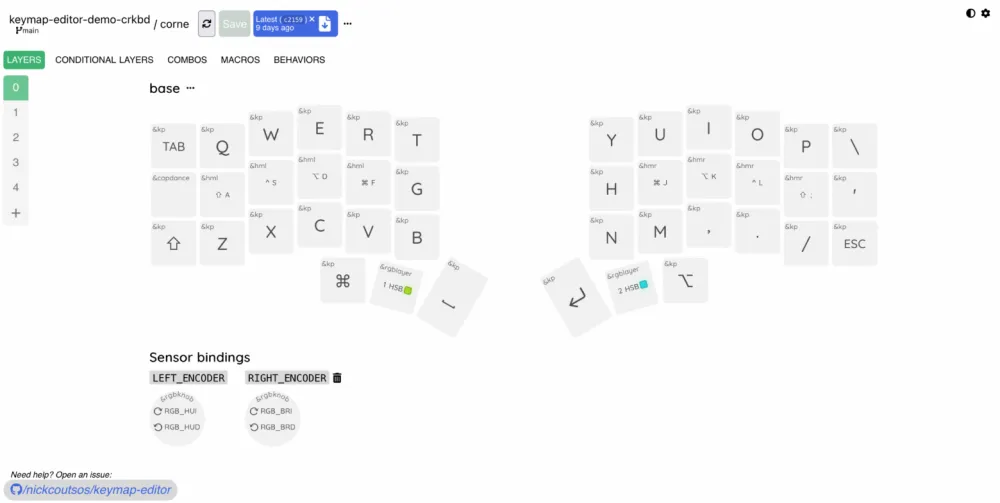
You need to register via GitHub, choose your zmk-config, and everything else. After that, a visual layout opens up, as shown in the screenshot above.
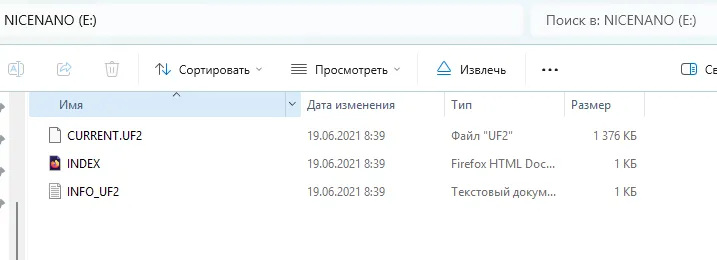
The keys are edited very quickly: you just need to click on the key with the mouse and press the corresponding button on the keyboard. After that, everything is ready. Repeat until you are completely satisfied with the current layout. Then everything is compiled into .uf2 files (for the left and right halves). They just need to be uploaded to the controller's memory (in my case, double-clicking the reset on the keyboard grants access to the memory).
So, that's all.
As a conclusion, I will say that I've only been with Sofle for a short time, and I haven't fully formed an opinion about the differences from my previous keyboard. There are no critical issues, but there are differences in feel. I will work for another couple of weeks and write a detailed article. Not only about working with the keyboard, but also about the software used here and there, low and regular profile, and other interesting things.
So stay tuned!










Write comment