- Security
- A
Backup of Messengers: Saving Archives
Backup includes files on disk. But the question arises: how to save information from cloud services? For example, archives of all conversations from messengers like Telegram, Whatsapp, Viber, etc. After all, this correspondence can be lost at any moment. It's better to download all the information in advance and save it locally.
This problem also arises when transferring data from an old, unnecessary messenger. Let's say a user decides to permanently leave Skype and wants to save all conversations from all the years. Or they change accounts and want to keep the correspondence from the old account.
A situation may arise where a loved one has passed away, and we want to preserve their message history for relatives. For such cases, the developers of Telegram are testing a "Legacy" feature, but it is not ready yet.
Therefore, specialized solutions, including unofficial clients, are currently used for backing up information.
Open Source Tools
There are several tools for backing up Telegram. First, you can write a simple bot yourself or use a ready-made one, such as Telegram Downloader or Save Any Bot on GitHub.
The downloader Save Any Bot saves information from channels, groups, and chats to the disk, including images, audio, video, polls, documents, and stickers. It supports parallel downloading for maximum channel utilization and sorts downloads into personal storage. You can connect multiple Telegram accounts without violating Telegram's terms of use. The bot is installed with one command and works locally.
Downloaded files can be saved to disk, to cloud storage (S3), or back to Telegram (in another channel).
To work, you need to edit a configuration file of this type:
lang = "en" # Language setting, "en" for English
[telegram]
token = "" # Your bot token, obtained from @BotFather
[telegram.proxy]
# Enable proxy for Telegram
enable = false
url = "socks5://127.0.0.1:7890"


name = "Local Disk"
type = "local"
enable = true
base_path = "./downloads"


id = 114514 # Your Telegram account id
storages = []
blacklist = true
Running in a Docker container is supported:
docker run -d --name saveany-bot \
    -v ./config.toml:/app/config.toml \
    -v ./downloads:/app/downloads \
    ghcr.io/krau/saveany-bot:latest
For more details, see the documentation.
Additionally, there are other open-source tools for Telegram that can be used for backup and other purposes:
TG-FileStreamBot — a bot that starts streaming media content on Telegram without waiting for the files to download completely
td, gotd/td — an open-source client for Telegram written in Go (MTProto API)
GoTGProto — a helper wrapper for the gotd/td client, easier to set up and use for sending messages and downloading content
tdl — a set of tools in Go for working with Telegram, the main one being Telegram Downloader for downloading content

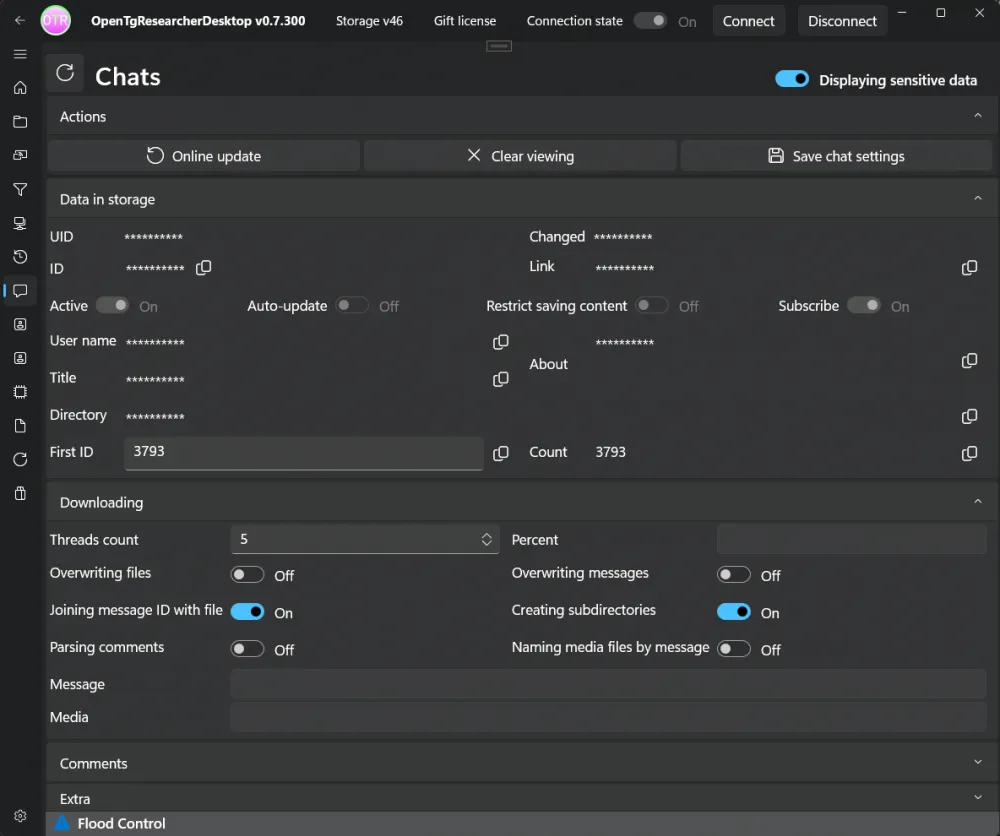
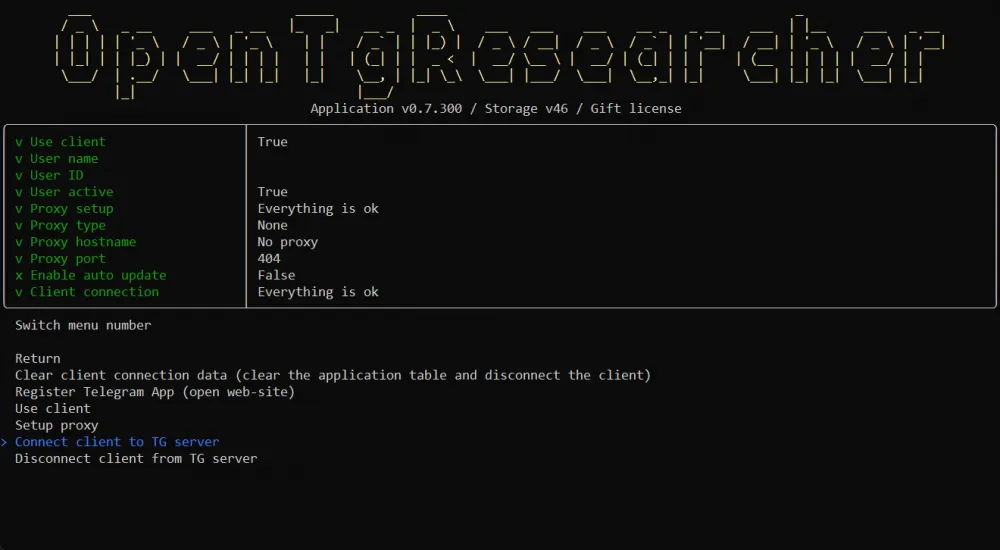
OpenTgResearcher — a tool for analyzing Telegram chats and downloading content. Files, messages, and chat statistics are downloaded to a separate storage. The program can be used as an OSINT research tool and chat parser, allowing you to view extended statistics of chat participants, etc.
Catogram — an experimental client based on the source code of the official Android client, from a former Telegram developer
Telega with resources from VK, which was discussed on Habr
Other unofficial clients
There are third-party universal clients that work with various messengers and protocols, including Pidgin, Miranda NG, Trillian, Franz, and others. Many of them support Telegram through plugins.
There are unofficial clients for other messengers as well. For example, TM SGNL from TeleMessage, an unofficial client for Signal.
In principle, any developer can write their own client for Telegram; it is not a very difficult task, and some even document the process.
Note. Under the guise of unofficial Telegram clients, malware is often distributed, so it is only safe to use these clients after checking the source code.









Write comment